
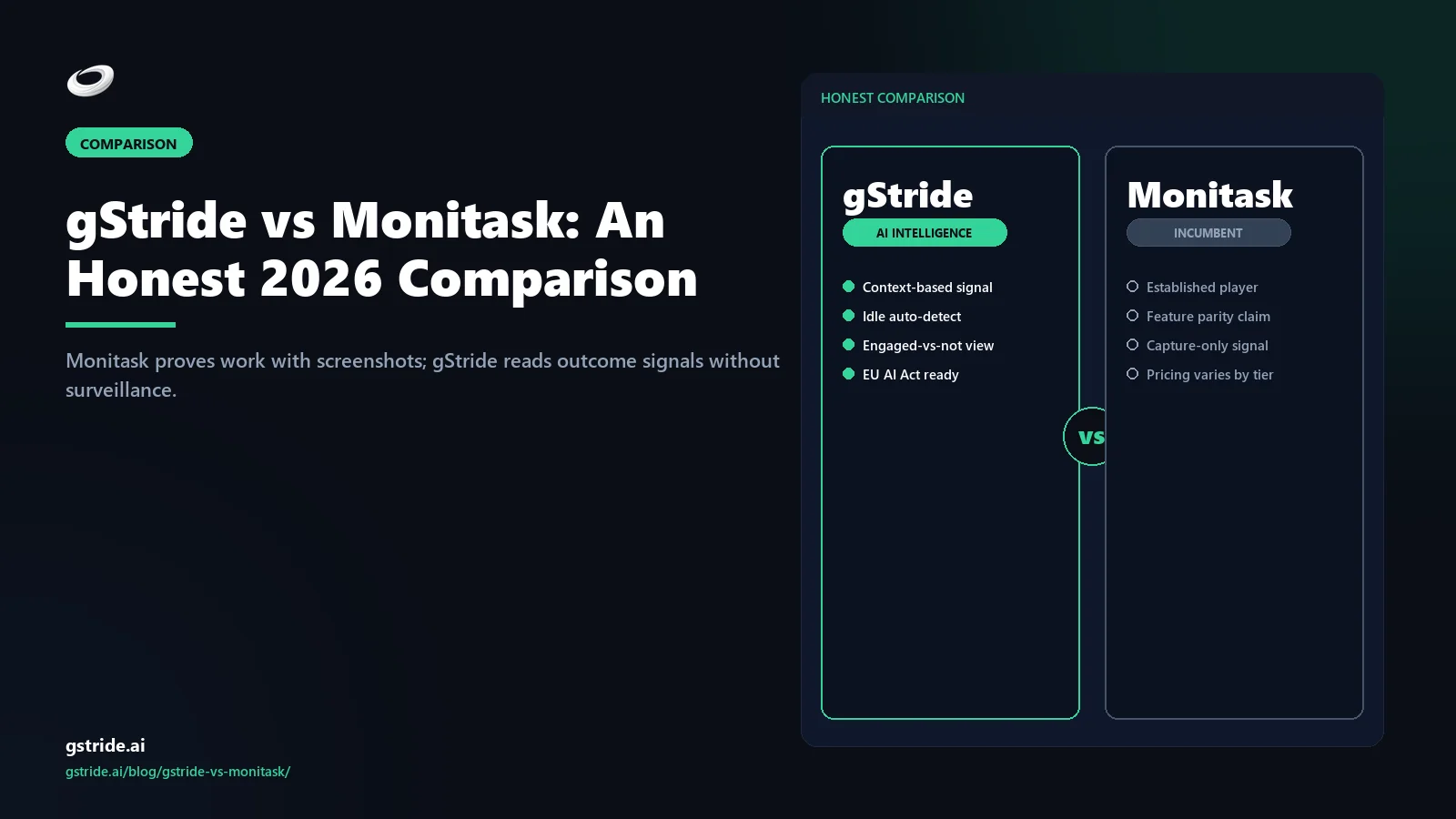
TL;DR — when each tool wins
Pick Monitask if you need straightforward screenshot proof-of-work for hourly contractors or client billing, you want a simple and affordable verify-the-hours tool, and your team has accepted screenshots as part of the contract.
Pick gStride if you run a remote or hybrid team and want to understand how work actually progresses — focus, throughput, cadence — without relying on surveillance; you want native payroll, shift/leave, and AI-assisted timesheets bundled at one price; or you want a privacy-first posture you can defend.
Neither tool is wrong — they sit on different ends of the workforce-measurement spectrum. The rest of this article is the long version of that summary.
The core difference: proof-of-work vs outcome signal
Monitask's design centres on proof. It captures screenshots at intervals, tracks active time and app usage, and produces an activity level so a manager or client can verify that paid hours were worked. For agencies billing clients by the hour, or teams managing remote contractors, that verifiable artifact is the whole point, and Monitask delivers it simply and affordably.
gStride starts from a different question: not "did the hours happen?" but "how is the work going?" Instead of proving time-on-screen, gStride reads focus blocks, project throughput, work cadence, and other outcome signals. Screenshots exist as one optional, configurable feature — sampled, blurred, event-triggered, or off — but they are never the basis of the productivity picture. This is the wedge: Monitask proves the work happened; gStride reads how the work is going.
Feature-by-feature comparison
The table below is the honest version. Where Monitask has the stronger answer for proof-of-work, we say so. All Monitask capability claims are tagged with a check date so you can flag anything that has shifted since publication.
| Dimension | gStride | Monitask |
|---|---|---|
| What it captures | Work signal — focus blocks, throughput, cadence, optional capture | Proof-of-work — screenshots, active time, app usage [monitask-checked-2026-05-20] |
| Screenshots | Configurable / off — per-user, per-project, sampled, blurred, event-triggered | Core feature — interval screenshots central to proof model [monitask-checked-2026-05-20] |
| Keystroke logging | None — not collected by design | Not a keystroke logger — uses activity level + screenshots [monitask-checked-2026-05-20] |
| Productivity model | Outcome + cadence — reads the work | Activity level — keyboard/mouse + screenshot verification [monitask-checked-2026-05-20] |
| GDPR data minimisation | Conservative defaults — minimal capture, configurable retention | Config-dependent — capture-leaning proof-of-work defaults |
| EU AI Act readiness (Aug 2026) | Transparency-aligned — explainable signal, employee-visible | Config-dependent — assess against Annex III obligations |
| Native India payroll | Yes — PF/ESI/PT/TDS, multi-currency | No — invoicing + payroll export, external payroll [monitask-checked-2026-05-20] |
| Shift / leave / attendance | Yes — built-in approvals workflow | Limited — time + attendance via tracking, leave often external [monitask-checked-2026-05-20] |
| Pricing model | Bundled tiers — signal + AI + payroll + shift at one tier | Low-cost per-user tiers — SMB-friendly proof-of-work [monitask-checked-2026-05-20] |
| Signal vs surveillance | Signal-first — measures progress, capture optional | Proof-first — verifies hours via screenshots [monitask-checked-2026-05-20] |
| Best fit | Remote / hybrid teams wanting outcome intelligence | SMBs needing simple screenshot proof-of-work |
See gStride on your own team's data
A 15-minute walkthrough on the configuration surface — productivity intelligence without surveillance, screenshots off by default. No SDR gate, straight to a product engineer.
Book a 15-min demo → Prefer to look at numbers first? See gStride pricing.The pattern in the table is the wedge. Monitask is a capable, affordable proof-of-work tracker that does verify-the-hours simply. gStride is broader and deeper for teams that want outcome-based measurement, bundled payroll and scheduling, and a privacy posture they can defend without leaning on screenshots.
Pricing comparison
As of May 20, 2026, Monitask publishes per-user-per-month tiers aimed at SMBs and remote teams, unlocking screenshot frequency, project management, and reporting depth by plan. Specific figures move with promotions and currency, so always check the live page before quoting; we are deliberately not reprinting them here. [monitask-checked-2026-05-20]
gStride uses a tiered model that bundles time tracking, configurable monitoring, AI assistance, native payroll, and shift/leave at the same tier. The trade-off is familiar: a team that only wants cheap screenshot proof-of-work will likely pay less on Monitask, while a team that needs the full signal-plus-payroll-plus-scheduling bundle will usually pay less on gStride than stitching Monitask plus a separate payroll tool plus a leave system together. For current numbers, see gStride pricing.
Privacy and monitoring philosophy — the real difference
This is where the two products diverge most. Monitask's heritage is proof-of-work: screenshots and activity level are the headline features, and the default posture leans toward more capture because that is how it verifies hours. For an agency that must show clients exactly what billed time produced, that is a feature, not a flaw.
gStride's heritage is the opposite. We were built for hybrid knowledge teams that wanted timesheet accuracy and project visibility without the surveillance baggage. Every monitoring feature is a separate toggle, every capture is visible to the employee, and the default configuration is conservative. We wrote a longer piece on exactly this philosophy in Productivity Monitoring Without Surveillance, and the policy template in How to Write an Employee Monitoring Policy is the document that operationalizes it.
Under the GDPR's data-minimisation principle and the EU AI Act's transparency obligations for workplace AI taking effect from August 2, 2026, the configurability of capture is not just a culture question — it shapes whether a deployment is proportionate and defensible. Neither tool is inherently compliant or non-compliant; compliance turns on configuration, notice, and lawful basis. gStride's conservative defaults simply make a proportionate posture easier to reach without screenshots.
Customer profiles — who fits each tool
Monitask fits best when…
- You need straightforward screenshot proof-of-work for hourly contractors, freelancers, or client billing where verifiable hours are the deliverable.
- You want a simple, affordable verify-the-hours tool and do not need a deeper productivity model.
- Your team has accepted screenshots as part of the working contract.
- Your payroll already lives elsewhere and you only need tracking plus invoicing.
gStride fits best when…
- You run a remote or hybrid knowledge team and want measurement engineers, designers, and analysts will accept rather than resent.
- You want time tracking, configurable monitoring, payroll, shift and leave, and AI assistance bundled into one platform with one bill.
- You operate in EU/UK or India jurisdictions where proportionality and statutory payroll both matter.
- You want AI features that earn their place — automated time entry, anomaly review, idle classification — rather than a screenshot reel.
Migration path: switching from Monitask to gStride
If gStride is the better fit and you are already on Monitask, the migration is more boring than it sounds. The path most customers follow:
- Export from Monitask. Pull time entries, project structures, and team rosters as CSV. Monitask's reporting export covers most of what you need.
- Map to gStride. Onboarding helps map projects, teams, and time categories. CSV import handles the bulk; custom fields are mapped per-config.
- Cutover at a pay or billing boundary. The cleanest cutover is the start of a pay or invoice period. Run Monitask to its final close, switch tracking to gStride on day one of the next period, and avoid mid-cycle reconciliation.
- Refresh the monitoring policy. The most common mistake is carrying a screenshot-era proof-of-work policy to an outcome-based tool. Use the cutover to reduce capture — gStride's configuration surface lets you cut screenshots without losing visibility. Our policy guide and template walks through it.
Most SMB migrations close in two to three weeks, with the first week being policy work and team communication, and the second being the actual technical cutover.
The verdict
If you came here typing "Monitask alternative," you are usually one of three buyers: someone whose team has pushed back on screenshots, someone who wants payroll and leave bundled instead of stitched together, or someone who wants to measure outcomes rather than prove hours. gStride is built for those three buyers. If none describe you — if you specifically need simple screenshot proof-of-work for hourly contractors and your team is comfortable with it — Monitask is a reasonable, affordable choice and there is no urgency to switch.
The honest reality is that both tools do their jobs well within their own model. The right answer is the one that matches how you actually work with your team — on proof-of-hours, or on outcomes. Read your monitoring policy, list the features you need, and pick whichever tool you can configure to match it without compromise.
Related reading on gStride
- gStride pricing — current tiers and what's bundled
- Productivity Monitoring — configurable per feature
- Screenshots & Activity — sampled, blurred, opt-in
- Productivity Monitoring Without Surveillance
- The Alternative to Keystroke Tracking
- gStride vs DeskTime — screenshot tracking comparison
- gStride vs Hubstaff — activity-monitoring comparison
- Buddy Punch Alternative with Productivity Tracking
Free: 5-Signal Productivity Self-Audit Worksheet
30-min audit on your team. Focus depth + commit cadence + meeting load + flow-state + blocker recovery. PDF + Google Sheets calc. For Ops Heads, Founders, Eng Managers.
Frequently asked questions
What is the difference between gStride and Monitask?
Monitask is a screenshot-based time tracker built around proof-of-work for remote teams — it captures screenshots, logs active time and app usage, and produces an activity level so managers can verify hours. gStride is an AI productivity intelligence platform that reads outcome signals — focus blocks, project throughput, and cadence — to show how work is progressing, with screenshots being an optional, configurable feature rather than the foundation. In short, Monitask proves the work happened; gStride reads how the work is going. For SMB remote teams the choice is between screenshot proof-of-work and outcome-based intelligence without surveillance.
Does gStride take screenshots like Monitask?
gStride can take screenshots, but the philosophy is the opposite of Monitask's. In Monitask, screenshots and activity level are the core proof-of-work mechanism. In gStride, screenshots are an optional, per-user, per-project feature that can be sampled, blurred, event-triggered, or turned off entirely, with retention configurable and every capture visible to the employee. gStride's productivity signal does not rely on screenshots at all — it reads focus blocks, cadence, and project throughput. Teams that want to move away from screenshot proof-of-work usually run gStride with capture minimized or off and rely on outcome signals instead.
Is gStride more privacy-friendly than Monitask?
gStride is designed privacy-first: configurable capture, conservative defaults, employee-visible data, and configurable retention. Monitask's model centres on screenshot proof-of-work, so the default posture leans toward more capture because that is how it verifies hours. Under the GDPR's data-minimisation principle and the EU AI Act's transparency obligations for workplace AI, the configurability of capture matters legally, not just culturally. Neither tool is inherently non-compliant — proportionality depends on configuration, notice, and lawful basis — but gStride's conservative defaults make a defensible posture easier to reach without leaning on screen capture.
Does gStride have native payroll and Monitask does not?
gStride includes native payroll with multi-currency support and is built to handle Indian statutory components such as PF, ESI, PT, and TDS, plus shift, leave, and attendance management in one platform. Monitask is primarily a time-tracking and proof-of-work tool with invoicing and payroll-export features; it does not position itself as a full payroll engine and typically hands off to external payroll providers. For SMB teams that want productivity signal plus statutory payroll in one bill, gStride covers more of the stack.
Can I migrate from Monitask to gStride?
Yes. gStride supports CSV import of time entries, project structures, and team rosters from Monitask exports, and onboarding can help map custom projects and categories. Historical screenshots are not migrated by default — most teams treat the switch as a clean break, since old screenshots usually fall outside the retention window of any refreshed monitoring policy. The cleanest cutover is at the start of a pay or billing period; most SMB migrations close in two to three weeks, with the first week spent on policy and team communication and the second on the technical cutover.
Which is better for a small remote team?
It depends on what you need to demonstrate. If you need straightforward proof-of-work for hourly contractors or client billing — screenshots and activity levels as verifiable artifacts — Monitask is purpose-built and affordable for that. If you want to understand and improve how your remote team actually works, without relying on surveillance, gStride's outcome signals are the stronger fit and they scale better as the team grows past simple hours verification. The deciding question is whether your relationship with the team is built on proof-of-hours or on outcomes.
Three honest ways to de-risk the move
No lock-in, no sales pressure. If screenshot proof-of-work is wearing on your team, see what outcome-based measurement looks like before you commit. Pricing and trial terms are on our pricing page so there are no surprises.
Run gStride alongside Monitask on one team. See outcome signals next to Monitask's screenshots and activity levels on your own data — no card to start.
Start a 14-day trialScore your current Monitask screenshot setup against EU AI Act Annex III and DPDP consent obligations — free, no email to run.
Run the free auditWe help with Monitask CSV export, parallel-run setup, and keeping client billing continuous through the cutover. Estimate your migration cost first with the free Switch Cost Estimator.
Estimate switch costPrefer to talk it through? Book a 15-min switch review →
See gStride for yourself
Outcome-based productivity signal instead of screenshot proof-of-work, with bundled payroll and a privacy posture you can defend. The fastest way to compare is to see the configuration surface side-by-side.
See productivity monitoring Book a 15-min callAll Monitask feature and pricing references in this article were last verified on May 20, 2026 from Monitask's public product and pricing pages and third-party review sites. Vendor capabilities and pricing change frequently — verify on the vendor's own site before making a decision. [monitask-checked-2026-05-20]