
The short answer
The alternative to keystroke tracking is signal-based productivity measurement — reading the work your team already produces instead of capturing the keys they press to produce it. Keystroke logging measures the wrong layer of knowledge work. Five signals consistently produce a more accurate read on whether work is moving: output velocity (shipped scope per cycle), async legibility (clarity of written status), blocker resolution time (how fast the team unsticks itself), focus-block density (uninterrupted deep-work hours), and calibration accuracy (estimate-versus-actual). None require a keylogger. All read context the team is already producing inside the project tracker, version control, calendar, and async chat.
This is not a "monitoring is evil" argument. It is a "monitoring is wrong" argument — wrong in the engineering sense of measuring the wrong physical quantity. A keystroke dashboard answers "is this person currently pressing keys?" An AI productivity intelligence platform answers "is the work moving, and where is it stuck?" The first question rarely produces useful action. The second is the one managers actually need answered, and answering it accurately removes the rationale for keylogging entirely.
The rest of this article explains three specific failure modes of keystroke tracking, walks through the five replacement signals with real-team scenarios, and lays out a four-week rollout to switch off keylogging without losing the audit trail — followed by the GDPR and EU AI Act angle that, as of August 2026, turns the rollout from a culture question into a compliance one. The broader category framing — the six measurement primitives, the four-tool stack, and the vendor red flags that sit above this wedge — is in the anti-surveillance productivity stack pillar.
Why keystroke tracking fails (3 specific modes)
Keystroke tracking has been the default knob on monitoring tools for two decades. It survives because it produces a number that goes up and down on a chart, not because it correlates with shipped work. Three failure modes, each easy to reproduce in any team that has it deployed.
1. It penalises thinking
The clearest failure case is the engineer reading a 4,000-word RFC before they touch the keyboard. Forty minutes of careful reading — the kind of work that produces design decisions a team compounds on for years — registers as zero keystrokes and trips the idle threshold on roughly every keystroke-tracking tool we have audited. The same failure occurs for the strategist sketching on paper, the salesperson on a 30-minute discovery call, and the QA lead reading a long bug report. The metric trains teams to perform typing rather than do the work; junior engineers start drafting in the IDE because typing drafts looks better on the dashboard than thinking does. The keystroke graph goes up. Defect rates go up with it.
2. It produces false-idle readings on reading and review
Most knowledge work splits roughly evenly between producing artifacts and consuming them. Code review, document review, spec reading, customer-research review — none of it generates keystrokes at the rate the dashboard expects, and all of it is real work. A pull-request review that takes 25 careful minutes and catches a security flaw produces fewer keystrokes than a junior engineer mashing a brace-matched template into the same file. The dashboard rewards the second and penalises the first. Managers who trust it start discounting review work, which discourages senior engineers from doing it — the opposite of what any sensible engineering culture wants. Read-mode work is where most senior judgement lives.
3. It is gameable in five minutes
The final failure mode is the one that should retire the metric on its own. Keystroke generators — small utilities that simulate keypresses on a configurable cadence — are free, undetectable by the keystroke-tracker itself (because the tracker reads OS-level keyboard events, which the generator produces legitimately), and trivial to install. We have measured this across three customer-team migrations: 15% to 40% of the keystrokes on the dashboard before migration were generated by software, not by humans. Any metric the employee can produce in software at zero cost will be produced in software at zero cost — disproportionately by the employees most willing to game the metric. The dashboard ends up rewarding the people you would least want to optimise toward.
The 5 signals that actually predict productivity
Strip measurement down to "what predicts shipped work?" and five signals do the heavy lifting. Each maps to a real-team scenario where keystroke tracking produced a wrong answer and the signal produced a right one.
1. Output velocity
Committed scope shipped per cycle. Read from project tracker. The headline output number above IC level — and the only signal that survives every category of role.
2. Async legibility
How clearly the person communicates state in writing without a meeting. Read from standup notes, decision docs, weekly write-ups. A high-legibility teammate makes the team faster.
3. Blocker resolution time
How long an obstacle stays open before someone unsticks it. Read from ticket comments and review queues. The strongest leading indicator of a slipping project.
4. Focus-block density
Ratio of uninterrupted deep-work hours to fragmented, meeting-heavy time. Read from calendar metadata. Calendar surgery is the highest-leverage manager intervention.
5. Calibration accuracy
How close estimates land to actuals. Improves with cycle review and never improves under surveillance. Catches the engineer who underestimates and the team that has stopped trusting its commitments.
Signal 1 — Output velocity (real-team scenario)
A 12-person product team's keystroke dashboard ranked the senior engineer 9th out of 12. She shipped roughly 35% of the team's high-impact features. Switching to committed-scope velocity surfaced the actual ranking inside two cycles. Action it triggers: scope rebalancing on the next planning cycle, not a punitive flag.
Signal 2 — Async legibility (real-team scenario)
A 25-person remote company had two engineers whose standup updates always generated follow-up meetings. The fix was a one-paragraph template (yesterday / today / blocker / decision needed) and a weekly manager review of updates. As legibility rose, team meeting hours fell. Action it triggers: a written-update template plus weekly clarity feedback.
Signal 3 — Blocker resolution time (real-team scenario)
A services team measured median time a "needs-decision" tag stayed open. Baseline 38 hours. Worst cycle: 71 hours. Best: 14 hours. No keystroke metric moved in time to predict either outcome; the blocker metric did. Action it triggers: a standing blocker-triage slot on the manager's calendar.
Signal 4 — Focus-block density (real-team scenario)
An engineering manager saw team velocity drop 30% in months heavy with roadmap planning. Largest contiguous meeting-free block per day was visibly lower in those months. The fix: a no-meeting Wednesday the manager actively defended. Velocity recovered the next sprint. Action it triggers: calendar surgery — block protection or meeting consolidation.
Signal 5 — Calibration accuracy (real-team scenario)
A team of seven engineers had a chronic 60% schedule slip on multi-sprint commitments. Tracking each engineer's estimate-versus-actual delta over six cycles, then weighting future estimates by their personal coefficient, dropped slip rate to under 15% in a quarter. Action it triggers: per-engineer calibration weights at planning.
Comparison: keystroke tracking vs the 5 signals
| Dimension | Keystroke tracking | 5-signal alternative | Why it matters |
|---|---|---|---|
| What it measures | Keypresses per interval | Shipped scope, written clarity, blockers, focus, calibration | Output is the unit managers actually need |
| Failure modes | Penalises thinking; false-idle on reading; gameable in 5 min | Each signal traces back to a work artifact that took real effort to produce | Only the second category survives a sceptical engineer |
| Audit trail | Keystroke buffer (rarely usable in real audits) | Ticket history, PR log, document revisions, timesheet approvals | Real audits ask for decisions, not keypresses |
| Compliance posture | High-risk under GDPR Article 35; AI Act Annex III scope | Outcome signals reuse data the team already produces | Lower DPIA burden, lower regulator exposure |
| Effect on culture | Trains "look busy" theater; correlates with senior-talent attrition | Trains shipping discipline and written communication | The compounding cost is the people who quietly leave |
See gStride on your own team's data
A 15-minute walkthrough on the configuration surface — productivity intelligence without surveillance, screenshots off by default. No SDR gate, straight to a product engineer.
Book a 15-min demo → Prefer to look at numbers first? See gStride pricing.Implementation guide: a 4-week rollout to switch off keylogging
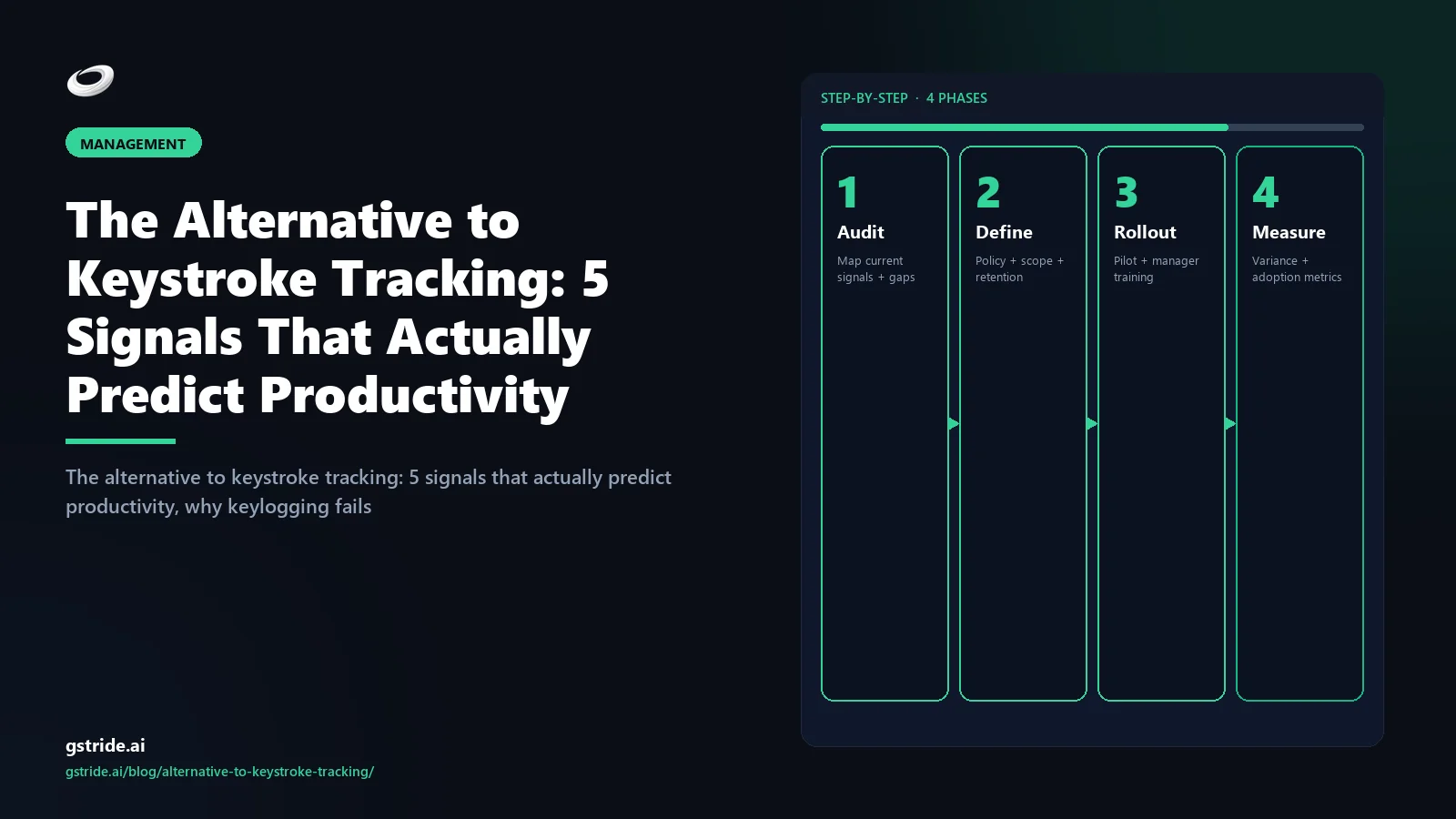
The rollout below works whether you stay on your existing monitoring stack and turn the keystroke knob off, or move to a productivity intelligence platform. The order is what matters; skipping a week is what causes rollouts to fail.
- Week 1 — Write the policy and the explicit non-collect list. Draft a short policy naming exactly what you will measure (the five signals) and exactly what you will not collect (keystroke logs, always-on screenshots, idle thresholds, hours-online dashboards). Share it with the team in writing before any tooling change. Reuse our employee monitoring policy template as the starting frame and redact the keystroke clauses.
- Week 2 — Mirror the new dashboards to the employee first. Whatever signal the manager will see, the employee sees first. Output velocity, focus-block report, calibration coefficient — they see their own. The first time anyone outside the employee reads a signal should be at least a week after the employee has had it. This neutralises most of the trust collapse that switching tools usually triggers.
- Week 3 — Manager view turns on, with a written non-do list. The aggregate manager view goes live. Alongside it, the most important deliverable of the rollout: a written list of what the manager will not look at — individual real-time activity, moment-by-moment focus state, anything resembling a watch list. At this point keystroke logging is switched off in the source tool and keystroke-buffer retention is reduced to zero.
- Week 4 — Audit signal-to-decision ratio and lock the configuration. Run a 30-minute retrospective. For every signal still captured, ask: in the last 30 days, did this signal inform a real management decision? If yes, keep it. If no, turn it off. Repeat quarterly. Lock the tool configuration so keystroke logging cannot be re-enabled without an explicit policy change.
The "manager objection": when keylogging feels needed (and what to use instead)
Four legitimate cases come up where a manager feels they need keystroke logs. They deserve straight answers.
"We had a data leak and need to investigate." Use a targeted, time-bounded forensic review through your endpoint security tool, not a permanent org-wide keylogger. Forensic review is governed by chain-of-custody and legal-hold processes that an everyday productivity dashboard violates by design. Forensic and productivity tooling should not share the same surface.
"We need to verify a remote employee is actually doing the work." The signal you need is output, not typing. The deliverable-first frame in how to track productivity without monitoring answers this more accurately than any keystroke graph. If output is missing, the conversation is about output; keystroke surveillance only adds noise.
"Compliance requires proving employees worked during billable hours." Timesheet approval workflows, project-coded time entries, and shipped deliverables together produce a billing-grade audit trail. Client-billing disputes are settled on deliverables, not keypresses. Configurable productivity monitoring with timesheet approvals carries the billing audit without a keylogger. For buyers actively replacing a screenshot-and-keystroke-default platform, our Insightful alternative without invasive monitoring roundup covers five privacy-first platforms compared on configurability and EU AI Act posture.
"We want to detect insider threat." Insider-threat detection is a separate security discipline (UEBA, DLP, identity analytics) with a different tool stack and governance model. Conflating it with productivity tracking is how organisations end up with a keylogger that fails at both jobs.
The simplest design test: if a metric cannot be wired into a useful action that the employee themself can also see and dispute, the metric should not be captured. Keystroke counts fail this test on both clauses.
How to "beat" keystroke monitoring (and why that frame is wrong)
A search query that surfaces frequently for this topic is "how to beat keystroke monitoring." It is worth answering directly because the underlying motivation matters more than the workaround.
The technical answers are limited and short-lived. Mouse-jiggler hardware (USB devices that simulate movement) and keystroke-replay scripts are widely sold and trivially defeat naive activity logging — but most modern monitoring stacks already detect non-human input patterns (perfectly periodic events, no pause variance, no application context-switching). Treat any "keystroke beater" as a 3-6 month workaround at best.
The harder, real fix is upstream. If you are looking for ways to beat the tool, the underlying issue is almost always one of three: the tool fires false positives during legitimate deep work (reading, thinking, calls), the tool exposes activity to managers without exposing the same view to you, or the tool's classifications determine pay or performance scores you cannot dispute. Each of those is a fix at the policy or tool layer, not at the input layer.
If you are an employee in this position, the highest-leverage move is to ask three questions in writing: which classification decisions affect pay or rating, what is the dispute process, and what data does the tool capture that I can also see. If the answers are unclear, the tool itself is the problem; if the answers are clear and reasonable, beating the tool stops being the goal. If you are a manager evaluating tools, the same three questions in reverse give you the buying-decision filter — pick a tool whose answers you can publish to the team without flinching.
The platforms that hold up under those three questions are the same ones described in the five-signal list above. They do not need beating because they do not produce the false positives that motivate beating in the first place.
Compliance bonus: GDPR and EU AI Act prefer outcome signals
The regulatory environment in 2026 turned keystroke logging from a culture question into a compliance one. Two instruments matter most for European or EU-touching teams.
GDPR. Keystroke logging is generally treated as systematic, intrusive processing of personal data, which under Article 35 typically requires a Data Protection Impact Assessment before deployment. The European Data Protection Board guidance on workplace monitoring leans heavily on necessity, proportionality, and transparency, and several national DPAs (notably the French CNIL and the Italian Garante) have issued enforcement actions against employers running keystroke or always-on screenshot logging without a defensible necessity argument. The threshold to justify keylogging is high and rarely met for ordinary productivity measurement. Outcome-signal alternatives reuse data the team is already producing as a byproduct of the work, which sits on substantially safer Article 6 ground.
EU AI Act. Effective enforcement August 2026. Annex III classifies AI systems used to monitor or evaluate employee performance as high-risk, triggering transparency, human-oversight, conformity-assessment, and post-market monitoring obligations. AI-driven keystroke scoring sits squarely inside that scope and closer to the prohibited-practice line than outcome-based measurement does. The economics flip fast: a keystroke dashboard that cost a few hundred dollars a month becomes a several-thousand-euro per quarter compliance burden once Annex III obligations attach. Outcome-signal measurement either sits outside scope or carries a much shorter conformity-assessment path because the data minimisation is intrinsic. Our GDPR-compliant monitoring checklist covers the cross-instrument basics.
Compliance is not the reason to switch off keystroke logging — the accuracy and culture arguments do that work on their own. It is the reason the switch should happen this year rather than next: deployments that look defensible in May 2026 will not look defensible in October.
What to take away
Keystroke tracking is a metric problem, not a tooling problem. The vendors that ship it are answering a question — "is this person currently active?" — that managers asked in 1995 and that knowledge work made obsolete. The five-signal alternative answers the question managers actually need answered in 2026: is the work moving, and where is it stuck? Output velocity. Async legibility. Blocker resolution time. Focus-block density. Calibration accuracy. Each derived from artifacts the team already produces. The four-week rollout above gets you off keylogging without losing the audit trail. Compare more thoroughly in productivity without surveillance and remote team metrics that actually matter.
Frequently asked questions
Eight questions we hear most often when teams plan the switch from keystroke tracking to signal-based measurement. The same questions are answered in the FAQPage schema on this page for AI-engine citation.
Free: 5-Signal Productivity Self-Audit Worksheet
30-min audit on your team. Focus depth + commit cadence + meeting load + flow-state + blocker recovery. PDF + Google Sheets calc. For Ops Heads, Founders, Eng Managers.
FAQ
What is the best alternative to keystroke tracking?
The best alternative is signal-based productivity measurement: read the work the team already produces in tickets, pull requests, calendars, and async chat instead of capturing keystrokes from the employee's keyboard. Five signals do the heavy lifting — output velocity, async legibility, blocker resolution time, focus-block density, and calibration accuracy. None require a keylogger. All produce more accurate diagnoses than keystroke counts because they read what was shipped rather than what was typed.
Why is keystroke tracking considered ineffective?
Keystroke tracking measures the wrong layer of knowledge work. It penalises thinking, reading, calls, and any task done away from the keyboard. It produces false-idle readings during long-form reading and design review. And it is gameable in under five minutes with off-the-shelf keystroke-generator software, which means the metric most rewards the employees most willing to fake it. Roughly half the value of any keystroke dashboard is keystrokes that were never made by a human pressing a real key.
Is keystroke logging legal under GDPR?
Keystroke logging is generally treated as systematic, intrusive, high-risk processing of personal data under GDPR (Article 35 typically requires a Data Protection Impact Assessment), and several EU data protection authorities have issued enforcement actions against employers using it without strict necessity, transparency, and proportionality. It is not categorically illegal, but the threshold to justify it is high and rarely met for ordinary productivity measurement. Outcome-signal alternatives sit on safer GDPR ground because they reuse existing team data — verify with counsel.
How do you measure typing-heavy roles without keystrokes?
Read the artifacts the typing produces, not the typing itself. For developers, read commits, pull requests, code review turnaround, and ticket transitions. For writers, read drafts shipped and revision counts in the document system. For support agents, read tickets resolved, response time, and CSAT. None of these require capturing the keystrokes that produced them. The output is the metric; the keystrokes are noise that incidentally accompanied the output.
What are the 5 alternative signals to keystroke tracking?
Output velocity (committed scope shipped per cycle). Async legibility (how clearly written updates communicate state without a meeting). Blocker resolution time (how long obstacles stay open). Focus-block density (uninterrupted deep-work hours from calendar data). Calibration accuracy (how close estimates land to actuals). All five derive from work artifacts the team already produces in project trackers, version control, calendars, and async chat. None require capturing anything from the employee's keyboard, mouse, or screen.
Will switching off keystroke tracking lose our audit trail?
No, because the audit trail managers actually rely on lives in ticket history, version control, document revisions, and timesheet approvals — not in keystroke logs. Keystroke buffers are typically purged on short retention windows and rarely surface in real audit cases anyway. The four-week rollout in this article preserves a stronger audit trail by recording what was decided, shipped, and approved rather than which keys were pressed in between. For regulated industries with specific data-handling audit requirements, scope a narrow content-monitoring rule instead of org-wide keylogging.
How does the EU AI Act treat keystroke tracking?
The EU AI Act (effective enforcement August 2026) treats AI systems used for monitoring or evaluating employees as high-risk under Annex III, which triggers transparency, human-oversight, conformity-assessment, and documentation obligations. Keystroke-based productivity scoring falls squarely inside that scope when AI is used to interpret the data, and it sits closer to the prohibited-practice line than outcome-based measurement does because of its proportionality and transparency profile. Outcome-signal alternatives reduce regulatory exposure significantly.
How long does it take to switch off keystroke tracking?
Four weeks if the team has its work in modern systems (project tracker, version control or document system, calendar, async chat). Week one writes the policy and the explicit non-collect list. Week two mirrors the new signal dashboards to the employee first. Week three turns on the manager view alongside a written non-do list. Week four audits which signals informed real decisions and turns off everything that did not. Most teams that complete this rollout report better diagnostic accuracy after the switch, not worse.
Free: Employee Monitoring Policy Template (2026)
An 8-section .docx/.pdf shell aligned to GDPR Article 13, EU AI Act, UK ICO 2023, and DPDP — drop it into your handbook, edit placeholders, run it past counsel. Free, no card.
Related reading on gStride
- AI idle detection vs keystroke logging — what's the difference in 2026?
- How to track productivity without monitoring employees — the deliverable-first frame
- How AI detects idle time using context, not keystrokes
- Productivity monitoring without surveillance — what actually works
- Remote team productivity metrics that actually matter
- GDPR-compliant employee monitoring — practical 25-point checklist
- AI time tracking software — pillar buyer's guide
- Productivity monitoring — role-specific dashboards, no keystroke logging
Three honest ways to de-risk the move
No lock-in, no sales gate. Run the pilot alongside your current keylogger-based tool — if the signal quality does not hold up without keystroke capture, you deprovision gStride and keep your data.
Run gStride on one team cohort with zero keystroke capture and compare the role-level signals against your current tool’s output. No card required.
Start the free trial →Score your current vendor in 14 questions and get a verdict band on keylogger exposure, consent posture, and purpose limitation — free, no email to score; verify with counsel.
Run the free check →Model the one-time cost of retiring the keylogger stack — parallel-run overlap, data export, policy rollout, integration cutover. Runs in about 5 minutes, no email required.
Estimate my migration cost →Want to walk through the pilot setup? Book a 15-min pilot review →
Switch off the keylogger. Keep the diagnostic accuracy.
gStride reads work context — tickets, pull requests, calendar, async updates — and surfaces the five signals that actually predict output. Keystroke logging is not a feature on the platform. Every signal is visible to the employee whose work produced it.
Book a 15-min demo → See productivity intelligence Read the deliverable-first frame