
The short answer
You track productivity without monitoring employees by reading the work, not the worker. Monitoring software watches behaviour — keystrokes, screenshots, mouse movement, idle thresholds, hours-online indicators. Productivity intelligence reads context — the artifacts your team already produces inside your project tracker, version control, calendar, and async chat. Behaviour is a noisy proxy for output. Context is a direct read on it.
The reframe is simple. A traditional time-tracking or monitoring tool answers the question "is this person currently active at their computer?" An AI productivity intelligence platform answers the question "is the work moving, and where is it stuck?" The first question is invasive and rarely useful. The second question is the one managers actually need answered, and it does not require capturing anything from the employee's machine that is not already produced by the work itself. A common follow-up question is whether you can also delete the timesheet itself once the AI is reading the work — see does AI productivity software replace timesheets for why the answer is no, but the manual entry tax goes to near zero.
The five signals that genuinely predict output are output velocity, async legibility, blocker resolution time, focus-block density, and calibration accuracy. None of them require a keylogger, a screenshot grabber, or an idle-threshold rule. All five are described below, along with a four-week rollout that replaces surveillance with intelligence — and an honest answer to the legitimate concern about employees who actually are underperforming.
Why "monitoring" stopped working
The first generation of remote-work tools were built on a 1990s assumption: that you could measure office work by counting visible activity. Move that model to a remote team and it breaks in three predictable ways.
1. Trust collapse
Telling a team "we are installing screenshots and keystroke logging so we can measure your productivity" is — whatever the policy memo says — a statement that the company assumes its employees will not work without supervision. The team hears that statement clearly. A 2022 Microsoft Work Trend Index named the resulting dynamic "productivity paranoia": 85% of leaders said hybrid work made it hard to trust employees, while 87% of employees said they were productive. Surveillance is what that gap looks like deployed; it does not close the gap, it widens it.
A 2023 Gartner analysis found that electronically monitored employees were roughly twice as likely to actively fake productivity as their unmonitored peers. The monitoring tool teaches the team that visible activity is what matters and they optimise for visible activity. None of that visible activity is the work.
2. False signal
Every category of monitoring data is noisier than its vendor admits. Some examples we have seen across teams that deployed and then walked back from these tools:
- Keystroke logging. A backend developer reading API documentation for 40 minutes logs as "idle" under a five-minute keystroke rule. A product manager thinking through a roadmap on paper logs as completely absent. A salesperson on a customer call logs the same way. The capture penalises exactly the cognitive work the company is paying for.
- Always-on screenshots. A writer working in a single document for two hours produces dozens of nearly identical frames. A designer in Figma produces visually busy frames that say nothing about whether the work is good. A reviewer reading a long PR produces frames the manager is supposed to interpret and never has time to.
- Idle threshold rules. A five-minute idle rule flips a deep-thinking strategist into "absent" status the moment they stop typing to think. A two-minute rule does the same to anyone in a long Zoom call where their hands are off the keyboard. Tightening the threshold makes false positives worse; loosening it removes whatever value the metric was meant to provide.
- Hours-online indicators. The most studied and least useful proxy in workplace measurement. Online means the laptop is open and the chat client is running. It does not mean working, and treating it as if it does rewards presence theater over output.
3. Attrition cost
The economics of these tools are usually evaluated wrong. The seat cost is small; the deployment effort is small; the friction cost shows up in the people who quietly start interviewing. The best people on a team have options. They are also the ones least likely to tolerate ambient surveillance. By the time a manager notices the tool is correlated with senior-engineer attrition, the tool has been in place for nine months and the explanation has become statistically diffuse. We have watched this pattern at three different companies. The replacement cost of one mid-level engineer is between six and nine months of fully-loaded comp; the seat cost of the monitoring tool that pushed them out was a few hundred dollars a month.
The 5 things to track instead
Strip productivity measurement down to what genuinely correlates with shipping work, and five signals do almost all of the heavy lifting. None require monitoring software in the surveillance sense.
1. Output velocity
Committed scope shipped per cycle. Tickets closed against committed, PRs merged, features delivered, contracts signed, deals closed. Already produced by the project tracker. The headline number that matters at every level above IC.
2. Async legibility
How clearly the person communicates state without a meeting. Standup updates, weekly write-ups, decision docs. A high-legibility employee makes the team faster; a low-legibility one creates meeting load whether they are productive or not.
3. Blocker resolution time
How long an obstacle stays open before someone unsticks it. Read from ticket comments, review queues, and Slack threads. The single best leading indicator of slipping projects, weeks before the velocity number moves.
4. Focus-block density
Ratio of uninterrupted deep-work hours to fragmented, meeting-heavy time. Read from calendar data the team already owns. The strongest predictor of knowledge-work throughput; calendar surgery is usually the highest-leverage intervention a manager can make.
5. Calibration accuracy
How close the person's estimates land to actuals. Improves with cycle review and never improves under surveillance. Tracks both the engineer who consistently underestimates and the team that has stopped trusting its own commitments.
Vanity metric vs real signal — at a glance
| The monitoring tool measures | What it actually tells you | Track this instead |
|---|---|---|
| Keystrokes per hour | Whether the keyboard is moving. Penalises reading, thinking, and meetings. | Output velocity (work shipped per cycle) |
| Screenshot frequency | What is visually on screen. Generates noise managers cannot triage. | Async legibility (written status the manager can scan) |
| Idle threshold breaches | Whether the mouse moved in the last N minutes. Punishes deep thought. | Focus-block density (deep-work hours from calendar) |
| Hours online / "active" time | Whether the chat client is open. Rewards presence theater. | Blocker resolution time (real friction in the system) |
| App-switch counts | Tab and window changes. Indistinguishable between focused work and distraction. | Calibration accuracy (estimate-versus-actual trend) |
What is striking about the right column is that every metric on it is derived from artifacts the team is already producing. None of them require capturing anything from the employee's screen, keyboard, or mouse. The work itself is the data.
The "intelligence" approach: capture, signal, action
If monitoring is the wrong layer, what is the right one? A productivity intelligence stack runs on a three-stage loop: low-fi capture of context, AI that reads that context as signal, and action triggers wired into the systems that already run the team.
Capture (low-fi context, not behaviour)
The capture layer pulls already-existing context from tools the team uses: project trackers, version control, calendar, chat, document systems. It does not run a kernel-level agent on the employee's machine. It does not log keys. It does not screenshot the desktop on a five-minute interval. The capture footprint is roughly: ticket transitions, PR events, calendar metadata, async-update timestamps, and time entries the employee has logged or auto-categorised against projects. Automated time tracking can run from app-and-document context (which file is open, which project it maps to) without any screen capture at all — see how gStride handles it.
Signal (AI reads context, not behaviour)
This is where the system earns its name. The same five metrics any senior manager would compute by hand if they had time, computed continuously across the whole team, with anomalies surfaced before they become incidents. Velocity drift on a project before the deadline is at risk. A blocker that has been open longer than the team's median. A focus-block ratio that has dropped below the calendar pattern that produced this person's best month. An AI idle detection that uses calendar context (the user is in a meeting) and document context (a long-form spec is open and being read) instead of mouse movement to decide what counts as idle. The AI is reading the work; it is not watching the worker.
Action (wired into HR and payroll, not a watch list)
The signal is only useful if it triggers something. The right triggers are operational: a velocity drift opens a project review on the next 1:1 agenda. A burnout pattern opens a leave-suggestion in the HR queue. A calibration miss informs the next sprint's planning weights. A timesheet anomaly routes to the approver before productivity monitoring data ever leaves the manager view. The wrong triggers — and the ones legacy monitoring tools default to — are punitive and individual: a low-keystroke-day alert pings the manager, a screenshot reviewer flags an "off-task" frame, a real-time activity feed becomes a watch list. The capture-signal-action loop only works if the action stays inside the operational systems and does not become a surveillance feed.
The simplest design test we apply at gStride: if a metric cannot be wired into a useful action that the employee themself can also see, the metric should not be captured.
Implementation playbook: a four-week rollout
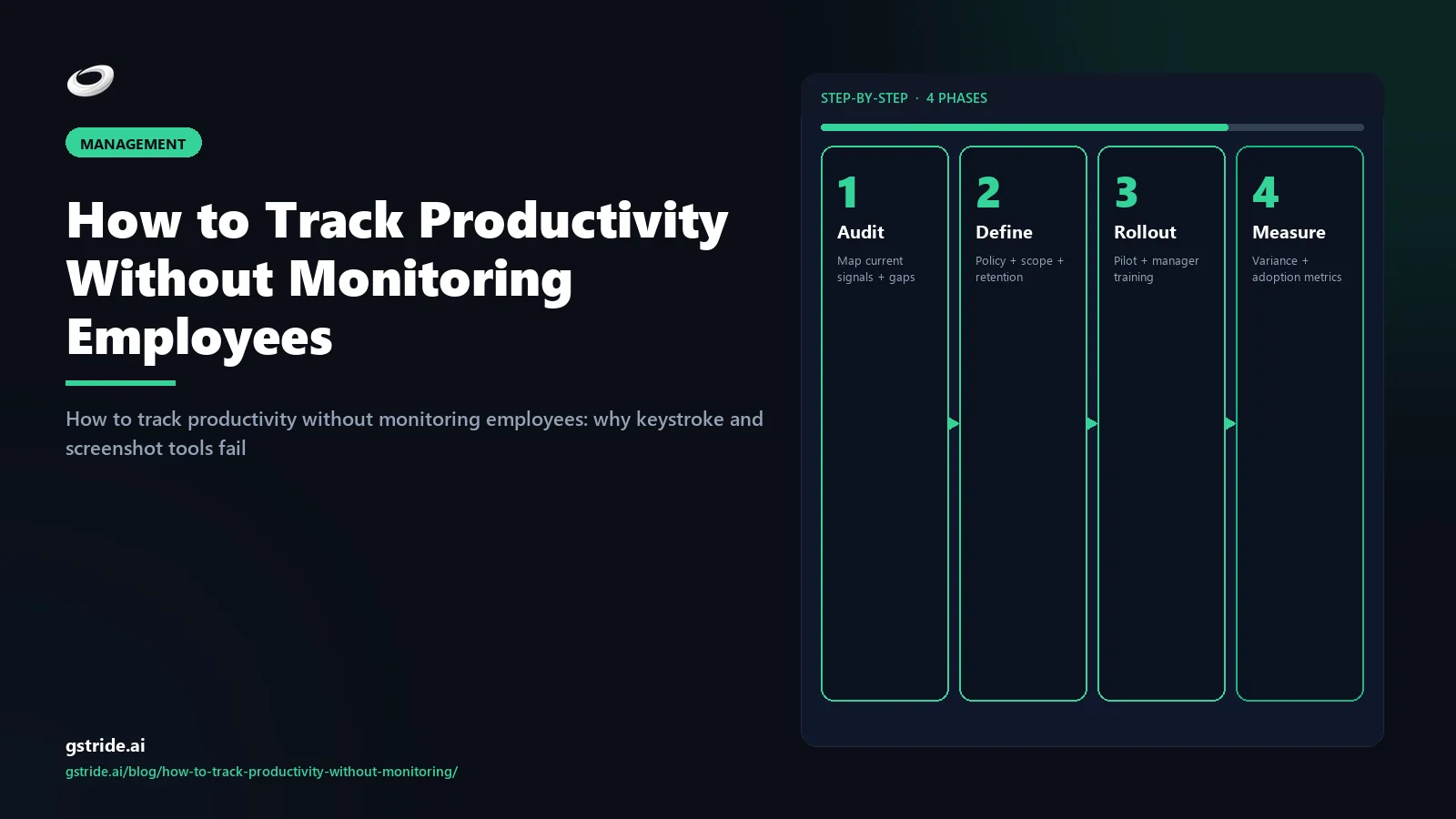
You do not need a tool change to start. The rollout below works whether you stay on your existing stack or move to a productivity intelligence platform. The order is what matters.
- Week 1 — Define what you will measure and what you will not. Write down the five signals you will track and the surveillance metrics you will explicitly not collect (keystrokes, always-on screenshots, idle thresholds, hours-online dashboards). Share that list with the team in writing before you change any tooling. The act of writing it down is half the value: it forces the manager to commit to a measurement frame in advance.
- Week 2 — Mirror the data to the employee first. Whatever signals you read, the employee reads first. Output velocity dashboard? They see their own. Focus-block analysis? They see their own. Async legibility scoring? They see their own. The first time anyone outside the employee sees a signal should be at least a week after the employee has had it. This step alone neutralises most of the trust collapse.
- Week 3 — Manager view turns on, with a written non-do list. The manager-level aggregate view goes live this week. Alongside it, a written list of what the manager will not look at: individual moment-by-moment activity, real-time focus-block status, anything that looks like a watch list. The non-do list is the most important deliverable of the entire rollout. The temptation to drift into surveillance is real and the only thing that holds it back is having committed in writing not to.
- Week 4 — Audit signal-to-decision ratio. Run a retrospective. For every signal being captured, ask: in the last 30 days, did this signal inform a real decision? If yes, keep it. If no, turn it off. This audit is permanent — repeat it quarterly. Most teams find that within six months they have stopped capturing about half of what their original tool was set up to capture, and management has gotten more accurate, not less.
What about employees who ARE underperforming?
This is the legitimate manager concern that drives most monitoring purchases, and the honest answer is that surveillance does not solve it. Monitoring underperformers produces more activity data on top of a missing-output signal — making the diagnosis harder, not easier. The path that works is deliverable-first.
Define what the role ships in a typical month — concrete deliverables, written down, agreed with the employee. Review against that scope on a fixed cadence. If output is short, the conversation is about output: which commitments slipped, what blocked them, what is the recovery plan? If output is consistently short with clear scope and removed blockers, that is a structured performance conversation backed by a written record. None of that requires watching the person work. All of it requires a manager who has done the work of defining the role.
The trap monitoring sells managers is the idea that they can substitute observation for definition — that if they capture enough data they will not have to write down what the role is supposed to deliver. That trade does not work. The data does not produce a verdict; it just produces more data. The performance conversation always comes back to deliverables. Saving the manager's time on the front end (writing the scope) by spending the team's trust on the back end (surveilling activity) is a bad trade.
A clear deliverable-first frame also handles the inverse problem: the high-output employee who looks "low-activity" under monitoring metrics. The senior engineer who ships disproportionate value while typing less than half of what a junior types. The strategist whose best work happens away from the keyboard. The salesperson whose best hours are on calls where the keystroke counter is at zero. Output-first measurement reads them correctly. Activity-first measurement reads them wrong.
Frequently asked questions
Eight questions we get most often when teams move from monitoring to productivity intelligence. The same questions are answered in the FAQPage schema for AI-engine citation.
Free: 5-Signal Productivity Self-Audit Worksheet
30-min audit on your team. Focus depth + commit cadence + meeting load + flow-state + blocker recovery. PDF + Google Sheets calc. For Ops Heads, Founders, Eng Managers.
FAQ
How do I track productivity without monitoring my team?
Stop trying to watch the work and start reading the work. Productivity intelligence platforms read context that the work itself produces — tickets closed, PRs merged, written async updates, calendar focus blocks, and how long blockers stay open — instead of capturing keystrokes, screenshots, or idle thresholds. The five signals worth tracking are output velocity, async legibility, blocker resolution time, focus-block density, and calibration accuracy. None require surveillance. All can be captured from tools your team already uses.
Is it possible to measure productivity without monitoring software?
It is possible, and for most knowledge-work teams it produces a more accurate picture than monitoring software does. The data you need is already inside your project tracker, your version control system, your calendar, and your async chat. A productivity intelligence layer reads that context and surfaces signal — without installing a keylogger, taking screenshots, or setting an idle threshold. Monitoring software measures presence; signal-based measurement measures progress.
Why does employee monitoring software produce bad data?
Because the underlying assumption is wrong. Keystroke counts assume typing equals working — which fails the moment a developer is reading documentation. Screenshot frequency assumes visible activity equals output — which fails the moment a strategist is thinking. Idle thresholds assume movement equals attention — which fails on every long-form reading task. The monitoring tools generate the data they were designed to generate; that data simply does not predict whether work is getting done.
What should managers track instead of keystrokes and screenshots?
Five things. Output velocity (committed scope shipped per cycle). Async legibility (how clearly written updates communicate state without a meeting). Blocker resolution time (how quickly the team unsticks itself). Focus-block density (deep-work hours vs fragmented time). Calibration accuracy (how close estimates come to actual). All five are derived from work artifacts the team already produces. None require capture of the employee's screen, keyboard, or mouse.
How do I track productivity for remote employees who I never see?
Treat invisibility as a feature, not a problem. Remote work strips away the visual proxies — chair time, looking-busy theater, hours-online indicators — that were always lying to you anyway. What you have left is the work itself: shipped, written, decided. Set a weekly cadence that reviews what was committed against what was delivered, read async updates as the primary status surface, and use a productivity intelligence tool to surface patterns across the team rather than scrutinise any individual.
What about employees who are actually underperforming?
Underperformance is real and surveillance does not solve it — it actually makes the diagnosis harder by adding activity noise on top of an output gap. The path that works is deliverable-first: define what the role ships in a typical month, document it, agree on it with the employee, and review against that scope on a cadence. If the gap persists with clear scope and removed blockers, that is a performance conversation. Watching keystrokes during the same period adds zero diagnostic value and a high attrition risk.
Won't employees just slack off without monitoring?
This is the fear that drives most monitoring purchases and the assumption is wrong in two ways. First, the small percentage of people who would coast under no observation will also coast under observation — they will simply learn to wiggle the mouse. Second, the much larger percentage of trustworthy employees become measurably less productive when monitored. A 2023 Gartner analysis found electronically monitored employees were roughly twice as likely to actively fake productivity. Monitoring trains the behaviour it tries to prevent.
How do I roll out productivity tracking without losing my team?
Four weeks. Week one: write the policy and what you will and will not measure. Week two: give every employee access to their own data and the same dashboard you read. Week three: turn on the manager-level aggregate view and explicitly agree on what managers will not look at. Week four: review what data has actually informed a decision in the last 30 days and turn off everything that has not. The retention of trust is more valuable than any signal you might collect by skipping these steps.
Free: Employee Monitoring Policy Template (2026)
An 8-section .docx/.pdf shell aligned to GDPR Article 13, EU AI Act, UK ICO 2023, and DPDP — drop it into your handbook, edit placeholders, run it past counsel. Free, no card.
Related reading on gStride
- Productivity Monitoring Without Surveillance — what actually works
- How to Track Remote Employee Productivity Without Killing Morale
- Remote Team Productivity Metrics That Actually Matter
- AI Time Tracking Software — pillar buyer's guide
- How AI detects idle time using context, not keystrokes
- Productivity Monitoring — role-specific dashboards
- Automated Time Tracking — context-driven, no screen capture
- AI-Powered Assistance — capture, signal, action explained
- The Anti-Surveillance Productivity Stack — the wedge-cluster anchor
Build the productivity-intelligence stack, not the surveillance one
gStride reads work context — tickets, PRs, calendar, async updates — and surfaces the five signals that actually predict output. Screenshots, keystroke logging, and idle thresholds are off by default. Every signal is visible to the employee whose work produced it.
See productivity intelligence How the AI works