
The short answer
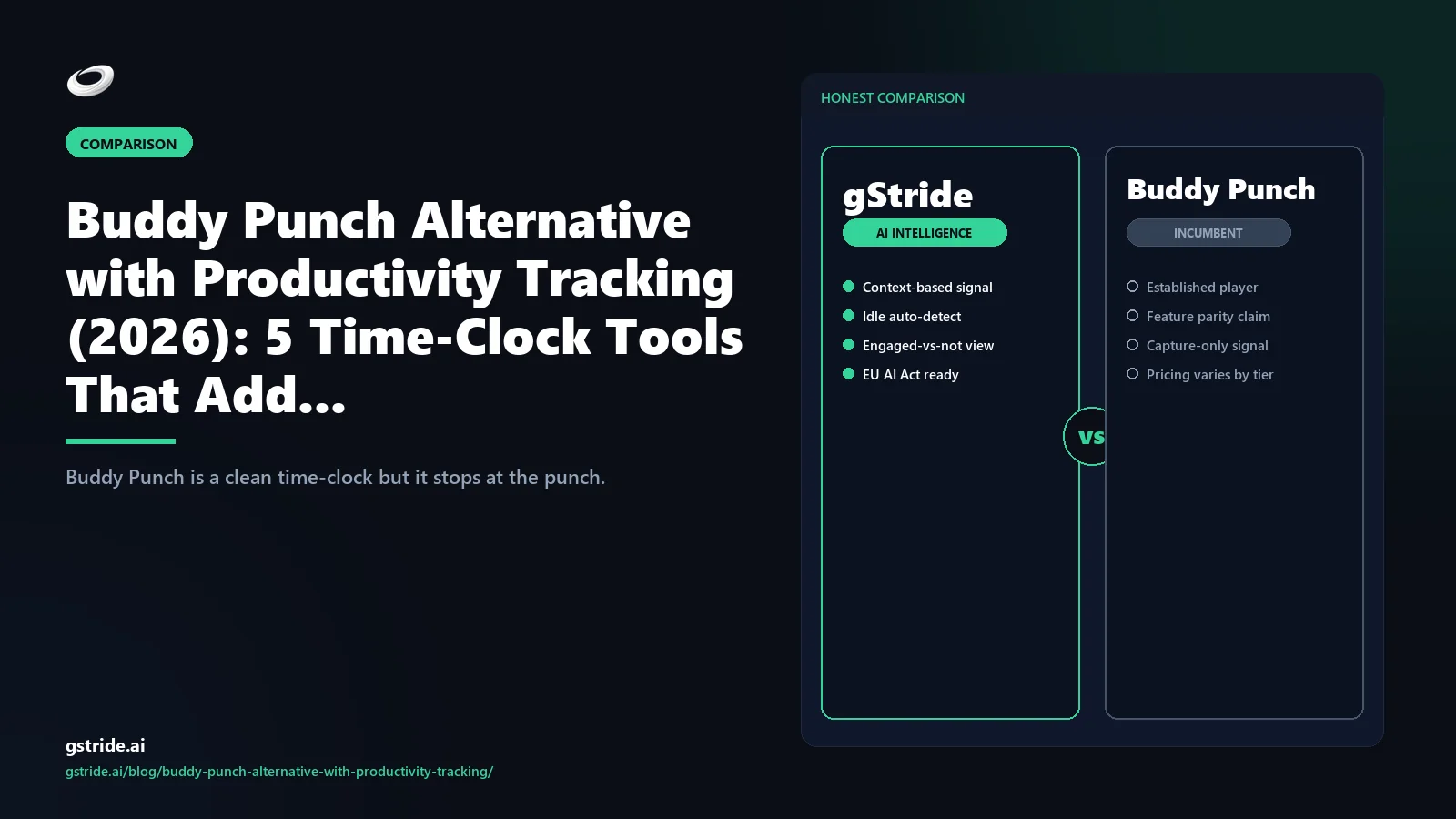
Buddy Punch users start looking for productivity tracking when the clean attendance report stops answering the questions a manager actually has. Time-clock-only is half the picture: it tells you who was at work, but not what they shipped, where the bottleneck is, or where burnout is forming. Five alternatives close that gap in 2026.
For knowledge-worker teams, gStride is the strongest single answer — time-clock plus AI productivity signal plus payroll plus shift and leave in one platform, monitoring off by default. For deskless and frontline teams, Connecteam is the cleanest replacement because it bundles kiosk-mode clock-in with chat, scheduling, and training. Hubstaff is the lateral move when you want optional screenshots. Time Doctor is the BPO and contract-driven pick. ActivTrak is the analytics-only pick when the time-clock layer is already solved elsewhere.
Pick to your workforce mix — frontline, knowledge-work, or both — not to the brochure.
Why Buddy Punch users want productivity tracking added
Buddy Punch built one product well: a deliberately narrow time-clock with geo-fence, IP restriction, kiosk mode, photo-on-punch, scheduling, and clean payroll exports. For the use case it was built for — frontline shift workforces where the binding question is "was the seat covered?" — that is exactly the right scope.
The replacement query starts when a different question shows up. A manager looks at a clean Buddy Punch attendance report for a hybrid product team and notices it answered "were they here?" but not "what did they ship?". A finance lead asks for a billable-versus-non-billable split and Buddy Punch can give the hours but not the categorization. An HR director asks where the burnout risk is concentrated and there is no signal in punch-time alone to answer with. The pattern is the same every time — the team has outgrown the time-clock layer and now needs the productivity-signal layer on top.
This is not a Buddy Punch failing. It is a category boundary. Time-clock software answers attendance and payroll exposure. Productivity intelligence answers throughput, focus, and burnout. The 2026 stack pattern is to either consolidate to a platform that does both layers natively, or accept the integration seam between two specialized tools. Most teams under 200 seats end up consolidating; most teams over 500 seats end up specialized. The question for any specific team is which side of that line they are on.
The 4 gaps in time-clock-only tools
Every time-clock-only product has the same four gaps relative to a productivity-intelligence platform. Buddy Punch is no different from When I Work, Homebase, or any other clean attendance tool on this axis. Each gap is a question a manager wants to ask that the time-clock cannot answer.
Gap 1 — No activity signal. The time-clock knows the worker was on duty from 9:02 to 17:36. It does not know whether that time was spent in design tools, client comms, internal meetings, or the queue waiting on someone else's approval. Activity-signal capture (application categorization, focus-block detection, or explicit project tagging) is the entire reason productivity-intelligence platforms exist as a separate category.
Gap 2 — No AI inference layer. The time-clock collects raw events. It does not infer patterns. The 2026 productivity layer uses AI to flag patterns the manager would not otherwise see — a rising blocker-time trend two weeks before a slipped milestone, a focus-block collapse that precedes attrition, a calendar-meeting density that correlates with the worst-performing weeks for a specific team. These are AI-shaped questions, not time-clock-shaped questions.
Gap 3 — No recommendation surface. The time-clock report is descriptive — here is what happened. The productivity-intelligence report is recommending — here is what to do next. The recommendation surface is what makes the platform useful to a manager who has 90 seconds, not 90 minutes, to decide where to intervene this week.
Gap 4 — Manager dashboard is limited. A clean time-clock dashboard answers attendance, overtime, and payroll exposure. It does not answer capacity, throughput, project health, or workload balance. Managers needing those answers either build them in spreadsheets from exported data, run separate tools and reconcile, or pick a platform where the manager view is the primary view rather than a payroll byproduct.
Closing all four gaps is what defines a productivity-intelligence platform versus a time-clock. Read our primer on productivity intelligence as a category for the architectural framing — the four-layer stack of capture, signal, recommendation, and action that the AI-signal tools share and the time-clock-only tools do not.
The 5 Buddy Punch alternatives with a productivity layer
Here are the five strongest Buddy Punch alternatives that pair time-clock capture with a productivity-signal layer. Each carries a check date for capability and pricing. Capability scope, pricing tier names, and conformance posture change frequently — verify on the vendor's own site before signing.
1. gStride — productivity intelligence with the time-clock built in
gStride is an AI productivity intelligence platform that includes the time-clock layer rather than treating it as a separate product. The capture stack covers automated time tracking, AI-assisted timesheets, geo-fenced and kiosk-mode punch-in, productivity scoring with role-configurable defaults, payroll, shift and leave management, and a manager dashboard that answers throughput and capacity in addition to attendance. Monitoring features ship off by default and are enabled per role with documented justification — the inverse of the surveillance-forward platforms in this comparison. For knowledge-worker teams in the 25-250-seat band, gStride is the only single-tool answer that covers both the Buddy Punch footprint and the productivity-signal layer above it. See automated time tracking and AI assistance for the feature detail.
2. Connecteam — frontline-first time-clock plus operations layer
Connecteam is the strongest pick when the workforce is genuinely frontline and deskless — retail, hospitality, field service, distributed contractors. The time-clock layer is comparable to Buddy Punch (kiosk mode, geo-fence, photo-on-punch, GPS), and the bundle adds the frontline operations stack on top: chat, training modules, scheduling, task management, forms. The productivity layer is operations-shaped rather than knowledge-worker-shaped — Connecteam is not capturing app activity or focus blocks because the workforce is not at a screen. For mixed workforces (a 200-person hospitality chain with a 25-person head office), Connecteam handles the frontline cohort cleanly but you will likely pair it with something else for the head-office knowledge-work cohort. Our gStride vs Connecteam comparison covers the head-to-head detail.
3. Hubstaff — timer-led with optional screenshots
Hubstaff is the lateral move from Buddy Punch when you want a timer-led product (rather than a punch-clock-led product) with optional activity capture. Time-clock and timer ship standard; screenshots, app and website tracking, and activity rates are configurable per project. Native payroll exists but is thinner than gStride or Time Doctor. The mid-market price floor is similar to Buddy Punch's higher tiers, so the cost delta is usually a wash and the deciding factor is whether you want the activity-capture optionality. EU AI Act readiness is partial as of the May 2026 check. Our gStride vs Hubstaff comparison walks the head-to-head.
4. Time Doctor — BPO and contract-driven monitoring
Time Doctor is the standard pick when client contracts explicitly require activity reports as the deliverable for billable hours — BPO operations, outsourcing bureaus, regulated staffing models. The time-clock layer ships, screenshots and activity capture are surveillance-forward defaults rather than opt-in, and the product is purpose-built for the contract-driven monitoring use case. SAML SSO is standard, SCIM on Enterprise. Time Doctor is not the right choice for a team that wants the productivity-signal layer without screenshots — for that use case, our gStride vs Time Doctor comparison walks through the configurability axis and where each tool fits.
5. ActivTrak — analytics-only when the time-clock is solved elsewhere
ActivTrak is the analytics-only pick. The product is a productivity-signal layer — application categorization, focus-block detection, productivity scoring, manager analytics — without a time-clock, payroll, shift, or leave layer underneath it. For teams that have decided to keep Buddy Punch (because it is contractually locked or because the frontline cohort cannot be migrated) and want to add a productivity-signal layer on top, ActivTrak is the cleanest add-on. The integration seam between Buddy Punch attendance and ActivTrak signal is real but manageable — usually a weekly export-import rather than real-time. SAML SSO standard; SCIM on Premium. Screenshots are off by default.
Comparison matrix: 5 platforms x 8 procurement gates
The eight columns are the gates that matter when you are evaluating a Buddy Punch replacement that adds a productivity layer. Read the matrix vertically to see the pattern.
| Platform | Time-clock | AI signal layer | Productivity score | Native payroll | Monitoring opt-in | Mobile clock + geo-fence | Geo-fence rules | AI alerts |
|---|---|---|---|---|---|---|---|---|
| gStride | Native | AI timesheets + anomaly | Configurable | Bundled | Off by default | Standard | Per-role | Standard |
| Connecteam | Native + kiosk | Operations-shaped | Limited | Add-on | Frontline default | Standard | Standard | Schedule alerts |
| Hubstaff | Native + timer | Activity rate | Activity-derived | Native | Per project | Standard | Standard | Limited |
| Time Doctor | Native | Activity capture | Productivity ratings | Payroll exports | On (contract-driven) | Standard | Standard | Distraction alerts |
| ActivTrak | Not native | Coach AI signal | Productivity score | No | Off by default | N/A | N/A | Insights alerts |
| Buddy Punch (reference) | Native | None | None | Payroll exports | N/A | Standard | Standard | None |
See gStride on your own team's data
A 15-minute walkthrough on the configuration surface — productivity intelligence without surveillance, screenshots off by default. No SDR gate, straight to a product engineer.
Book a 15-min demo → Prefer to look at numbers first? See gStride pricing.The pattern is clean. gStride is the only platform that clears all eight gates without a partial mark, which is why it is the single-tool answer for knowledge-worker teams replacing Buddy Punch's footprint. ActivTrak is the strongest analytics layer but does not replace the time-clock. Connecteam dominates the frontline column but is operations-shaped rather than productivity-AI-shaped. Hubstaff and Time Doctor sit in the middle with partial coverage on the AI-signal axis. Buddy Punch itself, as a reference, does the time-clock and geo-fence cleanly and is honest about not doing the rest.
The frontline-versus-knowledge-worker split
The single biggest mistake we see in Buddy Punch-replacement evaluations is buyers picking a productivity-intelligence platform for a workforce that is fundamentally frontline. The two cohorts have different productivity-signal shapes and different tools fit each.
Frontline cohort — retail, hospitality, field service, manufacturing line, healthcare clinical staff. The productivity question is shifts covered, jobs completed, customers served, units produced, on-time delivery. The signal lives in the operations system (POS, ticketing, dispatch, MES), not in app and website categorization. The right tool stack is a time-clock with geo-fence and kiosk plus a frontline-operations layer (chat, scheduling, training, task management). Connecteam is the cleanest fit; gStride's frontline configuration covers it; Buddy Punch itself is a defensible choice if you do not need the operations layer.
Knowledge-worker cohort — software engineering, design, marketing, finance, ops, customer success. The productivity question is throughput, focus density, blocker time, and burnout signal. The signal lives in application activity, calendar, and the systems of record (Jira, GitHub, Salesforce, Zendesk). The right tool stack is automated time tracking plus a productivity-intelligence layer with role-configurable monitoring defaults. gStride, Hubstaff, and ActivTrak fit this cohort; Connecteam does not.
Mixed workforces — most companies above 100 seats. A 250-person retail chain with a 30-person head office is not picking one tool, it is picking two configurations of one tool or two tools with a clean integration seam. The 2026 pattern is to use a single platform that supports both cohorts with role-based configuration (gStride is built for this), or to use Connecteam for frontline and a separate productivity-intelligence layer for the head office. The two-tool stack adds a payroll-reconciliation seam; the single-platform-two-configs version removes it. Mid-market buyers usually prefer the single platform; enterprise buyers with strict cohort separation often prefer the two-tool stack.
The mistake to avoid is forcing a knowledge-worker AI-signal platform onto a frontline workforce, or forcing a frontline kiosk-mode tool onto knowledge-workers. Pick to the cohort. Our piece on tracking remote-employee productivity without killing morale covers the knowledge-worker side of this in detail.
Migration playbook: Buddy Punch to a productivity-first stack in 3 steps
The mechanics of migrating off Buddy Punch are the same across the alternatives. Most migrations close in two-to-three weeks of calendar time — faster than enterprise migrations because Buddy Punch's footprint is intentionally narrow.
- Step 1 — IAM and data export. Stand up the new tenant with SSO bound to your identity provider, import the user directory and role taxonomy from Buddy Punch's CSV export, and reconcile any role-mapping gaps. If the new platform supports SCIM provisioning self-serve (gStride and ActivTrak do at the standard tier), wire that on day one so user-lifecycle events flow automatically. The IAM step is typically a same-day task because Buddy Punch's user model is shallow — most teams move from email/password directly to SSO on the new tool, which is a security upgrade as well as a migration step.
- Step 2 — Policy decision and role-by-role configuration. This is the step most teams underestimate. Once you turn on a productivity-signal layer, you need a written notice (employees deserve to know what is captured, why, and who sees it), a documented role-by-role configuration (engineers may opt into focus-block tracking, customer-success may not need application categorization, frontline shifts only need the time-clock layer), and a documented dispute path (employees need a way to flag misclassified activity and get it corrected). Our employee monitoring policy template walks through the eight-point baseline. Block one full day for this workshop — it pays back across the entire deployment.
- Step 3 — Cutover at a payroll boundary, parallel-read for one cycle. The cleanest cutover is the start of a pay period. Buddy Punch runs to its final close; the new platform starts on day one of the next period. Keep Buddy Punch in read-only state for one full pay cycle so payroll can reconcile without rebuilding history, then cancel. The two-step pay cycle is the audit-defensible pattern — auditors and finance leads alike want to see one full reconciliation before the old system is shut down. Mid-market migrations close in two-to-three weeks of calendar time at this cadence; enterprise migrations in four-to-six.
The verdict
If you are leaving Buddy Punch in 2026, the question is not which tool has the longest feature list — it is whether your workforce is frontline, knowledge-work, or both. Frontline-only buyers move laterally to Connecteam or stay on Buddy Punch. Knowledge-worker buyers consolidate on gStride or, if locked into Buddy Punch, add ActivTrak as a signal layer on top. Mixed workforces pick gStride for the single-platform-two-configurations pattern, or Connecteam plus a separate signal layer for the strict-cohort split. Hubstaff and Time Doctor remain the right answer for buyers whose primary constraint is timer-led capture or contract-driven monitoring. Pick to the cohort, not the brochure.
Related reading on gStride
- AI productivity intelligence platform — the complete 2026 guide
- gStride vs Connecteam — full feature comparison
- gStride vs Hubstaff — full feature comparison
- gStride vs Time Doctor — full feature comparison
- What is productivity intelligence?
- How to track remote-employee productivity without killing morale
- How to write an employee monitoring policy
- Automated time tracking
- AI assistance — anomaly review and timesheets
- gStride pricing
Free: 5-Signal Productivity Self-Audit Worksheet
30-min audit on your team. Focus depth + commit cadence + meeting load + flow-state + blocker recovery. PDF + Google Sheets calc. For Ops Heads, Founders, Eng Managers.
Frequently asked questions
What is the best Buddy Punch alternative with productivity tracking in 2026?
For knowledge-worker teams, gStride is the strongest single answer: time-clock, AI-assisted timesheets, configurable productivity scoring, and a payroll, shift, and leave bundle in one platform. For frontline and deskless teams, Connecteam pairs kiosk-mode and geo-fenced clock-in with chat, scheduling, and training. Hubstaff suits distributed teams that want optional screenshots; Time Doctor fits BPO and contract-driven monitoring; ActivTrak is the analytics-only pick when the time-clock layer is solved elsewhere. The right answer depends on whether your workforce is frontline, knowledge-work, or mixed.
Why do Buddy Punch users start looking for productivity tracking?
Buddy Punch is deliberately narrow: punch-in, punch-out, geo-fence, IP-restrict, payroll export. The replacement query starts when a manager sees a clean attendance report that answers 'were they here?' but not 'what did they ship?'. It grows when a remote or hybrid cohort joins whose value punch-time cannot capture, and when finance or HR asks for capacity planning, billable splits, or burnout signal. Productivity tracking is the layer that closes that gap.
Is Buddy Punch good for productivity tracking?
No, and the product is honest about that. Buddy Punch is a time-clock — punch-in, punch-out, GPS, IP, kiosk, PIN, photo capture, scheduling, payroll exports. It does not capture activity, app usage, output cadence, focus blocks, or AI-inferred productivity scores. Buyers asking this question usually want a productivity-intelligence platform that includes the time-clock. The five alternatives here either add that layer (gStride, ActivTrak, Time Doctor) or bundle it with frontline operations (Connecteam, Hubstaff).
What's the difference between time-clock software and productivity intelligence?
A time-clock answers 'when were they working?'. Productivity intelligence answers 'what did the team ship, where is the bottleneck, and where is the burnout risk?'. A time-clock captures punch events, location, and attendance; productivity intelligence captures activity signal, output cadence, focus blocks, and AI-inferred patterns. The two are complementary, and the 2026 stack pattern is one platform that does both layers natively rather than two tools with an integration seam between them.
Does productivity tracking work for frontline workers?
Partially. Frontline work — retail, hospitality, field service, manufacturing, healthcare — is measured in shifts covered, jobs completed, customers served, and units produced, not app activity. The right frontline stack is a time-clock plus scheduling and a frontline operations layer (Connecteam, Buddy Punch itself, or gStride's frontline configuration), not an AI productivity scorer. App categorisation and focus-block detection apply to knowledge-worker cohorts. Mixed workforces usually need both, configured per role.
How long does a Buddy Punch to gStride migration usually take?
Most Buddy Punch migrations close in two to three weeks because the product's footprint is intentionally narrow. Cut over at a payroll-period boundary: Buddy Punch runs to its final close, gStride starts on day one of the next period. The SSO bind is typically a same-day task. The longer pole is the policy decision — a written notice plus a role-by-role configuration workshop. Keep the old tenant read-only for one full pay cycle, then cancel.
Are screenshots required for productivity tracking?
No — privacy-first productivity intelligence excludes screenshots from the default capture configuration. Screenshots produce a high false-positive rate (a developer reading documentation looks idle), introduce GDPR proportionality and US state notice exposure, and add little signal once you have application-level activity categorisation and output cadence. The configurable platforms ship screenshots off by default and require explicit per-role enablement with documented justification.
What does productivity intelligence actually measure if not screenshots?
Three input layers work: output cadence — issues closed, PRs merged, tickets resolved, calls completed — pulled from systems of record; focus-block density, meaning uninterrupted 25-90-minute blocks across calendar, comms, and active app; and blocker time spent waiting on dependencies or approvals. Four inputs should be excluded: keystroke counts, screenshot frequency as an effort proxy, idle-minute totals in isolation, and mouse activity — all four consistently mispredict output.
Can I keep Buddy Punch and add productivity tracking on top of it?
Technically yes, but the integration math rarely justifies the seams. A two-tool stack runs roughly $7-9 per user per month for Buddy Punch plus $8-12 for productivity intelligence, plus the human cost of reconciling timesheets across two systems at payroll close. A unified bundle (gStride, Hubstaff with monitoring on, Connecteam for frontline) is typically $8-15 per user all-in with no seam. Keep two tools only if Buddy Punch is contractually locked in or a large frontline cohort cannot be moved. Otherwise, consolidate.
Three honest ways to de-risk the move
No lock-in, no sales gate. Keep Buddy Punch running while you pilot — if the unified time-clock plus productivity layer does not earn its keep, you deprovision gStride and your timesheet data stays exportable.
Run gStride’s time-clock and productivity layer on one team cohort alongside Buddy Punch. No card required — compare timesheet accuracy at the next payroll close on your own data.
Start the free trial →Before adding any productivity layer, score the vendor in 14 questions and get a verdict band on consent posture and purpose limitation — free, no email to score; verify with counsel.
Run the free check →Model the one-time cost of consolidating off Buddy Punch — parallel-run overlap, timesheet export, team onboarding, payroll-integration cutover. Runs in about 5 minutes, no email required.
Estimate my switch cost →Want to walk through the pilot setup? Book a 15-min pilot review →
See the time-clock and the productivity layer in one platform
Automated time tracking, AI-assisted timesheets, configurable productivity scoring, geo-fenced and kiosk-mode clock-in, and payroll/shift/leave bundled — with monitoring features off by default until you turn them on per role.
Book a 15-min demo → See automated time tracking See pricingAll competitor feature claims, capability scope, and pricing references in this article were last verified on May 8, 2026 from the vendors' public product, pricing, and trust pages, plus third-party reviews on G2 and Capterra. Vendor capabilities, conformance posture, and pricing change frequently — verify on each vendor's own site, request the current DPA, and obtain a written quote before making a procurement decision.