
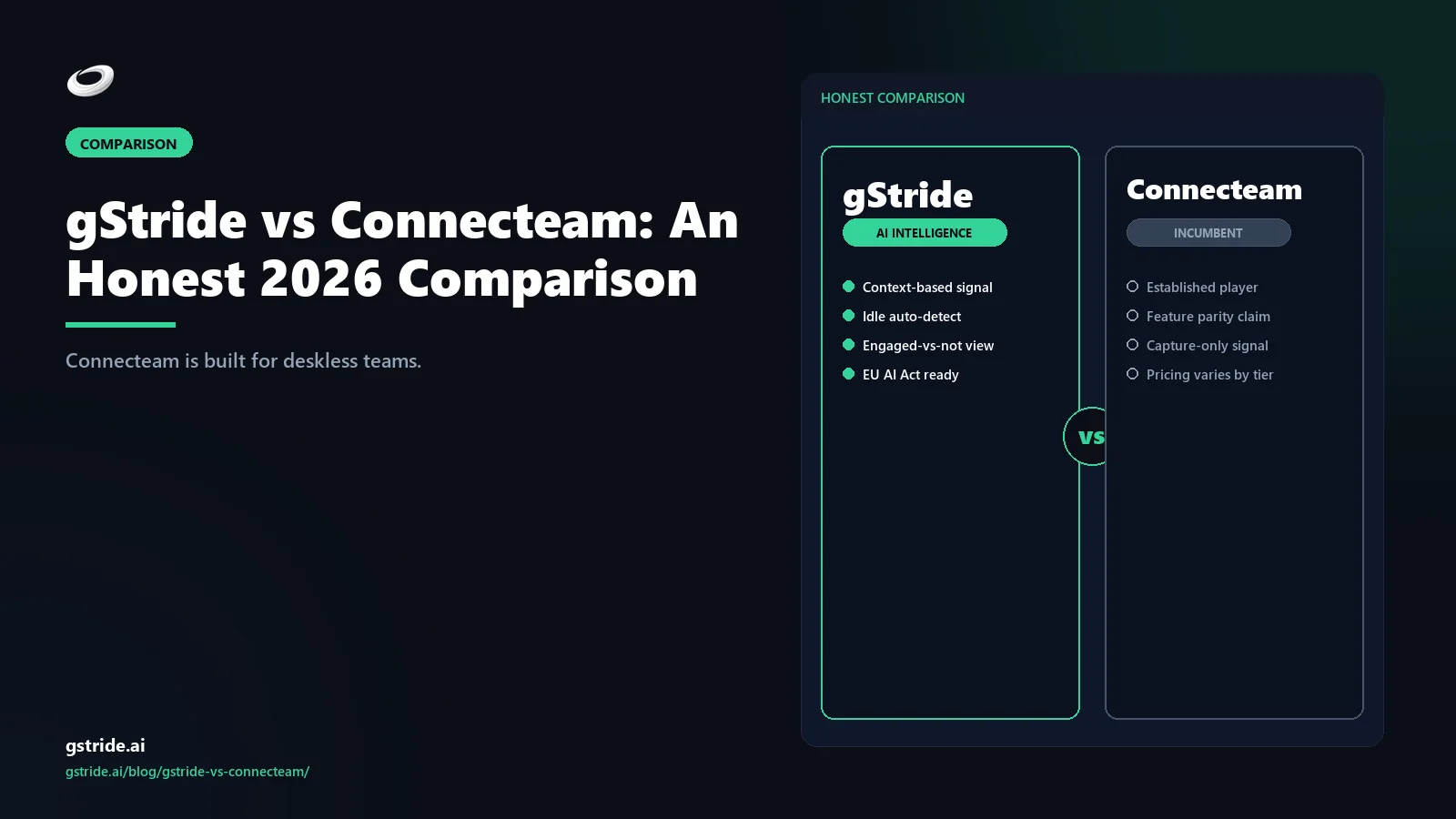
TL;DR — vertical fit decides
Pick Connecteam if your team is deskless or frontline — construction, retail, hospitality, field services, cleaning, logistics, or any business where workers clock in at a job site rather than a desk. Connecteam's positioning is explicit and consistent: their site describes Connecteam as the all-in-one app for the "deskless workforce," and the product is built around that. Mobile-first scheduling, kiosk mode for shared devices, GPS clock-in, geofencing, in-app chat, and frontline-style training and forms are why Connecteam wins in those verticals.
Pick gStride if your team uses computers all day — IT services, consulting, BPO, HR-led teams, agencies, engineering ops. Automated time tracking with desktop signals, configurable productivity monitoring, AI-assisted timesheets and idle detection with calendar context, native multi-currency payroll, and shift, leave, and attendance built for knowledge-worker workflows. Same bundle shape as Connecteam — different vertical the bundle is optimised for.
The wedge is not feature parity; it is workforce fit. Below is the long version — including where Connecteam decisively wins, where gStride decisively wins, and the specific industries that should pick each one.
Short answer: vertical fit decides
If you are searching "Connecteam alternative" or "gStride vs Connecteam" in 2026, the right answer is almost always determined by one question: does your team sit at a computer all day, or do they work somewhere physical with a phone? Connecteam has spent years building the most credible workforce app for deskless and frontline teams — their public positioning, feature roadmap, and case studies all centre on workers in construction, retail, restaurants, healthcare, field services, and warehouses. Their own site repeatedly uses the phrase "deskless workforce" because that is the audience the product is built around.
gStride is the inverse. We built for knowledge workers — people whose work happens on a screen, often inside service businesses billing time to clients. The bundle shape rhymes (time tracking, scheduling, monitoring, payroll), but the underlying capabilities target different problems. Knowledge-worker teams need desktop time signals, app and website context, AI idle detection that respects calendar meetings, and payroll that handles multi-currency contractors. Frontline teams need mobile clock-in, GPS confirmation, geofencing, kiosk mode, and chat for shift handovers. Same category, different products.
If you run a hybrid business — say a services firm with sales and engineering plus a field installation crew — the honest answer is sometimes both, or a deliberate trade-off where one half of the team is under-served. We cover that in the decision tree below.
- GDPR Article 6 — any workplace monitoring of EU staff needs a documented lawful basis (typically legitimate interests with a balancing test, not blanket consent for an employer-employee relationship); gStride defaults to employee-visible, per-feature toggles to support that test (verify lawful basis with counsel).
- EU AI Act 2024/1689, Annex III point 4 — AI used for performance monitoring or evaluation of workers is classified high-risk, with deployer obligations applying from 2 August 2026; GPS and location features for deskless staff carry separate proportionality duties (verify classification with counsel).
- Up to EUR 20 million or 4% of global annual turnover — maximum GDPR fine tier (Article 83(5)) for unlawful processing, whichever is higher; this is the exposure that makes lawful-basis documentation, not feature count, the decisive procurement criterion (verify with counsel).
The fundamental split: deskless vs knowledge work
This is the section worth reading even if you skip the rest. Connecteam and gStride optimise for different work realities, and that single fact drives almost every other difference between them.
| Connecteam optimises for | gStride optimises for |
|---|---|
| Workers without a fixed desk | Workers at a desk all day |
| Mobile phone as primary work device | Desktop or laptop as primary work device |
| Clock-in at a physical location (job site, store, restaurant) | Clock-in via desktop app or browser session |
| Shared kiosk devices for clock-in / clock-out | Personal accounts on personal devices |
| GPS, geofencing, location-aware shift confirmation | Application and website context, idle detection, project signals |
| Frontline chat for shift handover and dispatch | Integrations with Slack, Teams, calendar, project tools |
| Onboarding, training, forms, and policies for hourly workers | Timesheet AI, productivity monitoring, payroll for salaried and contract knowledge workers |
| Construction, retail, hospitality, healthcare, cleaning, field services, logistics | IT services, consulting, BPO, agencies, HR-led teams, engineering ops |
See gStride on your own team's data
A 15-minute walkthrough on the configuration surface — productivity intelligence without surveillance, screenshots off by default. No SDR gate, straight to a product engineer.
Book a 15-min demo → Prefer to look at numbers first? See gStride pricing.Neither column is a criticism of the other. They are different product decisions made for different buyers. The mistake is buying a frontline tool to manage knowledge workers, or a knowledge-worker tool to manage frontline workers, because both will under-serve the actual workflow. We have seen IT consulting firms try to put their developers on Connecteam (and end up with no real visibility into desktop work), and we have seen field-services businesses try to put their crews on a desktop-first tool (and end up with paper timesheets in vans because the field crews never log in). Pick the tool whose vertical is actually your vertical.
gStride vs Connecteam — at-a-glance feature table
The table below is the honest version. Where Connecteam has the deeper answer — specifically on kiosk mode, GPS, geofencing, frontline chat, and mobile-first onboarding — we say so. Where gStride is the better fit — desktop monitoring, AI idle detection, knowledge-worker integrations, native payroll — we say that too. All Connecteam capability and pricing references are tagged with a check date so anything that has shifted since publication can be flagged.
| Capability | gStride | Connecteam |
|---|---|---|
| Automated time tracking | Yes — desktop, web, mobile with AI-assisted categorisation | Yes — mobile-first time clock with GPS and kiosk variants |
| Shift scheduling | Yes — shifts, leave, and attendance bundled | Yes — deeper for shifts — drag-and-drop scheduling, open shifts, swap requests, mobile notifications |
| Kiosk mode (shared device clock-in) | No — not built for shared devices; personal accounts model | Yes — kiosk app for shared tablets in restaurants, sites, and stores |
| GPS clock-in / geofencing | No — not in product surface; knowledge workers do not need it | Yes — live GPS location, geofences around job sites, breadcrumb route history |
| In-app chat / frontline communications | Light — relies on Slack/Teams integrations rather than building chat inside | Yes — native chat, channels, broadcasts, and updates feed for frontline teams |
| Desktop screenshots / activity | Configurable — per-feature toggle; off by default; randomised, blurred, opt-in capture when enabled | No — not in product surface; mobile-first deskless model |
| AI idle detection (calendar-aware) | Yes — AI classifies idle vs meeting using calendar context (see how AI detects idle time) | No — idle detection is not the model for clock-in shift workers |
| Native payroll | Yes — built-in multi-currency payroll and payments | Export and integrate — timesheet and payroll-export, integrates with Gusto, QuickBooks, Xero, Paychex |
| Leave / time off | Yes — leave requests, balances, approvals in the bundle | Yes — time off requests, balances, and approval flows |
| Onboarding / training / forms | Not core — not the wedge; service-business teams use dedicated LMS | Yes — courses, quizzes, smart forms, checklists for frontline workers |
| EU AI Act configurability | Configurable — per-feature opt-in monitoring, visible to employees, documented retention | Configuration-dependent — GPS and location data create their own deployer obligations; default-on for shift workers |
| Pricing floor | $6 / user / mo — no seat-count minimum; see gStride pricing | Free <10 users — then ~$35/mo flat for first 30 + ~$0.6/user/mo on Operations Basic |
The pattern is clear. The rows where Connecteam wins (kiosk, GPS, geofencing, in-app chat, training/forms) are the rows that matter for deskless workforces and barely matter for desk-led teams. The rows where gStride wins (desktop screenshots, AI idle detection, native payroll, knowledge-worker integrations) are the rows that matter for desk-led teams and barely matter for frontline crews. There is no "winner" here in the abstract — only the right tool for the workforce you actually have.
Where Connecteam decisively wins
There are use cases where Connecteam is the obvious answer and gStride should not even be on the shortlist.
Kiosk mode for shared devices. A restaurant with a tablet by the back door, a construction trailer with a single shared device, a warehouse clock-in station — that is the Connecteam kiosk app, and it works. gStride does not compete here. Our model assumes personal accounts on personal devices, which is the right default for knowledge workers and the wrong default for shift workers sharing hardware.
GPS and geofencing. If you need to confirm a worker is on the right job site, or auto clock-in/out when they enter or leave a geofenced area, Connecteam has built that. Breadcrumb route history is also useful for field-services dispatch. gStride does not offer GPS or geofencing — our customers do not have that requirement.
Frontline in-app chat, training, and forms. Connecteam built native chat, broadcast updates, post-and-acknowledge messaging, and HR/Skills courses and forms for hourly worker onboarding because that is the right shape for frontline operations. gStride leans on Slack/Teams integrations and dedicated LMS instead, because knowledge-worker teams already run on those tools.
Where gStride decisively wins
The inverse is also true. There are use cases where gStride is the obvious answer and Connecteam is the wrong category.
Desktop time and activity signals. A consulting firm tracking billable hours across clients, an IT services team allocating time to tickets, a BPO running shifts on browsers and apps — that is desktop work, and you cannot manage it well without desktop signals. gStride captures application and website context (configurable, per-feature opt-in), and the AI drafts timesheets the user reviews and approves. Connecteam does not capture desktop activity because its audience is not on desktops.
AI idle detection that respects meetings. Knowledge workers spend real time in calls. Naive idle detection — "no keyboard input for 5 minutes" — flags every meeting as idle, which is exactly wrong. gStride's AI cross-references calendar events to classify idle correctly. We unpack the mechanics in how AI detects idle time.
Native multi-currency payroll and knowledge-worker integrations. Service businesses with US, EU, UK, and APAC contractors need payroll that handles multiple currencies and tax contexts without bouncing through three vendors. gStride runs payroll natively from the time-tracking signal. Integration depth with Slack/Teams, Jira/Linear, GitHub, and Google Calendar/Outlook is built around the desk-led stack. Connecteam's model is hours-export to a US-domestic payroll provider, which is the right shape for frontline US-SMB but adds friction for international knowledge work.
EU AI Act configurability for desk-based AI use. Knowledge-worker teams in EU/UK are increasingly cautious about default-on monitoring. gStride's per-feature opt-in defaults, visible-to-employee posture, and configurable retention map cleanly to a proportionate deployment. Our monitoring policy guide covers what a deployer notice typically needs.
Pricing comparison
Connecteam's headline pricing is genuinely good for very small deskless businesses. The Small Business plan is free for up to 10 users across all hubs (Operations, Communications, HR and Skills) — the right number for a single-location restaurant, a small contracting crew, or a startup retail unit. Above 10 users, the Operations hub Basic tier starts at around $35 per month flat for the first 30 users, plus around $0.6 per additional user per month on annual billing. Advanced and Expert tiers go higher. The Communications hub starts at around $59 per month for the first 30 users, and HR and Skills is priced separately again. Enterprise is custom.
The shape is unusual: a flat fee for the first 30 users, then per-user marginal pricing, applied per hub. For a 25-person frontline business that needs only Operations, that math is very competitive — roughly $35 per month, or about $1.40 per user per month. For a 100-person frontline business that wants Operations plus Communications plus HR and Skills, the all-in bill is materially higher.
gStride's pricing is per-user, per-month, no seat-count floor. The published pricing page opens at $6 per user per month, with higher tiers at $8 and $12, and the bundle (time tracking, configurable monitoring, AI-assisted timesheets, payroll, shift/leave/attendance) is included in the corresponding tiers rather than split across hubs. The comparison is not really like-for-like, because the two bundles are built around different workflows. The clean version: under 10 deskless workers, Connecteam Free is hard to beat. For a knowledge-worker team of any size, Connecteam's model is not designed for you; gStride's per-user model is the closer fit. Pricing is rarely the deciding factor here — vertical fit is.
AI capability comparison
Both vendors have shipped AI features, and both vendors talk about them. The honest read is that the AI is pointed at very different problems because the work is different.
Connecteam's AI footprint is around scheduling, communications, and operational efficiency for shift-based teams — AI-assisted scheduling suggestions, smart forms with field validation, AI in chat for summarisation. The AI's job is to reduce manager admin time on shift coverage and frontline communications. That is the right AI surface for a deskless workforce.
gStride's AI is pointed at the desktop and timesheet layer. AI-assisted timesheets draft entries from observed application and project context that the user reviews and approves. AI idle detection uses calendar context to avoid flagging meetings as idle (covered in how AI detects idle time). Anomaly review highlights timesheet entries worth a manager's attention rather than building behavioural scores. The AI's job is to remove timesheet friction and produce payroll-ready data on knowledge work. That is the right AI surface for desk-led teams.
Both products are real on AI in 2026. The right question is whether the AI is solving the problem you actually have. If your problem is shift coverage and crew communications, Connecteam's AI is on the right surface. If your problem is timesheet accuracy and payroll-ready data quality on knowledge work, gStride's AI is on the right surface.
Migration path: from Connecteam to gStride
Most teams do not switch between these tools, because workforce composition does not usually change. The cases where a switch makes sense are real but specific. The path:
- Confirm the trigger is workforce composition, not feature dissatisfaction. If your frontline crew is now mostly back office, a switch is justified. If your team is still mostly hourly shift workers, do not switch — you will under-serve them.
- Decide what not to migrate. Historical GPS routes, kiosk clock events, and frontline chat threads should stay in Connecteam's retention until they expire. They were captured under a frontline policy and the new tool does not need that depth of location history.
- Export the operational records. Pull users, departments, project codes, schedules, and time entries. Those are the records gStride needs for continuity.
- Rewrite the monitoring and access policy. Knowledge-worker monitoring is a different policy than frontline GPS. Document what gStride will track on desktops, what it will not, and how the per-feature opt-in defaults apply. The policy guide covers the structure most teams need.
- Cut over at a payroll boundary. The cleanest move is the first day of a new pay period.
- Tell employees what changed. Position the change as "we are now a desk-led team and our tooling reflects that," not as a vendor swap.
Decision tree: which buyer fits which tool
Connecteam fits best when…
- Your team is deskless or frontline — construction, retail, hospitality, healthcare facilities, cleaning, field services, logistics, or warehouse.
- You need kiosk mode for shared devices in stores, restaurants, or job-site trailers.
- GPS clock-in confirmation, geofencing, and breadcrumb route history are real requirements for your workflow.
- Frontline in-app chat, broadcast updates, and post-and-acknowledge messaging are how operations communicate with crews.
- You have hourly worker onboarding, training, and form workflows that you currently run on paper or duplicate tooling.
- You are under 10 users today and want a real free tier to start with.
gStride fits best when…
- Your team uses computers all day — IT services, consulting, BPO, agencies, HR-led teams, engineering ops, professional services.
- You need automated time tracking with desktop signals, application and website context, and AI-assisted categorisation.
- AI idle detection that respects calendar meetings is a requirement (your team spends real time in video calls).
- You need configurable productivity monitoring with a per-feature opt-in default, visible to employees, defensible to HR and legal.
- You need native multi-currency payroll for international contractors, not just an export to a US-domestic payroll provider.
- You are operating in EU or UK jurisdictions where proportionality and worker notification matter for desk-based AI use.
- Your stack is already Slack/Teams + Jira/Linear + Google Calendar/Outlook and the time-tracking system needs to fit in.
Hybrid businesses (both frontline and desk teams)
If you run both a field crew and a back-office knowledge-worker team, the cleanest answer is sometimes to run both tools — Connecteam for the frontline, gStride for the desk team — and accept the dual-vendor cost as the price of fitting each half of the team properly. The alternative is picking one tool and accepting that the other half is under-served. Most growing services businesses end up with this trade-off at some point. There is no universally correct answer; the right call depends on which half of the workforce is the larger or higher-margin group, and where the operational pain is most acute.
Industry-specific guidance
- Construction, trades, field services: Connecteam. Job-site GPS, geofencing, daily forms, crew chat.
- Retail, restaurants, hospitality: Connecteam. Kiosk mode and shift swaps.
- Cleaning, security, healthcare facilities: Connecteam. Mobile-first dispatch and location confirmation.
- IT services, managed services, BPO: gStride. Desktop signals, project allocation, AI timesheets, multi-currency payroll.
- Consulting, agencies, professional services: gStride. Billable hours, calendar-aware idle, Slack/Teams integration.
- HR-led knowledge-worker teams in EU/UK: gStride. Per-feature opt-in monitoring, configurable retention.
- Hybrid (field crew + back office): often both, or pick the tool that fits the larger half.
The verdict
Connecteam is a credible, well-built, vertical-specific workforce app for deskless and frontline teams. If your workforce is hourly shift workers in physical locations, Connecteam belongs on your shortlist.
gStride is the same shape of bundle pointed at the opposite vertical. If your workforce sits at a computer all day, gStride is the closer fit: desktop signals, AI idle detection with calendar context, configurable monitoring with per-feature opt-in defaults, native multi-currency payroll, and integrations with the desk-led stack.
This is not a feature war, it is a workforce-fit decision. If you are triangulating across the broader market, see gStride vs Hubstaff, gStride vs Time Doctor, gStride vs Toggl Track, and gStride vs Clockify. Indian SMBs evaluating Connecteam specifically should also read our Connecteam alternative for Indian SMB roundup — Connecteam ships no Indian payroll, no PF/ESI/PT/TDS, USD-only pricing, and no Shops & Establishments Act shift logic, so the India-fit shortlist is genuinely different. The pillar buyer's guide on AI time tracking software walks through the broader framework.
Related reading on gStride
- gStride pricing — current tiers and what is bundled
- Automated time tracking — desktop, web, mobile
- Productivity monitoring — configurable per feature
- Payroll & payments — native, multi-currency
- Shift, leave & attendance — built-in approvals
- AI time tracking software — the 2026 buyer's guide (pillar)
- How does AI detect idle time? (and why most tools get it wrong)
- How to write an employee monitoring policy
- gStride vs Toggl Track — timer-first knowledge-worker buyer
- gStride vs Clockify — free-tier and bundle math
- gStride vs Monitask — SMB screenshot timer vs behavior-signal intelligence
- Full comparison matrix — gStride vs 13 productivity tools
- gStride vs Hubstaff — field-services-meets-desk buyer
Free: 5-Signal Productivity Self-Audit Worksheet
30-min audit on your team. Focus depth + commit cadence + meeting load + flow-state + blocker recovery. PDF + Google Sheets calc. For Ops Heads, Founders, Eng Managers.
Frequently asked questions
Is gStride a good Connecteam alternative?
It depends entirely on your workforce. Connecteam is built for deskless and frontline teams — construction crews, retail floors, hospitality, field services, and cleaning — where workers do not sit at a computer. gStride is built for knowledge workers who use computers all day — IT services, consulting, BPO, HR-led teams, agencies, and engineering ops. Both tools bundle time tracking, scheduling, communications, and operations, but the AI, monitoring, and integration depth point in different directions. If your team clocks in at a job site on a phone, Connecteam is usually the closer fit. If your team clocks in at a desk and runs work in browsers and apps, gStride is the closer fit.
Is Connecteam free?
Yes, for small businesses. Connecteam offers a Small Business plan that is free for up to 10 users across all hubs (Operations, Communications, HR and Skills). Above 10 users, the paid Operations hub starts at around $35 per month flat for the first 30 users, plus around $0.6 per additional user per month on annual billing, with Advanced and Expert tiers higher. The Communications and HR and Skills hubs are priced separately on top. The free tier is genuine for under-10 deskless teams; above that, the bill scales by hub combination.
Does Connecteam have GPS tracking and geofencing?
Yes — GPS tracking and geofencing are core Connecteam capabilities, and they are part of why Connecteam wins for deskless workforces. Workers clock in from a mobile app, the GPS confirms they are on the right job site, and geofences automatically clock workers in or out when they enter or leave a location. gStride does not compete here — we do not offer geofencing or worksite GPS, because our customers do not need it. Knowledge workers do not need GPS confirmation that they are at their desk.
Does Connecteam offer screenshots or desktop monitoring?
No. Connecteam is mobile-first for deskless workers and does not provide desktop screenshot capture, app and website monitoring, or productivity scoring of computer activity. That is consistent with the audience — frontline workers do not sit at desks. gStride includes configurable desktop monitoring (off by default, per-feature opt-in) for knowledge-worker teams that need visibility into how computer-based work is happening, plus AI idle detection that uses calendar context to avoid flagging meetings.
Does Connecteam include native payroll?
Connecteam includes timesheet and payroll-export functionality and integrates with payroll providers like Gusto, QuickBooks, Xero, and Paychex, but it does not run payroll natively in the way a dedicated payroll platform does. The flow is: capture hours in Connecteam, export or sync to a payroll provider, run payroll there. gStride includes native multi-currency payroll inside the bundle, reading directly from the time-tracking signal without needing a third-party payroll subscription.
Which is better for EU AI Act readiness — gStride or Connecteam?
They have different surface areas. Connecteam captures GPS location, mobile clock-in events, and chat content — the AI exposure is mostly around scheduling and communications. gStride captures time, app and website signals (when configured), and AI-assisted timesheet drafts — the AI exposure is on the desktop monitoring and idle detection layer. Both can be configured proportionately. For EU/UK deployments of either tool, talk to legal counsel about the specific monitoring features you intend to enable, document the lawful basis, and inform workers. Default configurations matter: Connecteam's GPS-on default is meaningful for frontline workforces, gStride's monitoring-off default is meaningful for desk-led teams.
Should I switch from Connecteam to gStride?
Switch only if your workforce composition has actually changed — if you started as a frontline business and are now mostly desk-based ops, or if you acquired a knowledge-worker team that needs different monitoring and AI capabilities than your field crew. Stay on Connecteam if you are running deskless workers and the kiosk mode, GPS clock-in, geofencing, and frontline chat are doing real work. Most teams do not switch between these tools — they pick one based on which workforce they actually have. The exception is hybrid businesses with both frontline and desk teams, where running both is sometimes the answer.
Can I use Connecteam for a knowledge-worker team?
You can, but you will under-use the product. Connecteam's headline capabilities — kiosk mode, GPS, geofencing, frontline chat, mobile-first scheduling — are built for workers who do not sit at a desk. A knowledge-worker team would pay for capabilities it does not need and miss the desktop time tracking, app and website signals, AI idle detection with calendar context, and integration depth that desk-led teams actually use day to day. The cleaner fit for a knowledge-worker team is a tool built for knowledge work, like gStride, Hubstaff, or Time Doctor depending on monitoring depth required.
Three honest ways to de-risk the move
No lock-in, no sales pressure. Connecteam genuinely wins for deskless crews — but if your people work at computers all day, these three paths let you test the knowledge-work bundle on your own terms. Pricing and trial terms are on our pricing page so there are no surprises.
Run gStride alongside Connecteam on one desk-based team. No card to start; see desktop-signal quality and AI timesheets on your own data before you decide.
Start a 14-day trialScore your current Connecteam monitoring configuration against EU AI Act Annex III and DPDP consent obligations — free, no email to run.
Run the free auditWe help with data export, parallel-run setup, and rollout comms. Estimate your migration cost first with the free Switch Cost Estimator.
Estimate switch costPrefer to talk it through? Book a 15-min switch review →
See the gStride bundle for knowledge work
Desktop time tracking, AI idle detection that respects meetings, configurable monitoring with per-feature opt-in, and native multi-currency payroll — built for the team that uses computers all day.
Book a 15-min demo → View gStride pricing See automated time trackingAll Connecteam feature, positioning, and pricing references in this article were last verified on April 28, 2026 from publicly available sources, including Connecteam's product pages and pricing page. Connecteam describes itself as the all-in-one app for the deskless workforce; references to construction, retail, hospitality, healthcare, and field-services positioning reflect Connecteam's stated market focus. Pricing references include the Small Business free plan (under 10 users), Operations hub Basic at approximately $35 per month flat for the first 30 users plus approximately $0.6 per additional user per month on annual billing, Communications hub starting around $59 per month for the first 30 users, and Enterprise tier on custom pricing. EU AI Act references are paraphrased from the European Commission's AI regulatory framework page; this article is general information, not legal advice. Vendor capabilities and pricing change frequently — verify on the vendor's own site before making a decision.