
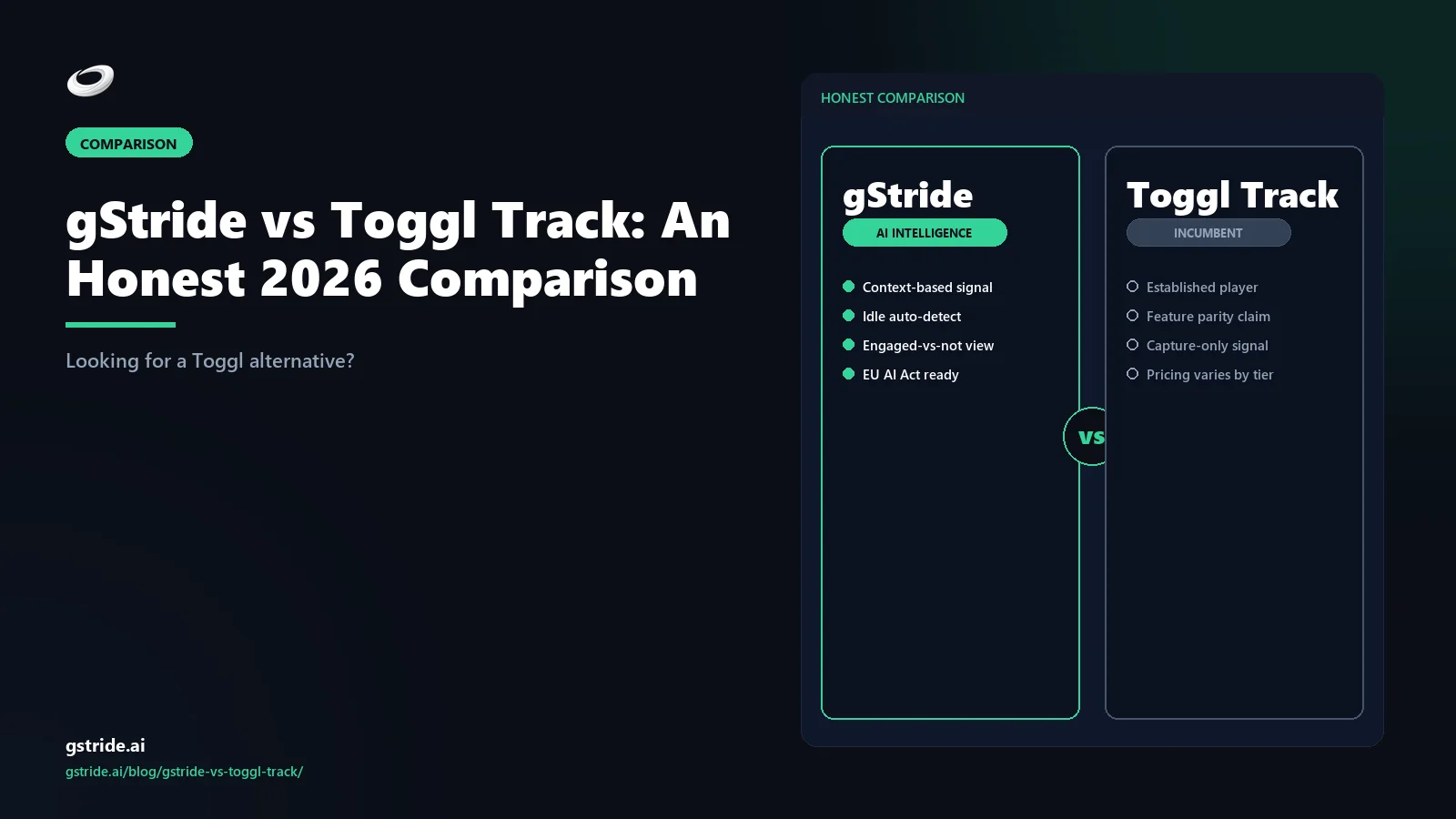
TL;DR — when each tool wins
Pick Toggl Track if you are a freelancer, a five-person agency, or a small product team that just needs a timer, projects, tags, and clean reports for billing. Toggl Track has a generous free tier, a one-click timer that has earned a near-cult following, and the kind of minimalist UX you actively miss when you leave it. For the under-five-person, billing-focused use case, Toggl Track is genuinely hard to beat.
Pick gStride if your team grew past ten and you need automated time tracking, timesheet approvals, native payroll, and shift, leave, and attendance in one product. Toggl Track is, by design, a focused time tracker — it does not do payroll, formal approval workflows, or shift management. Teams that try to scale it past ten people usually end up paying for three or four other tools to fill the gap.
The wedge is the outgrow moment. Toggl Track is the right answer until your team needs approvals plus payroll plus leave. gStride is the right answer after that. The rest of this article walks through the table, the pricing math, the migration path, and the AI nuance.
Short answer: Toggl Track or gStride?
If you are searching "Toggl alternative" or "gStride vs Toggl Track" in 2026, you are usually one of three buyers, and the right answer depends on which one. The first is the freelancer or small-agency buyer who needs a timer, projects, and a billing report — and that is it. For that buyer, we are going to say something most comparison pages will not: stay on Toggl Track. Toggl Track has been refining its minimalist time-tracking experience since 2006, the free tier is genuinely free for up to five users, and the desktop, web, mobile, and browser-extension surfaces are excellent. If you do not need approvals, payroll, or shift management, gStride is overkill.
The second buyer is the operations-first buyer whose team has crossed ten employees and is starting to feel friction. Timesheets need a manager sign-off before payroll. The payroll process means exporting Toggl Track CSVs, reconciling them with a separate payroll tool, and chasing the entries that did not match. Someone hired two part-time shift workers and there is no place to put a leave request. That is the outgrow moment, and it is the one this article is written for. The third buyer is the EU or UK operations leader who needs an audit trail on time approvals and worker notification on activity capture — that buyer usually needs a more structured approvals and policy surface than Toggl Track is designed to give.
That is the short answer. If you are buyer one, close this tab and keep using Toggl Track — honestly. If you are buyer two or three, the rest of this article walks through the bundle math, the migration path, and the specific Toggl Track gaps that show up at scale.
gStride vs Toggl Track — at-a-glance feature table
The table below is the honest version. Where Toggl Track has the better answer — specifically on minimalist UX, free-tier generosity, and the timer experience itself — we say so. Where gStride is the better fit — bundled approvals, payroll, shift/leave, and configurable activity insights — we say that too. All Toggl Track capability references are tagged with a check date so anything that has shifted since publication can be flagged.
| Capability | gStride | Toggl Track |
|---|---|---|
| Time tracking (timer + manual) | Yes — desktop, web, mobile with AI-assisted entry | Yes — flagship — one-click timer across desktop, web, mobile, browser extension |
| Projects, tasks, and clients | Yes — projects, tasks, clients, with budget rollups | Yes — projects, tasks, clients, tags; sub-projects on Premium |
| Reports and dashboards | Yes — project, team, billing, and payroll-ready rollups | Excellent — summary, detailed, weekly reports; CSV/PDF export; saved reports |
| Integrations and API | Yes — calendar, project tools, payroll, SSO; open API | 100+ integrations — Asana, Jira, Salesforce, GitHub, Slack, calendar; open API |
| Approvals / timesheet review | Yes — multi-step approvals, configurable routing, manager sign-off | Lightweight — time audit and basic timesheet review on higher tiers; not a formal approvals workflow |
| Native payroll | Yes — built-in, multi-currency payroll and payments | No — Toggl Track exports to payroll tools but does not run payroll |
| Shift / leave / attendance | Yes — shift scheduling, leave requests, approvals, attendance | No — not in the Toggl Track product surface |
| Activity / monitoring beyond timer | Configurable — per-feature opt-in; off by default | Privacy-first — autotracker is local-only; no screenshots, no keystroke logging, no manager-visible monitoring |
| AI assistance | Operations-focused — AI-assisted timesheets, idle classification, anomaly review | Entry-focused — AI suggestions for time entries from autotracker context |
| Pricing floor | $6 / user / mo — starts at $6, no seat-count minimum; see gStride pricing | Free up to 5 — Free / Starter ~$9 / Premium ~$18 per user per month; Enterprise on request |
See gStride on your own team's data
A 15-minute walkthrough on the configuration surface — productivity intelligence without surveillance, screenshots off by default. No SDR gate, straight to a product engineer.
Book a 15-min demo → Prefer to look at numbers first? See gStride pricing.The pattern is clear: Toggl Track is a deeper time-tracker product, gStride is a deeper bundle. Toggl Track is the more capable timer, the better minimalist UX, the friendlier free tier, and the more polished reporting experience for billing-led workflows — that is what the product is built around. gStride is the more capable workforce operations system, with approvals, payroll, shift/leave, and configurable activity insight bundled. Neither is a weak product; they are optimised for different buyers.
Where Toggl Track wins
This is the section we owe Toggl Track. There are real reasons it has earned the loyalty it has, and a comparison page that pretends otherwise is not honest.
The minimalist UX is the product. Toggl Track's one-click timer, the keyboard shortcut, the browser extension, the mobile widget — the whole experience is built around removing friction from the act of starting and stopping a timer. For an individual contributor who tracks time for billing or self-management, that friction-removal is the entire value proposition, and Toggl Track has been refining it since 2006. Most heavier products feel clunky after using Toggl Track for a week.
The free tier is genuinely free. Toggl Track's free plan supports up to five users with unlimited time tracking, projects, tags, and reports. For a freelancer, a duo, or a small agency, this is a real free product, not a trial that runs out. Most "free" plans in the time-tracking category are functional decoys; Toggl Track's free plan is the actual product, with the higher tiers adding things like billable rates, project templates, and time audits rather than gating the core experience.
Reports for billing are excellent. Summary, detailed, and weekly reports, CSV and PDF export, saved-report definitions, billable-vs-non-billable filters, and rounding rules — the reporting surface is built around the freelancer and small-agency workflow of "send the client a clean invoice with hours backing it up." If billing is the primary use case, Toggl Track's reports are a feature gStride does not try to compete with on polish.
Privacy-first by default. Toggl Track does not take screenshots, does not log keystrokes, and the desktop autotracker keeps activity data on the user's machine rather than surfacing it to managers. For an individual or small team that wants tracking without surveillance, that is a meaningful design choice. We make a similar argument for gStride's per-feature opt-in posture in Productivity Monitoring Without Surveillance, but Toggl Track gets there by going even narrower — the product simply does not include the monitoring layer.
Where Toggl Track breaks at scale
The same minimalism that makes Toggl Track great for individuals starts to break for teams that grow past ten people and need more than a timer — and the cracks become obvious by the time you are running a 50-person operation. None of these are Toggl Track flaws — they are scope choices. But they are the reasons most "Toggl alternative" searches happen.
No payroll. Toggl Track does not run payroll. The standard workflow is to export time reports to a separate payroll tool — or worse, paste them into a spreadsheet for manual reconciliation. For a team paying ten or twenty employees, that exports-and-reconciles loop becomes the bottleneck, and the time saved by Toggl Track's clean timer gets eaten by the time spent reconciling exports. Agencies running this stitched stack — Toggl + Gusto + Asana being the canonical combo — typically lose 8-12 hours per fortnight to the reconciliation alone. gStride's native payroll reads from the same time-tracking signal, so the time-to-payroll path is one product.
No formal approvals workflow. Toggl Track's higher tiers include time audit and basic timesheet review, but they are not a multi-step approval workflow. There is no configurable routing ("manager A approves engineering, manager B approves design"), no manager sign-off chain, no per-project approval rules, and no audit trail that an EU or UK regulator would call a deployer log. For a team that needs timesheets approved before payroll runs, that gap is what triggers the move. gStride's approvals are configurable per project, per team, and per role.
No shift, leave, or attendance. Toggl Track is not designed for shift-based workforces. There is no shift schedule, no leave request system, no leave balance tracking, and no attendance reporting. For a team that hires part-time shift workers, runs an operations team with formal PTO accrual, or needs an attendance audit for compliance, those gaps are immediate. Teams typically end up buying a separate HRIS or workforce-management tool to cover them. gStride bundles shift, leave, and attendance with the time tracking.
No monitoring beyond the timer. Toggl Track's privacy-first design is a strength for buyer one and a constraint for buyer two. If your operations leader needs configurable activity insights — "show me which projects are getting the focus time, flag idle entries that did not match calendar context, surface anomalies in timesheets" — Toggl Track does not give you that surface. gStride does, with every monitoring feature as a per-feature opt-in toggle. The right answer depends on whether you actually need that visibility; for a team running 30 hybrid knowledge workers, "I have no visibility beyond the timer" usually becomes the constraint.
Toggl Track alternative with payroll
The most common reason teams type "Toggl Track alternative with payroll" into a search bar is the moment payroll stops being a side concern and starts being a fortnightly fire. Toggl Track does not run payroll — it never has, and the product team has been clear it does not plan to. The standard Toggl-plus-payroll workflow is to export time entries to CSV, transform the columns to whatever Gusto, QuickBooks Payroll, Zenefits, Rippling, ADP, or Deel expects on import, reconcile the rows that did not match a project or rate, then run the payroll cycle. For a five-person agency that pattern is fine. For a 25-person services team running fortnightly payroll across two currencies, the export-transform-reconcile loop is where four to eight hours of someone's week disappears, and where the first payroll error usually lands.
The per-seat math compounds the problem. A 25-person team on Toggl Track Premium at roughly $18 per user per month spends about $450 monthly on tracking alone. Add Gusto Plus at $80 base plus $12 per employee (about $380), a leave tool like Calamari at $30, and the all-in Toggl-plus-payroll-plus-leave bill lands around $860 per month across three vendors, three contracts, three security reviews, and a CSV integration that breaks every time Toggl or Gusto changes a column header.
gStride's bundled approach replaces that stack with one product. Time entries feed native multi-currency payroll directly — no CSV export, no column-mapping step, no reconciliation. The same time data drives shift schedules, leave approvals, and timesheet sign-off. A 25-person team on the gStride Bundle tier at $12 per user per month lands around $300 monthly for the full surface (tracking + approvals + payroll + shift/leave + monitoring), one vendor, one bill. The wedge is not just dollar savings — it is the four to eight hours per fortnight that someone is not spending on the export-transform-reconcile dance. For agencies running the canonical Toggl-plus-Gusto-plus-Asana stack, the deeper teardown lives in agency project tracking with payroll. For Indian teams where TDS, PF, ESI, and gratuity have to be in the same workflow, the parallel piece is workforce platform with payroll for India.
Pricing breakdown
Toggl Track's published pricing as of the check date opens with a Free plan supporting up to five users with unlimited tracking, projects, and reports. The paid tiers are Starter at around $9 per user per month (billable rates, project templates, time rounding, saved reports), Premium at around $18 per user per month (time audit, fixed-fee projects, scheduled reports, single sign-on), and Enterprise on request (priority support, expert training, customisable solutions). Pricing varies by billing term and region; verify Toggl Track's live pricing page before quoting a budget.
gStride starts at $6 per user per month on its published pricing page, with higher tiers at $8 and $12 per user per month, and no fixed seat-count minimum. Native payroll, approvals, and shift/leave/attendance are part of the bundle in higher tiers, not separate add-on subscriptions.
The straight per-seat math says Toggl Track's free tier is unbeatable for under-five-person teams — gStride does not have a free tier and we are not going to pretend otherwise. For paid tiers, gStride starts $3 per user per month lower than Toggl Track Starter, and the gap widens at the Premium-and-up level once you factor in payroll and shift management. The bundle math is where the comparison flips: a Toggl Track Premium deployment that needs payroll plus shift/leave needs two or three more vendors, which routinely lands a 20-person team above $25 per user per month all-in. gStride's top-tier $12 per user per month bundle covers the same surface. That is the wedge for the outgrow buyer.
AI capability comparison
Both vendors have AI features, and both vendors talk about them in marketing. The honest read is that the AI is pointed at different problems.
Toggl Track's AI is pointed at the entry layer. Time-entry suggestions draw on the desktop autotracker's local activity log to suggest what the user was working on during a tracked block, reducing the friction of writing a description or selecting a project. The AI's job is to make individual time entry faster and more accurate — which fits Toggl Track's core value of removing friction from tracking.
gStride's AI is pointed at the operations layer. AI-assisted timesheets draft entries the user reviews and approves, idle classification uses calendar context to avoid flagging meetings as idle (covered in how AI detects idle time), and anomaly review highlights timesheet entries worth a manager's attention. The AI's job is to remove timesheet friction at the team level and improve payroll-ready data quality, not to perfect individual time-entry accuracy. The pillar piece on this category is our complete 2026 guide to AI time tracking software, which covers the eight capabilities that define modern AI time tracking and where each vendor sits.
Both products are real on AI. The right question is which AI is solving the problem you actually have. If you need individual time entries to be faster and more accurate, Toggl Track's AI compounds that workflow. If you need timesheets that arrive at payroll cleanly without manager chasing, gStride's AI compounds that workflow.
Migration path: Toggl Track to gStride
If gStride is the better fit and you already use Toggl Track, the migration is mostly straightforward because Toggl Track has good export support. The path most teams follow:
- Export the data Toggl Track holds. From the Toggl Track admin panel, export users, projects, clients, tags, and time entries to CSV. Toggl Track also has an open API if you want a programmatic export. The fields that matter for continuity are user email, project name, client name, tag, time-entry start, end, duration, billable flag, and description. Saved reports and custom fields usually need to be rebuilt rather than imported.
- Map projects and clients. Decide whether to keep Toggl Track's project structure as-is, or use the migration as a chance to clean up. Most teams find that they have accumulated 50–100 projects in Toggl Track over the years; cutting that down to the 10–20 active projects before importing into gStride pays off.
- Import historical time entries (optional). Decide how much history to bring across. For payroll continuity, the current pay period is enough. For project-budget continuity, the trailing 90 days. For long-term reporting continuity, the trailing 12 months. Beyond that, leaving history in Toggl Track export files is usually fine — you can always reference them.
- Set up the new ground rules. The things Toggl Track did not have — approvals routing, payroll mapping, shift schedules, leave policies — need to be configured in gStride during migration. This is the work that justifies the switch, so do not skip it. The right time to define approval routing is during the cutover, not three months later.
- Cut over at a payroll boundary. The cleanest move is the first day of a new pay period. Close out the final Toggl Track reporting period on the last day, then start gStride tracking on day one of the new period with clean approval rules and payroll mapping in place.
- Tell the team what changed. The internal narrative matters. Position the switch as a capability upgrade — "approvals plus payroll plus leave in one product" — rather than a feature loss. Most Toggl Track users will miss the timer's friction-free feel for a week or two; the team-level wins arrive within the first payroll cycle.
Decision tree: which buyer fits which tool
Toggl Track fits best when…
- You are a freelancer, an individual contributor, or a small team of five or fewer using time tracking for billing or self-management.
- The free tier covers your team and a paid upgrade would be over-investment.
- Reports for client invoicing are the primary output, and the polished report surface matters more than approval workflows.
- You are deliberately privacy-first and do not want any monitoring layer beyond the timer itself.
- The minimalist UX is part of why team members actually track their time — replacing it with a heavier tool would reduce adoption.
gStride fits best when…
- Your team has crossed ten employees and you need multi-step approvals, native payroll, and shift, leave, and attendance in one product.
- Payroll runs on time-tracking data and you do not want to keep exporting CSVs to a separate payroll tool.
- You hire shift workers, run formal PTO accrual, or need attendance reporting for compliance or operations leadership.
- You operate in EU or UK jurisdictions where worker notification, approval audit trails, and proportionate monitoring policy matter.
- You want one vendor relationship, one bill, and one access-control surface across time, approvals, payroll, and shift/leave.
- Configurable activity insights matter to your operations leadership — not surveillance, but "where is the team's focus time going" visibility. We unpack the design philosophy in how to track remote employee productivity without killing morale.
The verdict
Toggl Track is a beloved tool for a reason. The timer is great, the free tier is real, the reports are polished, and the privacy-first stance is genuine. If you are a freelancer or a five-person team, we will recommend Toggl Track on a sales call — gStride is built for a different buyer, and pretending otherwise would not help anyone.
If you typed "Toggl alternative" into a search engine, though, you usually crossed the outgrow line. Your team grew past ten and the timer-and-reports model started leaking. Payroll runs on CSV exports. Approvals happen in Slack threads. Leave requests live in a spreadsheet. Shift workers are tracked in a separate tool. Each gap is a separate workaround, and the workarounds compound. gStride is the bundle answer for that buyer. The time tracker is good (because it has to be), but the wedge is approvals plus payroll plus shift/leave in one product, with configurable activity insights for the team that needs visibility past the timer.
Both tools have shipped real product. The right answer is the one that matches your actual problem. If the problem is "I need a friction-free timer for billing," choose Toggl Track. If the problem is "I have a growing team and the time tracker is now the smallest part of what I need," choose the bundle. If you are still triangulating, the adjacent comparisons help: gStride vs Hubstaff for the field-services and workforce-management buyer, gStride vs Time Doctor for the productivity-monitoring buyer, gStride vs ActivTrak for the activity-analytics buyer, and gStride vs Insightful for the productivity-scoring buyer.
Related reading on gStride
- gStride pricing — current tiers and what is bundled
- Automated time tracking — desktop, web, mobile
- Timelines and approvals — configurable routing
- Payroll and payments — native, multi-currency
- Shift, leave and attendance — built-in approvals
- AI time tracking software — the 2026 buyer's guide (pillar)
- How to track remote employee productivity without killing morale
- How does AI detect idle time?
- gStride vs Hubstaff — field-services comparison
- gStride vs Time Doctor — productivity-monitoring comparison
- gStride vs ActivTrak — activity analytics comparison
- gStride vs Insightful — productivity-scoring comparison
- How to switch from Toggl Track to gStride — 2026 migration guide
- Compare gStride against 13 productivity & monitoring tools
Free: 5-Signal Productivity Self-Audit Worksheet
30-min audit on your team. Focus depth + commit cadence + meeting load + flow-state + blocker recovery. PDF + Google Sheets calc. For Ops Heads, Founders, Eng Managers.
Frequently asked questions
Is gStride a good Toggl Track alternative?
For teams that have outgrown Toggl Track's freelancer-and-small-team sweet spot, yes. Toggl Track is a beloved minimalist time tracker built around a one-click timer, generous free tier, and reports for billing. gStride is a workforce operations bundle that includes time tracking, approvals, native payroll, shift and leave management, and configurable activity insights. If your team is five people and just needs a timer, Toggl is the right tool and we would say so. If your team passed ten people and needs approval workflows, payroll, and leave tracking in one product, gStride is the closer fit.
Is Toggl Track cheaper than gStride?
On a head-to-head per-seat basis Toggl Track's free tier is unbeatable for up to five users, and the paid Starter and Premium tiers are competitive. Toggl Track's published tiers are Free, Starter at around $9 per user per month, Premium at around $18 per user per month, and Enterprise on request. gStride starts at $6 per user per month and bundles approvals, payroll, and shift/leave/attendance into the higher tiers. The honest comparison is bundle math: a Toggl Premium deployment that needs payroll and shift management ends up paying for two or three more vendors, which usually puts the all-in cost above gStride's bundled tier. Verify both vendors' live pricing before quoting a budget.
Does Toggl Track include payroll?
No. Toggl Track is a focused time tracker, projects-and-billing tool, and reporting product. It does not include native payroll, payments processing, shift management, or leave and attendance workflows. Teams that need payroll typically export Toggl Track time reports to a separate payroll system or run them through a manual reconciliation step. gStride includes native multi-currency payroll and shift/leave/attendance in its bundle so the time-to-payroll path is one product.
Does Toggl Track have approval workflows?
Toggl Track has lightweight time audit features and basic timesheet review on its higher tiers, but it is not a full approvals platform with multi-step routing, manager sign-off chains, and per-project approval rules. For teams that need formal timesheet approval before payroll runs, Toggl Track usually requires a workaround through reports or a third-party tool. gStride has built-in approvals with configurable routing, which is one of the most common reasons teams move from Toggl Track once they pass ten employees.
Does Toggl Track do employee monitoring or screenshots?
Toggl Track is deliberately privacy-first and does not take screenshots, log keystrokes, or run continuous activity monitoring. Toggl Track's autotracker on the desktop app records the apps and websites you use locally, but the data stays on the user's machine and is not surfaced to managers as a monitoring layer. That privacy-first stance is part of why Toggl Track is a beloved tool. gStride takes a per-feature opt-in approach: every monitoring capability is a separate toggle, and the conservative default is the one that ships out of the box. Both tools sit closer to the privacy-first end of the spectrum than to forensic monitoring platforms.
Can I export my data from Toggl Track to switch?
Yes. Toggl Track supports CSV export of time entries, projects, clients, tags, and reports through its account settings, and it has an open API for programmatic export. The fields that carry over cleanly into gStride are users, projects, clients, time entries (with start time, end time, duration, project, tag, billable flag, description), and tags. Custom Toggl Track fields and saved-report definitions usually need to be rebuilt in gStride rather than imported. Most teams switch on a payroll-period boundary so the cutover is clean.
Does Toggl Track have AI features?
Toggl Track has invested in AI suggestions for time entries and project categorisation, drawing on the autotracker activity log to suggest what the user was working on. The AI's job is to reduce friction on individual time entry rather than to drive team-wide analytics or decision-making. gStride's AI is pointed at the operations layer: AI-assisted timesheets that draft entries the user reviews, idle classification with calendar context, and anomaly review for managers. Both vendors are credible on AI; the difference is what the AI is optimised to do.
Should I switch from Toggl Track to gStride?
Switch when your team has outgrown the timer-and-reports model. The usual triggers are crossing ten employees and needing approvals, hiring a payroll-relevant role and not wanting a separate payroll tool, adding shift workers or formal leave policies, or operating in EU or UK jurisdictions where worker notification and approval audit trails matter. Stay on Toggl Track if your team is under ten people, your billing process works on report exports, and you do not need payroll or shift management. Toggl Track is a beloved tool for a reason — the question is whether you have outgrown what it is designed to do.
What's the best Toggl Track alternative with payroll built in?
For teams that need payroll bundled with time tracking rather than stitched on through CSV exports to Gusto, QuickBooks, or Zenefits, gStride is the closest fit. Toggl Track does not run payroll natively and never has — the standard workflow is exporting time entries, transforming columns, and importing into a separate payroll system. That export-transform-reconcile loop becomes an 8-hour fortnightly task at 25+ employees and is where most payroll errors originate. gStride's Bundle tier ($12/user/mo) includes native multi-currency payroll reading directly from the same time data, so a 25-person team typically lands around $300/month for tracking plus approvals plus payroll plus shift/leave — versus roughly $860/month for the equivalent Toggl Premium plus Gusto Plus plus Calamari stack across three vendors. The dollar saving matters; the time saved on reconciliation matters more.
What is the best Toggl Track alternative for Indian teams?
It depends on requirements. For Indian teams the screening criteria are INR payroll with TDS, PF, and ESI handling, DPDP Act 2023 readiness on any activity monitoring, and IST-friendly support. gStride fits teams that want time tracking, approvals, and native India-aware payroll in one bundle with opt-in monitoring defaults. Hubstaff and Time Doctor are credible alternatives if field-workforce GPS or deeper productivity monitoring is the priority, though both pair with a separate payroll tool for Indian statutory deductions. Teams of five or fewer that only need a timer should usually stay on Toggl Track’s free tier. Verify each vendor’s current India capabilities and pricing before committing.
How do you compare Toggl Track alternatives?
Score each candidate on seven criteria: time-capture quality, reporting depth, approval workflows, native payroll, shift/leave/attendance, monitoring posture (privacy defaults, opt-in controls, worker notification), and all-in bundle cost including the extra vendors needed to fill gaps. Weight the criteria by your actual problem: freelancers should weight timer UX and reporting; operations teams past ten people should weight approvals, payroll, and total stack cost. Run the math on the full vendor stack, not per-seat price alone — a cheap tracker plus separate payroll and leave tools routinely costs more than one bundled platform. gStride, Hubstaff, Time Doctor, and ActivTrak each win under different weightings; there is no single best alternative for every team.
Three honest ways to de-risk the move
No lock-in, no sales pressure. Pick the path that fits where you are. Pricing and trial terms are on our pricing page so there are no surprises.
Run gStride alongside the Toggl timer on one team — if a minimalist timer is all you need, Toggl is genuinely great. No card to start.
Start a 14-day trialMoving from a timer to anything with monitoring changes your compliance posture. Score the plan against EU AI Act Annex III and DPDP — free, no email to run.
Run the free auditWe help with workspace/time-entry export, approvals + payroll setup, and rollout comms. Estimate your migration cost first with the free Switch Cost Estimator.
Estimate switch costPrefer to talk it through? Book a 15-min switch review →
See the gStride bundle for yourself
Time tracking, configurable approvals, native payroll, shift/leave built in, AI-assisted timesheets, and one access-control surface for the whole stack. The fastest way to compare is to look at the configuration surface side-by-side.
Book a 15-min demo → View gStride pricing See time trackingAll Toggl Track feature, positioning, and pricing references in this article were last verified on April 28, 2026 from publicly available sources, including Toggl Track's product and pricing pages. Toggl Track has been refining its time-tracking experience since 2006 and is widely recognised as a leader in the freelancer-and-small-team time-tracking category. Toggl Track's free tier and paid tier prices reflect the publicly listed Free, Starter, Premium, and Enterprise structure on the check date; verify on Toggl Track's own pricing page before quoting a budget. Vendor capabilities and pricing change frequently — verify on the vendor's own site before making a decision.