
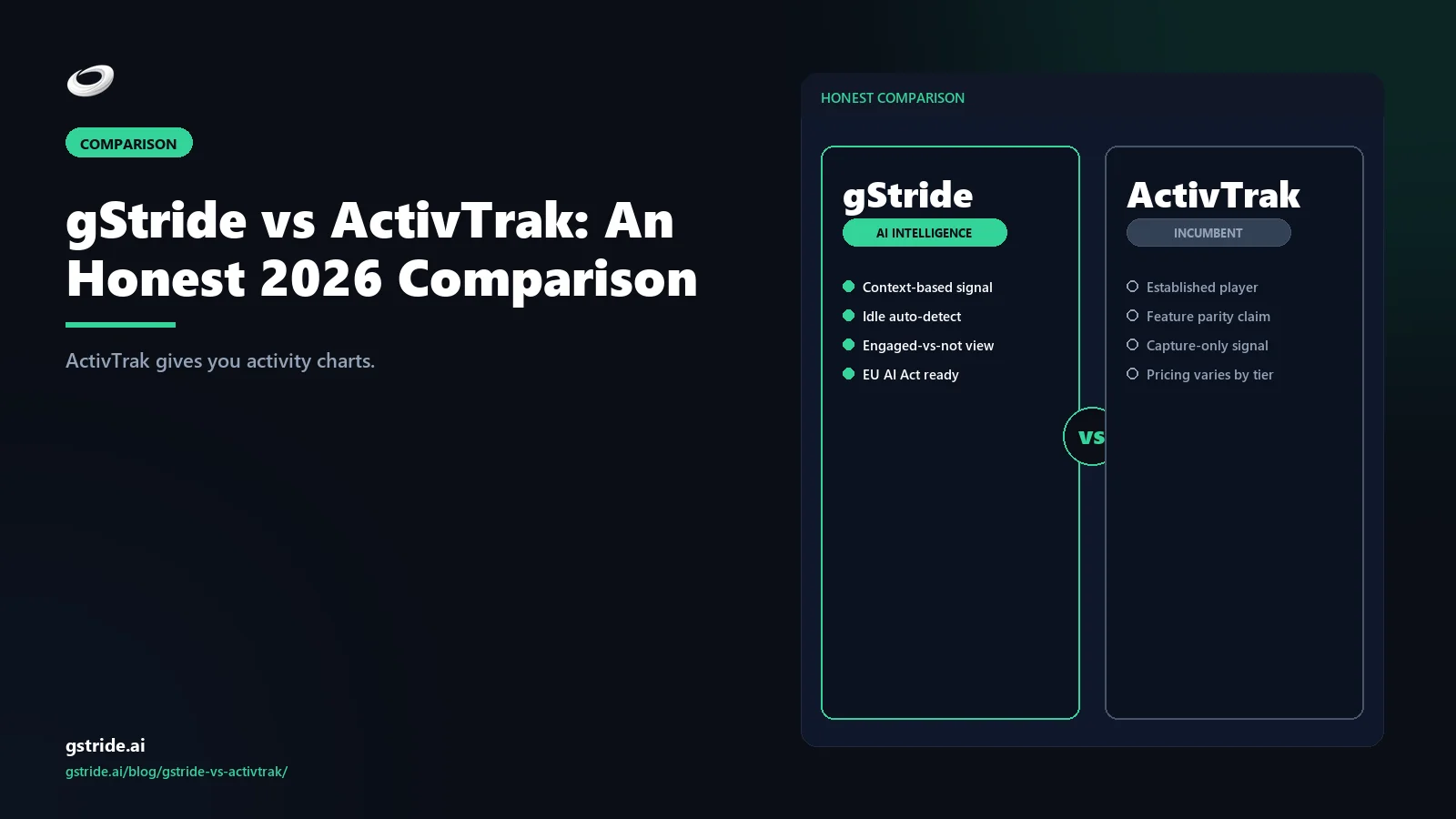
TL;DR — when each tool wins
Pick ActivTrak if you need activity-centric workforce analytics: app and website usage tracking, productivity scoring, team behavior trends, and a free on-ramp for small teams. ActivTrak's strength is its analytics surface — it gives managers dense behavioral telemetry with less governance overhead than Teramind.
Pick gStride if you need a workforce operations bundle — automated time tracking, configurable productivity monitoring, AI-assisted timesheets, native payroll, and shift, leave, and attendance in a single product. ActivTrak does not include payroll, shift management, or leave/attendance workflows, so teams that need those capabilities have to buy and integrate a separate platform.
The wedge is the bundle. If your team needs payroll, shift coverage, and time tracking in one place, gStride is the only product on this list that includes all three without add-ons. If you need activity analytics without workforce operations, ActivTrak is the stronger analytics layer.
The core difference: workforce operations vs activity analytics
ActivTrak positions itself as a workforce analytics platform, not a time tracker and not a payroll provider. The product's public feature set reflects it: application and website usage tracking, productivity scoring, behavior trend analysis, team-level dashboards, and workforce intelligence reports. The monitoring surface sits between lightweight time tracking and Teramind's forensic depth — no keystroke logging, no remote control, no DLP rules, no continuous video recording. For managers who want to understand how their team spends time across apps and websites, ActivTrak is a clean analytics layer with a usable free tier for up to three users. The question this comparison answers is whether analytics alone is enough, or whether your team needs the payroll, shift, and leave operations that sit on top of it.
gStride sits in a different category. It is a workforce operations bundle — automated time tracking, configurable productivity monitoring, AI-assisted timesheets, native payroll, and shift, leave, and attendance in a single product. The monitoring features exist to make timesheets accurate and payroll defensible, not to produce a behavioral heatmap of every employee's day. The wedge between the two products is the bundle: if your team needs payroll, shift coverage, and leave management in the same tool that handles time tracking, buying ActivTrak plus a separate HR and payroll platform is a different purchase than buying gStride once.
- Annex III, point 4(a)–(b) — AI used for recruitment, task allocation, performance monitoring, or evaluation of workers is classified high-risk under the EU AI Act 2024/1689, triggering deployer obligations from 2 August 2026; pure time capture without AI inference may sit outside scope, but AI scoring used in HR review is the trigger (verify classification with counsel).
- EUR 15 million or 3% of worldwide annual turnover — maximum administrative fine for violations of most high-risk system obligations under Article 99(4); EUR 35 million or 7% for Article 5 prohibited-practice violations (Article 99(3)), whichever is higher in each case (EU AI Act 2024/1689; verify with counsel).
- Article 14, EU AI Act — deployers of high-risk workplace AI must ensure named human reviewers can understand, monitor, interpret, override, and stop AI outputs; a productivity score that auto-feeds a performance review without a documented human-review step fails this requirement by design (EU AI Act 2024/1689; verify oversight design with counsel).
Feature-by-feature comparison
The table below is a capability-by-capability comparison. Where ActivTrak has the stronger analytics answer — activity dashboards, productivity scoring, team behavior trends — we say so. Where gStride is the broader operational answer — native payroll, shift/leave, and a bundled price — we say that too. All ActivTrak references are tagged with a check date.
| Capability | gStride | ActivTrak |
|---|---|---|
| Automated time tracking | Yes — desktop, web, mobile, with AI-assisted categorization | Partial — ActivTrak tracks app and website activity and can generate time entries from activity data, but does not position itself as a dedicated time tracking platform |
| Screenshots / activity monitoring | Configurable — sampled, blurred, project-scoped screenshots; not continuous recording | Yes — screenshots, activity levels, app and website tracking, and productivity categorization are core features across Free and paid plans |
| Native payroll | Yes — built-in, multi-currency | Not included — ActivTrak does not include native payroll; teams using ActivTrak for time data typically integrate with a separate payroll platform |
| Shift / leave / attendance | Yes — built-in, with approvals workflow | Not included — ActivTrak does not offer shift scheduling, leave management, or attendance approval workflows |
| AI assistance | Productivity-focused — AI for timesheets, idle classification, anomaly review | Analytics-focused — ActivTrak provides AI-powered productivity insights, trend analysis, and anomaly detection within its analytics surface |
| Monitoring depth | Configurable — visibility-first; every monitoring feature is a separate toggle, visible to employees | Analytics-centric — app and website tracking, productivity scoring, behavior trends, and team analytics; no keystroke logging or DLP |
| Bundle depth | Full bundle — time, productivity, AI, payroll, shift/leave/attendance in one product | Analytics layer — activity analytics and productivity intelligence; time, payroll, and shift/leave require separate tools |
| EU AI Act posture | Configurable — visible, proportionality-first, every capture is a toggle | Analytics-centric — lighter monitoring surface than Teramind but broader than gStride; compliance burden depends on configured analytics depth |
| Pricing model | Per-user bundle — single price includes time, productivity, AI, payroll, shift/leave; no seat-count minimum. See gStride pricing. | Tiered per-user — Free plan (3 users), then paid tiers per-user per-month with feature unlocks; no payroll or shift/leave in any tier. |
See gStride on your own team's data
A 15-minute walkthrough on the configuration surface — productivity intelligence without surveillance, screenshots off by default. No SDR gate, straight to a product engineer.
Book a 15-min demo → Prefer to look at numbers first? See gStride pricing.The pattern across the table is the wedge. In monitoring depth, ActivTrak is the cleaner analytics layer — activity tracking and productivity intelligence without the forensic overhead of Teramind. In operational depth, gStride is the broader bundle — time tracking, payroll, shift and leave management, and AI-assisted timesheets in a single product. Neither is weak. They are built for different buyers, and the right choice depends on whether your problem is "how do we understand team activity?" or "how do we run time, payroll, and shift coverage in one place?"
The bundle wedge: why ActivTrak teams end up adding a payroll platform
The practical consequence of ActivTrak's analytics-first positioning is the multi-vendor stack it creates for teams that also need payroll, shift scheduling, and leave management. ActivTrak gives you activity data. It does not cut payroll, process leave requests, manage shift swaps, or pay contractors in multiple currencies. That means the mid-market operations team that adopts ActivTrak typically ends up buying a separate platform for payroll and another for shift scheduling — three vendors instead of one, each with its own access controls, invoicing cycles, and integration surface.
The integration overhead is real. Synchronizing user directories across ActivTrak, a payroll platform, and a shift-scheduling tool means either manual data entry or an integration layer that someone on your team has to maintain. When a contractor moves from part-time to full-time, that change needs to propagate across three systems. When a leave request is approved, it needs to be reflected in scheduling, in ActivTrak's activity expectations, and in payroll. Each additional system in the stack is another place where a missed sync produces a payroll error, a coverage gap, or a compliance question.
gStride replaces that three-vendor stack with a single product. The time entries that feed payroll are the same entries that inform the productivity dashboard, and the shift calendar is the same calendar that governs leave approval. One user directory, one access-control surface, one bill. That is the wedge. If your team only needs activity analytics and already has a payroll platform it is happy with, ActivTrak integrates cleanly into that stack. If your team is buying activity analytics plus payroll plus shift management for the first time, gStride is a single-product answer to a multi-product problem.
ActivTrak alternative for HR managers
ActivTrak's product gravity is IT and operations. The dashboards talk about activity scoring, app and website categorisation, behaviour trends, productivity coaching insights — the language an IT director or operations VP recognises immediately. For an HR manager evaluating workforce tooling, the same dashboards feel like the wrong abstraction. HR is not asking "what apps did the engineering team use this week?" HR is asking different questions: "is this person's monitoring policy compliant with our jurisdiction's worker-notification law?", "can role-based access control hide individual activity from line managers but expose aggregates to HRBPs?", "does this integrate with our HRIS so headcount changes propagate?", and "when an employee asks for their data under GDPR Article 15, can I export everything we hold on them in one click?" ActivTrak can answer some of those, but the configuration is IT-led and the surface is not designed for an HR-first workflow.
The HR-manager use cases that ActivTrak handles awkwardly fall into three buckets. Compliance and worker notification — ActivTrak's monitoring is admin-controlled, but writing the proportionality narrative for a GDPR DPIA, an EU AI Act Article 6 risk assessment, or a UK ICO impact assessment is on the HR/compliance team rather than baked into the tool — and for teams in India, the same gap applies to DPDP Act notice and consent, which is why we maintain a dedicated guide to picking a DPDP-compliant ActivTrak alternative for India. Role-based monitoring with HR oversight — HRBPs typically need a different view than line managers (aggregated wellness signals vs individual activity), and ActivTrak's permissions are tier-coupled rather than role-orthogonal. HRIS integration — when a hire, role-change, or termination happens in BambooHR, Personio, or HiBob, the monitoring access list and policy assignment should propagate automatically; ActivTrak's integration story here is lighter than its analytics depth.
gStride is built for the HR-led buyer. Every monitoring feature is a per-feature toggle that maps directly to a policy clause (the same surface used in how to write an employee monitoring policy), productivity monitoring defaults to aggregated wellness signals rather than individual activity feeds, role-based access separates HRBP/manager/IT views, and HRIS sync is part of the bundle rather than an integration project. For HR managers who have been handed an IT-led monitoring tool and asked to write the policy that justifies it, gStride flips the order: write the policy first, then configure the tool to match. The vendor-evaluation matrix that turns an HR-defensible policy into a tool shortlist is in the policy guide; the short version is that "every capture is a toggle visible to the employee" is the configurability HR managers need to defend the deployment in a hearing.
ActivTrak Free plan: useful for evaluation, limited for operations
ActivTrak's Free plan covers up to three users with activity tracking, basic screenshots, and productivity categorization. It is a genuine on-ramp: a small team can install ActivTrak, see how activity analytics works, and decide whether the paid tiers deliver enough additional value to justify the per-seat cost. For evaluation purposes, the Free plan is well-structured. The three-user cap means it is not designed for production deployment at team scale, but as a proof-of-concept for activity analytics, it does what it promises.
The limitation is operational scope, not user count. The Free plan does not include advanced analytics, alarms, custom reporting, or integrations — and none of ActivTrak's tiers include payroll, shift scheduling, or leave management. A three-person team on the Free plan still needs a separate tool for payroll and scheduling. If the goal is to evaluate whether activity analytics changes your team's behavior, the Free plan delivers. If the goal is to find a single platform for time, productivity, payroll, and shift management, the Free plan is a preview of the analytics layer but not of the operations stack. That distinction matters for procurement teams comparing total cost of ownership across a multi-vendor stack versus a single-product bundle.
gStride does not have a free tier. The trade-off is that every paid seat includes the full bundle — time tracking, productivity monitoring, AI-assisted timesheets, payroll, and shift/leave/attendance — from the first user. For a team that needs the operational depth, starting with the full bundle from day one is usually more efficient than starting with analytics and adding vendors later. Current pricing is on gStride pricing.
Customer profiles — who fits each tool
ActivTrak fits best when…
- You need activity analytics — understanding how teams spend time across apps, websites, and projects — without needing payroll or shift management.
- You want a free on-ramp for a small team (up to 3 users) to evaluate activity monitoring before committing to paid tiers.
- Your organization has separate payroll and HR platforms, and you need an analytics layer that integrates with them rather than replacing them.
- You want productivity scoring and team-level behavior trends for managers, not individual forensic records.
gStride fits best when…
- You need automated time tracking, payroll, shift/leave/attendance, and AI-assisted timesheets in a single product.
- You want configurable screenshots and activity signals, but not keystroke logging, continuous recording, or DLP.
- You are a mid-market team that wants one bill, one access-control surface, and one tool to replace multiple vendors.
- You are operating in EU or UK jurisdictions where proportionality and worker notification are central to the monitoring policy.
- You want a tool HR and operations can explain to employees without qualifying it as "activity monitoring software."
Migration path: switching from ActivTrak to gStride
If you are evaluating ActivTrak against gStride, the migration path is usually simpler than a Teramind-to-gStride switch because you are adding operational capability rather than reducing monitoring depth. The path most teams follow:
- Audit what ActivTrak is actually tracking. Export your activity data, productivity reports, and user lists. These are your operational continuity records, and they are the baseline you will compare against gStride's dashboard during the parallel run.
- Set up gStride alongside ActivTrak for one pay period. Run both tools in parallel so you can verify that time entries and productivity signals match. This is also the window to configure screenshot settings and monitoring toggles to match your policy. Most teams find that gStride's default configuration is closer to what they actually need than ActivTrak's full analytics surface.
- Import your shift, leave, and payroll data. This is the operational layer ActivTrak does not provide. Set up your shift roster, leave approval workflows, and payroll configuration in gStride. The parallel run confirms both the analytics and the operations.
- Cut over at a pay period boundary. Close the final ActivTrak reporting period, then start gStride as the single system. Payroll, shift coverage, and leave all transition at the same boundary. This avoids the split-data problem that occurs when you cut over mid-period and have time entries in two different systems for the same pay run.
- Tell employees what changed. The switch from analytics-only to a workforce operations bundle should be positioned as gaining payroll and shift management, not just swapping monitoring tools. Spell out what gStride tracks, what it does not track, and where the configuration toggles are. Our policy guide and template helps with the notification document.
Most ActivTrak-to-gStride transitions are upgrades rather than downgrades in operational scope. The analytics signals you have in ActivTrak are available in gStride's productivity dashboard; the payroll and shift management you did not have are now in the same product.
The verdict
ActivTrak is not a weak product. It is a strong activity analytics platform with a usable free tier, clean product dashboards, and no forensic monitoring baggage. If your primary need is understanding how your team spends time across apps and websites — and you have payroll and scheduling covered elsewhere — ActivTrak does that job well. The product stays in its lane: activity analytics and workforce intelligence, not payroll processing or shift management. That focus is a strength for the buyer who only needs analytics, and a gap for the buyer who assumed the tool would cover operations too.
The honest assessment is that gStride wins where the requirement is bundled workforce operations. If you need payroll, shift and leave management, and time tracking in the same product you use for productivity visibility, buying ActivTrak plus a separate payroll platform plus a separate scheduling tool is three contracts, three integrations, and three places where a missed sync costs money. gStride is one contract and one product. The same time entries that feed your payroll dashboard also feed your shift calendar and your leave approval queue. That integration is not an add-on — it is the architecture.
For teams still triangulating, our other 2026 comparison reads cover the adjacent decision: gStride vs Teramind for the security-monitoring buyer, gStride vs Hubstaff for the field-services and workforce-management buyer, and gStride vs Time Doctor for the productivity-tracking buyer.
Related reading on gStride
- gStride pricing — current tiers and what's bundled
- Automated time tracking — desktop, web, mobile
- Productivity monitoring — configurable per feature
- Screenshots & activity — sampled, blurred, opt-in
- AI assistance — what the AI actually does
- Payroll & payments — native, multi-currency
- Shift, leave & attendance — built-in approvals
- gStride security and privacy posture
- Is employee monitoring legal in 2026?
- Productivity monitoring without surveillance
- How to write an employee monitoring policy
- gStride vs Teramind — security monitoring comparison
- gStride vs Hubstaff — field services comparison
- gStride vs DeskTime — screenshot tracking comparison
- gStride vs Time Doctor — productivity monitoring comparison
- screenshot policies and frequency — directly relevant to ActivTrak’s high-frequency capture model
- how to track remote employee productivity
- timelines & approvals — the approval workflow ActivTrak does not include
- project & task management
- AI Workforce Analytics — the 4-layer architecture for outcome-signal analytics
- How to switch from ActivTrak to gStride — 2026 migration guide
- Compare gStride against 13 productivity & monitoring tools
Free: 5-Signal Productivity Self-Audit Worksheet
30-min audit on your team. Focus depth + commit cadence + meeting load + flow-state + blocker recovery. PDF + Google Sheets calc. For Ops Heads, Founders, Eng Managers.
Frequently asked questions
What is the best ActivTrak alternative with employee self-view in 2026?
The best ActivTrak alternative with employee self-view in 2026 is gStride — an AI productivity intelligence platform where each employee sees their own focus density, classifications, and recommendations in a personal dashboard, not a manager-only feed. It also bundles native payroll and shift/leave that ActivTrak's activity-analytics layer does not include.
Is gStride cheaper than ActivTrak?
ActivTrak's Free plan covers up to 3 users with limited features. Paid plans scale per-user per-month with tiered feature unlocks. gStride bundles time tracking, productivity monitoring, AI-assisted timesheets, payroll, and shift/leave/attendance into a single per-user price with no seat-count minimum. For teams that need payroll and shift management, gStride is usually more cost-effective because those features are included, not add-ons. Verify current pricing on both vendors' websites before quoting budgets.
Is gStride an ActivTrak alternative?
For mid-market teams that need workforce operations — automated time tracking, payroll, shift/leave/attendance, and configurable productivity visibility — yes. gStride bundles those capabilities into one product. ActivTrak's strength is activity analytics and workforce intelligence; it does not include native payroll or shift/leave/attendance. If you need a full workforce operations bundle rather than an activity analytics layer, gStride is the closer fit.
Does ActivTrak have payroll?
No. ActivTrak focuses on activity analytics, productivity measurement, and workforce intelligence. It does not include native payroll, payments, or shift/leave/attendance management. Teams using ActivTrak for time data typically pair it with a separate payroll platform. gStride includes native payroll and shift/leave/attendance in its bundle.
Does ActivTrak have a free plan?
Yes. ActivTrak offers a Free plan for up to 3 users with limited features — activity tracking, basic screenshots, and productivity categorization. Paid plans unlock advanced analytics, alarms, integrations, and reporting. The Free plan can be useful for small teams evaluating ActivTrak's activity analytics, but it does not include payroll, shift management, or AI-assisted timesheets.
Which is better for EU/UK employee monitoring compliance?
Neither tool is automatically compliant or non-compliant — compliance depends on how you configure and deploy. Under the EU AI Act, AI used in employment and worker management is classified high-risk. gStride's default posture is configurable, visible, and proportionality-first, which typically requires less documentation overhead for standard workforce operations. ActivTrak's activity analytics surface is lighter than Teramind's forensic monitoring but broader than gStride's, so the compliance documentation burden sits between the two. Talk to legal counsel before deploying either tool in EU/UK jurisdictions; this is general information, not legal advice.
What's the best ActivTrak alternative for HR managers?
ActivTrak's product gravity is IT and operations — the dashboards, language, and configuration surface are designed for IT directors and ops VPs, not HRBPs. HR managers asking different questions (is the monitoring policy compliant for our jurisdiction? Can role-based access separate HRBP views from line manager views? Does this propagate from our HRIS?) often find ActivTrak's IT-led configuration awkward. gStride is built HR-first: every monitoring feature is a per-feature toggle that maps directly to a policy clause, productivity monitoring defaults to aggregated wellness signals rather than individual activity feeds, role-based access separates HRBP/manager/IT views, and HRIS sync (BambooHR, Personio, HiBob) is part of the bundle. The order flips — write the policy first, then configure the tool to match — which is the workflow HR managers need to defend the deployment in a worker-council hearing or a regulator audit.
Three honest ways to de-risk the move
No lock-in, no sales pressure. Pick the path that fits where you are. Pricing and trial terms are on our pricing page so there are no surprises.
Run gStride alongside ActivTrak on one team. No card to start; compare gStride's HR-first toggles against ActivTrak's activity feeds on your own data before you decide.
Start free 14-day trial →Score your current ActivTrak setup against EU AI Act Annex III and DPDP consent obligations — free, no email to run.
Run the free auditWe help with data export, parallel-run setup, and rollout comms — including the policy-first rollout HR teams leaving ActivTrak usually need. Estimate your migration cost first with the free Switch Cost Estimator.
Estimate switch costPrefer to talk it through? Book a 15-min switch review →
See gStride for yourself
Configurable monitoring, bundled payroll, AI-assisted timesheets, and a privacy posture you can defend. Book a 15-minute side-by-side walkthrough — we'll show you the configuration surface against ActivTrak's, no slides.
Book a 15-minute walkthrough Start free 14-day trial → View gStride pricingNo credit card · 14-day trial · cancel anytime
All ActivTrak feature and pricing references in this article were last verified on April 27, 2026 from activtrak.com/pricing/ and ActivTrak's public product pages. EU AI Act references are paraphrased from the European Commission's AI regulatory framework page; this article is general information, not legal advice. Vendor capabilities and pricing change frequently — verify on the vendor's own site before making a decision.