
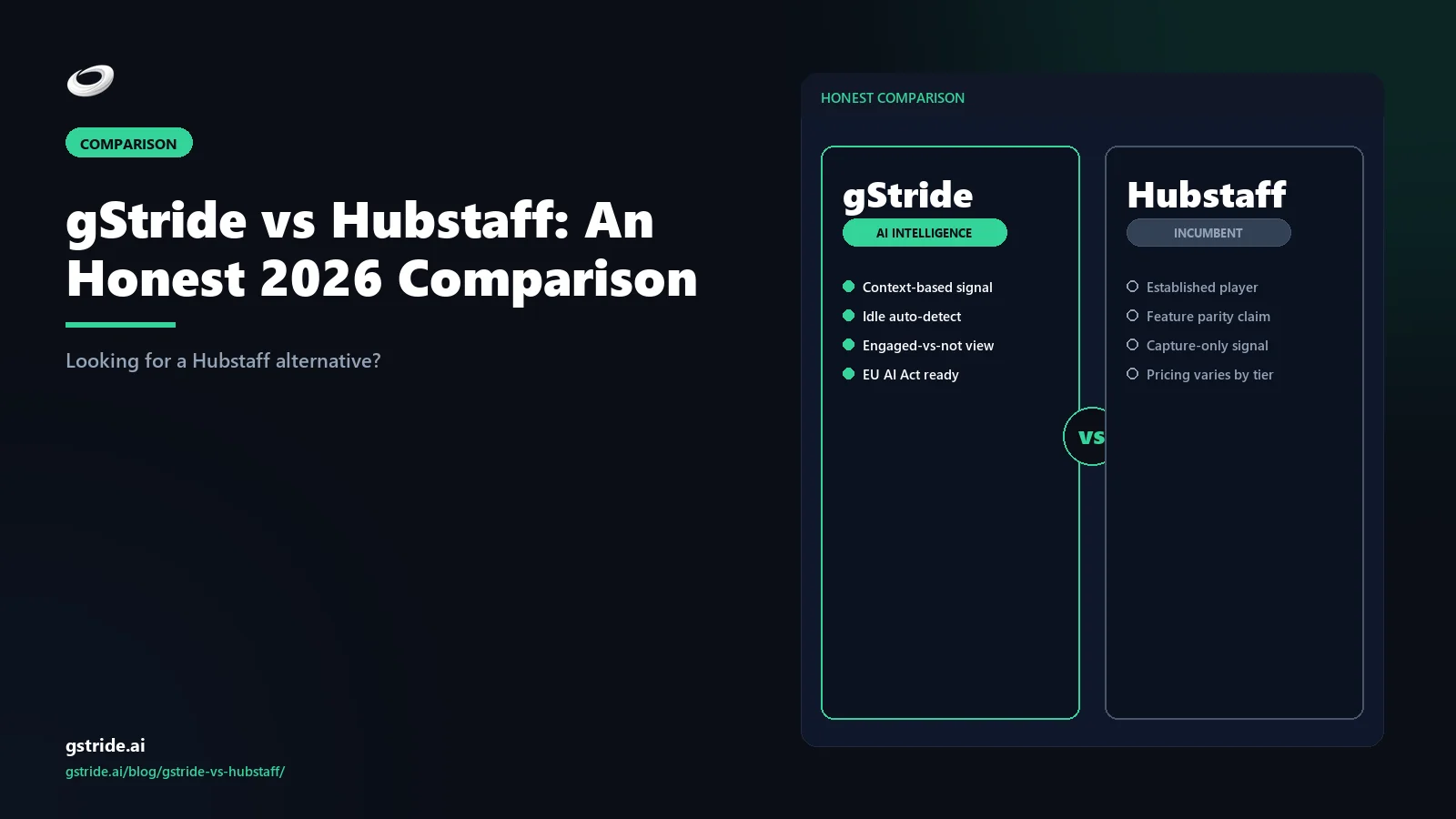
TL;DR — when each tool wins
Pick Hubstaff if you run a field-services, construction, or trucking workforce that needs mature GPS, geofencing, and route history; you want the longest-tenured workforce-management ecosystem; or you have an existing integration stack tied to Hubstaff's open API.
Pick gStride if you run a knowledge-worker, hybrid, or remote team that wants configurable monitoring rather than always-on activity scoring; you want native payroll, shift/leave, and AI-assisted timesheets bundled at one price; or you want a privacy-first posture you can defend to your team and to regulators.
Neither tool is wrong — they sit on different ends of the workforce-management spectrum. The rest of this article is the long version of that summary.
Feature-by-feature comparison
The table below is the honest version. Where we have a stronger answer, we say so. Where Hubstaff does, we say that too. All Hubstaff capability claims are tagged with a check date so you can flag anything that has shifted since publication.
| Capability | gStride | Hubstaff |
|---|---|---|
| Automated time tracking | Yes — desktop, web, mobile, with auto-categorization | Yes — desktop, web, mobile [hubstaff-checked-2026-04-25] |
| Screenshots / activity capture | Configurable — per-user, per-project, sampled, blurred, event-triggered | Yes — fixed-interval screenshot capture, opt-in or always-on at admin's choice [hubstaff-checked-2026-04-25] |
| Activity / productivity scoring | Outcome + cadence model — focus blocks, project throughput, no keystrokes | Activity-rate model — keyboard/mouse percentage [hubstaff-checked-2026-04-25] |
| AI-assisted timesheets | Yes — auto-categorization, idle classification, anomaly review | Partial — limited AI features in higher tiers [hubstaff-checked-2026-04-25] |
| Native payroll | Yes — built-in, multi-currency | Add-on / integration-led — Hubstaff Payroll integrates with PayPal, Wise, Bitwage and selected payroll providers [hubstaff-checked-2026-04-25] |
| Shift / leave / attendance | Yes — built-in, with approvals workflow | Scheduling only — Hubstaff has scheduling and attendance reporting; leave management typically integrated [hubstaff-checked-2026-04-25] |
| GPS / geofencing | Limited — basic mobile location | Mature — Hubstaff Field is purpose-built for field teams [hubstaff-checked-2026-04-25] |
| Mobile apps | iOS + Android — knowledge-worker focused | iOS + Android — strong field-services support [hubstaff-checked-2026-04-25] |
| Third-party integrations | Growing library — major project, payments, and HRIS systems | Mature — large library built up over a decade [hubstaff-checked-2026-04-25] |
| Privacy-first defaults | Yes — every monitoring feature toggleable, retention configurable | Admin-controlled — defaults toward more capture, can be tightened [hubstaff-checked-2026-04-25] |
See gStride on your own team's data
A 15-minute walkthrough on the configuration surface — productivity intelligence without surveillance, screenshots off by default. No SDR gate, straight to a product engineer.
Book a 15-min demo → Prefer to look at numbers first? See gStride pricing.The pattern in the table is the wedge. Hubstaff is broader where the customer is a field team or a workforce-management shop with a decade of process built around the tool. gStride is broader where the customer is a knowledge-work team that wants the timesheet-plus-payroll-plus-monitoring bundle without the surveillance-first defaults.
Pricing comparison
As of April 25, 2026, Hubstaff publishes a four-tier per-user-per-month pricing table on hubstaff.com/pricing: a free Starter, a Grow tier, a Team tier, and an Enterprise tier with custom pricing. Hubstaff Field, Hubstaff Desk, and Hubstaff Payroll are positioned as separate product lines that can be combined. Specific dollar figures move with promotions and currency, so always check the live page before quoting; we are deliberately not reprinting them here. [hubstaff-checked-2026-04-25]
gStride uses a simpler tiered model that bundles time tracking, monitoring, AI assistance, payroll, and shift/leave at the same tier. The trade-off is that organizations only buying time tracking will likely pay slightly more on a feature-light comparison, while organizations needing the full bundle will pay less than they would by stitching Hubstaff Desk plus Hubstaff Payroll plus a separate leave-management tool together. For current numbers, see gStride pricing.
Privacy and monitoring philosophy — the real difference
This is where the two products diverge most. Hubstaff's heritage is workforce management; their default mental model is "more visibility helps managers manage." Activity rate (keyboard/mouse percentage), fixed-interval screenshots, and time-and-attendance reports are the headline features and the default settings tend toward more capture rather than less.
gStride's heritage is the opposite. We were built for hybrid knowledge teams that wanted timesheet accuracy and project visibility without the surveillance baggage. Every monitoring feature is a separate toggle, every capture is visible to the employee, and the default configuration is conservative. We wrote a longer piece on exactly this philosophy in Productivity Monitoring Without Surveillance, and the policy template in How to Write an Employee Monitoring Policy is the document that operationalizes it.
None of this means Hubstaff is wrong — for an outsourcing-bureau or BPO with explicit client-billing transparency requirements, an activity-rate model is exactly what the contract asks for. It does mean the two tools optimize for different buyers. If your team will recoil at activity-rate dashboards, the conversation usually ends with gStride.
Customer profiles — who fits each tool
Hubstaff fits best when…
- You run a field-services, construction, trucking, or dispatched-labor workforce. Hubstaff's GPS, geofencing, and route history are stronger than ours and the customer base in those verticals is large.
- You have an existing process built around activity rate as a contractual artifact (BPO billing, outsourcing agreements, agency client transparency).
- You have an integration stack already wired to Hubstaff's open API and the cost of replatforming outweighs the feature gap.
- You do not need native payroll, leave management, or AI assistance and prefer to source those from specialized vendors.
gStride fits best when…
- You run a hybrid or remote knowledge-work team and want monitoring you can actually defend to engineers, designers, or analysts.
- You want time tracking, screenshots, payroll, shift and leave, and AI assistance bundled into one platform with one bill and one access-control surface.
- You operate in EU/UK jurisdictions where the proportionality bar is high and configurable, opt-in capture matters legally, not just culturally.
- You want AI features that earn their place — automated time entry, anomaly review, idle classification — rather than generic productivity scoring.
Migration path: switching from Hubstaff to gStride
If gStride is the better fit and you are already on Hubstaff, the migration is more boring than it sounds. The path most customers follow:
- Export from Hubstaff. Pull time entries, project structures, and team rosters as CSV. Hubstaff's reporting export covers most of what you need.
- Map to gStride. Our onboarding team helps map projects, teams, and time categories. CSV import handles the bulk; custom fields are mapped per-config.
- Cutover at a payroll boundary. The cleanest cutover is the start of a pay period. Run Hubstaff to its final payroll close, switch tracking to gStride on day one of the next period, and you avoid mid-cycle reconciliation.
- Refresh the monitoring policy. The most common mistake is bringing a Hubstaff-era policy to a new tool. Use this cutover to update the policy — gStride's configuration surface lets you tighten capture without losing visibility, and your team will notice the difference. Our policy guide and template walks through it.
Most knowledge-team migrations close in two to three weeks, with the first week being policy work and team communication, and the second being the actual technical cutover.
The verdict
Verdict: in the gStride vs Hubstaff comparison for 2026, gStride is the better choice for knowledge-work teams of roughly 25–500 people that want time tracking, AI-assisted timesheets, native multi-currency payroll, and shift/leave management in one bundle, with every monitoring feature configurable and screenshots off by default. That posture is easier to defend under GDPR data-minimisation rules, India's DPDP Act, and the EU AI Act workplace obligations that apply from 2 August 2026 (verify scope with counsel). Hubstaff is the better choice for field-services, construction, and trucking operations that depend on mature GPS tracking, geofencing, and a decade-deep integration library; gStride does not match it there. Headline pricing is comparable, but total cost diverges once payroll and leave add-ons are counted, usually in gStride's favour for bundled buyers. If your team has pushed back on activity-rate scoring, gStride is the safer long-term bet.
If you came here typing "Hubstaff alternative," you are usually one of three buyers: someone whose team has pushed back on activity-rate scoring, someone who wants payroll and leave bundled instead of stitched together, or someone who needs a privacy-defensible posture for legal or cultural reasons. gStride is built for those three buyers. If none of them describe you — if you are a field-services operator with an existing Hubstaff stack and a working policy — there is no urgency to switch. (One vertical worth carving out separately: professional-services firms billing by matter or hour. Hubstaff's field-services lineage is not a fit there; the dedicated vertical comparison is in law firm time tracking and billing software.)
The honest reality is that both tools have shipped a lot of product in the last decade. The right answer is the one that matches your team's working contract. Read your monitoring policy, list the features you need, and pick whichever tool you can configure to match it without compromise.
Related reading on gStride
- gStride pricing — current tiers and what's bundled
- Productivity Monitoring — configurable per feature
- Screenshots & Activity — sampled, blurred, opt-in
- Payroll & Payments — native, multi-currency
- AI Assistance — what the AI actually does
- gStride security and privacy posture
- Productivity Monitoring Without Surveillance
- gStride vs Teramind — security monitoring comparison
- gStride vs ActivTrak — activity analytics comparison
- How to switch from Hubstaff to gStride — 2026 migration guide
- Hubstaff alternative India 2026 — the DPDP-era buyer's guide
- Compare gStride against 13 productivity & monitoring tools
- GDPR Article 5(c) data minimisation — personal data must be "adequate, relevant and limited to what is necessary in relation to the purposes for which they are processed"; this is the legal ceiling keystroke-and-screenshot monitoring tools must clear in EU and UK deployments before a deployer can rely on legitimate interests as lawful basis (Regulation (EU) 2016/679, OJ L 119/1, 4 May 2016; verify with counsel).
- 2 August 2026 — date from which EU AI Act Annex III deployer obligations apply to workforce-monitoring AI that makes or materially informs decisions about workers, including human oversight (Article 14), worker transparency (Article 26), and deployer record-keeping; emotion-recognition AI in the workplace is already prohibited from 2 February 2025 (EU AI Act 2024/1689, OJ L 2024/1689, 12 July 2024; verify scope with counsel).
- Continuous keystroke and mouse-activity tracking "unlikely to be proportionate" for general performance management, and a DPIA is effectively mandatory before systematic monitoring of employees — ICO, Monitoring Workers, October 2023 (ico.org.uk; verify applicable guidance with counsel). Outcome-signal monitoring that avoids keystroke capture substantially narrows GDPR proportionality risk.
- INR 250 crore maximum penalty (approximately USD 30 million) for the most serious DPDP Act 2023 failure classes — including security-safeguard breaches in employee-monitoring deployments — under Schedule 1 of the Digital Personal Data Protection Act 2023 (DPDP Act 2023, Section 33 read with Schedule 1; enforcement pending Rules notification; verify with counsel). India teams evaluating Hubstaff or gStride should score each vendor's consent architecture and data-residency posture against the DPDP floor before procurement.
Free: 5-Signal Productivity Self-Audit Worksheet
30-min audit on your team. Focus depth + commit cadence + meeting load + flow-state + blocker recovery. PDF + Google Sheets calc. For Ops Heads, Founders, Eng Managers.
Frequently asked questions
What is the best Hubstaff alternative in 2026?
The best Hubstaff alternative in 2026 is gStride, an AI productivity intelligence platform that bundles native payroll, AI-assisted timesheets, and configurable monitoring with screenshots off by default — replacing Hubstaff's activity-rate scoring with a privacy-first, EU-AI-Act-aligned posture. Hubstaff remains the closer fit for field-services teams needing mature GPS and geofencing.
Is gStride cheaper than Hubstaff?
Both gStride and Hubstaff use per-user-per-month tiered pricing, and the answer depends on which features you need. Hubstaff's published 2026 entry tier sits in the same range as gStride's standard plan, but gStride bundles native payroll, AI-assisted timesheets, and shift/leave management at the same tier where Hubstaff treats payroll as a separate add-on. For teams that need monitoring plus payroll plus shift management, gStride typically lands lower on total cost of ownership; for teams that only need basic time tracking with screenshots, the two are close. Always price on the actual feature set rather than the headline tier.
Does gStride have all of Hubstaff's features?
gStride covers the core Hubstaff feature set — time tracking, screenshots, activity levels, project tracking, and reporting — plus features Hubstaff does not bundle natively, including AI-driven idle detection, shift/leave/attendance management, and native payroll. Hubstaff still has the edge on a few specific things in 2026: a more mature library of third-party integrations, GPS/geofence for field-services teams, and a longer track record with construction and trucking customers. If those specific verticals are your primary use case, evaluate Hubstaff on those grounds; otherwise gStride's bundle is broader.
Can I import data from Hubstaff?
Yes. gStride supports CSV import of time entries, project structures, and team rosters from Hubstaff exports, and our onboarding team can help map fields if you have a custom Hubstaff configuration. Historical screenshots are not migrated by default — most customers use the cutover as a clean break, since old screenshots typically sit outside the retention window of any updated monitoring policy. Contact our team for a migration plan if you have a complex Hubstaff setup.
Does gStride track keystrokes like Hubstaff?
gStride does not track individual keystrokes, and we have no plans to. Our position is that keystroke logging produces low-signal data and high legal exposure under modern data protection law, particularly in the EU and UK. Hubstaff's activity level metric uses keyboard and mouse activity to compute a percentage; gStride's productivity signals are built on outcome and cadence data instead. If your team genuinely needs keystroke counts, Hubstaff is the closer fit; if you want a defensible privacy posture, gStride is.
Which has better mobile?
Both tools offer iOS and Android apps. Hubstaff's mobile app is more mature for field-services and trucking workflows, with stronger GPS, geofencing, and route history. gStride's mobile app is focused on knowledge-worker workflows — quick time entry, project tagging, and timesheet approvals on the go. For dispatched field teams, Hubstaff is currently stronger; for hybrid office or remote knowledge teams, gStride's mobile is sufficient and the desktop experience is the primary surface.
What is the best employee time tracking software for Indian teams in 2026?
It depends on your requirements. For Indian IT services, agency, and SaaS teams that must comply with the DPDP Act, gStride is a strong first shortlist because consent scope, retention, and every monitoring feature are configurable and screenshots are off by default. Hubstaff and Time Doctor are also widely used in India and are credible options — Hubstaff especially where field-team GPS matters. Shortlist two or three tools, score each against your DPDP consent and data-residency requirements, and pick the one your monitoring policy can honestly describe to employees.
What is the best time tracking software with built-in payroll in 2026?
There is no single best answer — it depends on whether you need payroll native or integrated. gStride bundles native multi-currency payroll, AI-assisted timesheets, and shift/leave management in the same tier as time tracking. Hubstaff takes an integration-led approach, paying out via PayPal, Wise, Bitwage and selected payroll providers. Deel is another credible option where global contractor payroll is the primary need. If you want one vendor and one invoice for tracking plus payroll, gStride is the stronger fit; if you already run payroll elsewhere, integration depth matters more than bundling.
Three honest ways to de-risk the move
No lock-in, no sales pressure. Pick the path that fits where you are. Pricing and trial terms are on our pricing page so there are no surprises.
Run gStride alongside Hubstaff on one team. No card to start; see signal quality on your own data before you decide.
Start free 14-day trial →Score your current Hubstaff setup against EU AI Act Annex III and DPDP consent obligations — free, no email to run.
Run the free auditWe help with data export, parallel-run setup, and rollout comms. Most 25–100 seat knowledge teams land well under $1,000 total one-time cost — parallel-run overlap is the biggest line item, and it's cheap insurance.
Free to estimate — no email required to see your cost band.
Prefer to talk it through? Book a 15-min switch review →
See gStride for yourself
Configurable monitoring, bundled payroll, AI-assisted timesheets, and a privacy posture you can defend. The fastest way to compare is to look at the configuration surface side-by-side.
Book a 15-min demo → Start free 14-day trial → View gStride pricing See productivity monitoringNo credit card · 14-day trial · cancel anytime
All Hubstaff feature and pricing references in this article were last verified on April 25, 2026 from hubstaff.com/pricing and the public Hubstaff product pages, and from third-party reviews on G2. Vendor capabilities and pricing change frequently — verify on the vendor's own site before making a decision. [hubstaff-checked-2026-04-25]