
The short answer
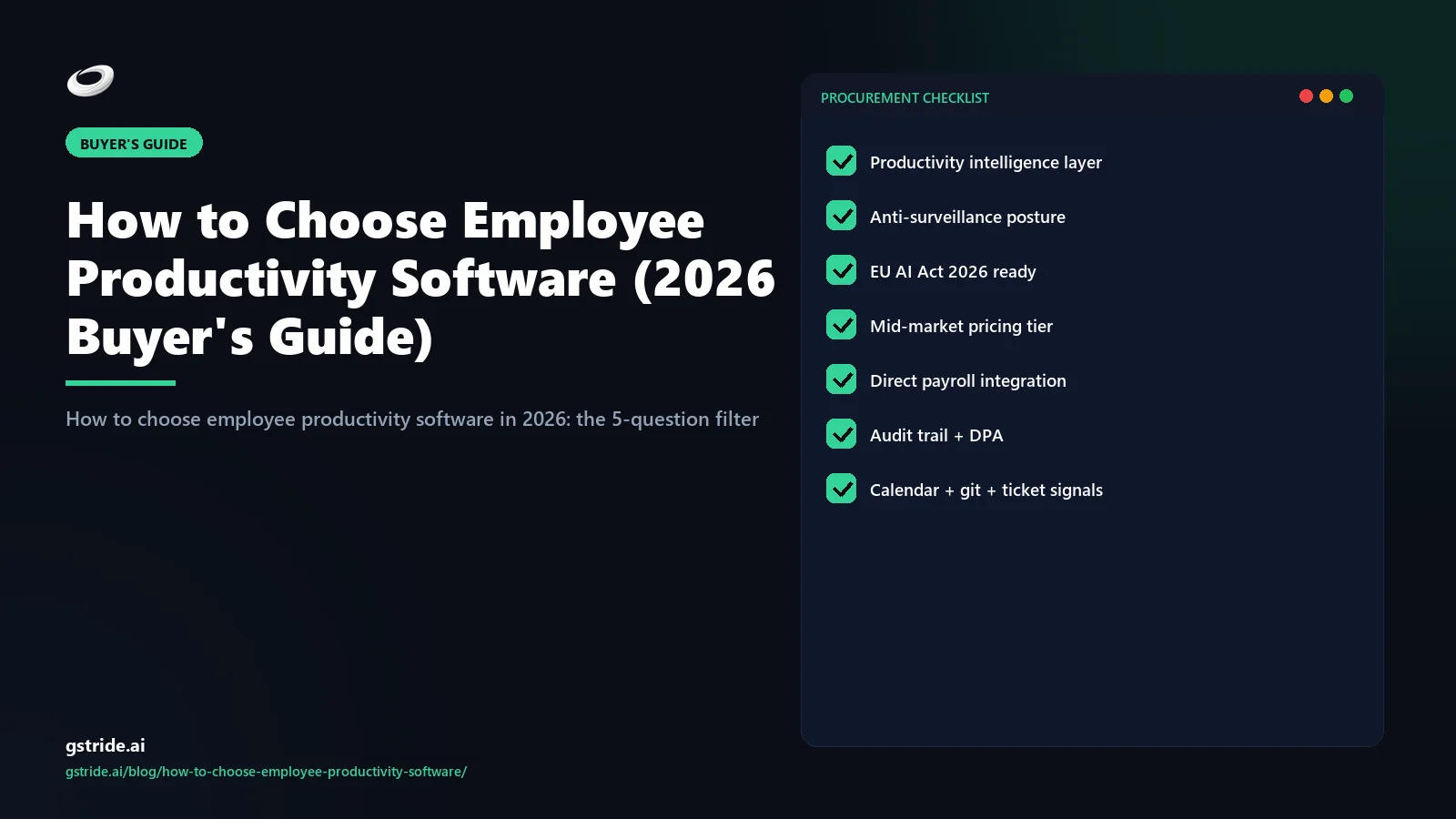
To choose employee productivity software in 2026, run five filters in order. First, write your operating problem in one sentence — payroll accuracy, manager visibility, focus signal, or compliance evidence — not the feature you think solves it. Second, pick the category: productivity intelligence (AI signal + recommendations), time tracking (capture + timesheets), or employee monitoring (surveillance + DLP). Third, run the 8-capability checklist — signal layer, automated capture, recommendations, action surface, payroll, leave/shift, native integrations, granular RBAC — and rule out anything that ships fewer than six. Fourth, model pricing at current headcount and 18-month-future headcount across per-seat, flat-tier, and banded models; per-seat economics flip painfully past 100 employees. Fifth, demo against five red flags — no AI explainability, per-integration fees, mandatory implementation partner, hardcoded data retention, and screenshot-on-by-default — and walk away from any platform that triggers two or more. The shortlist that survives is the one that fits your operating problem, not the one that demoed best.
Step 1: The 5-question filter every buyer should run before shortlisting
Most failed productivity-software buys come from skipping this filter and starting with feature comparisons. Features answer the wrong question. Run these five questions in order, in writing, before you take a single demo.
- What is the operating problem? One sentence. “Payroll cycles take 6 hours and have errors” is a problem. “We need a productivity tool” is not. The problem statement determines whether you are buying intelligence, tracking, or monitoring — and the three look identical from the outside.
- Who is the buyer and who is the user? If finance is buying for finance, the priority is payroll-ready exports. If ops is buying for managers, the priority is signal and recommendations. If IT is buying for compliance, the priority is RBAC and retention. Buying without identifying the user usually produces a tool that solves a fourth problem nobody had.
- What is the team size today and at 18-24 months? Per-seat pricing economics flip past 100 employees. Banded pricing flips past the band ceiling. The wrong pricing model picked at 30 employees becomes a $2,400/month surprise at 200, and a re-procurement event at 250.
- What is the regulatory posture? EU operations, US healthcare, India BPO, financial services, government contractors — each constrains what monitoring is legal, what retention is allowed, and what AI explainability is required. The GDPR compliance and EU AI Act exposure should be a hard input, not a post-purchase audit. India SMBs add their own regulatory layer (DPDP Act, EPF/ESIC, state-by-state Shops & Establishments Act) that USD-priced global tools do not handle natively — see our Connecteam alternative for Indian SMB for the INR-priced shortlist that clears those obligations.
- What is the integration surface? List the 8-12 tools your team actually uses — payroll, project management, calendar, communication, SSO. The platform that lacks two or more of these forces you into Zapier middleware (failure surface) or manual exports (lost manager hours). Either is a productivity tax on the productivity tool.
Spend 90 minutes writing answers. The shortlist that comes out is usually 3 platforms, not 12, and the elimination math at the demo stage is fast.
Step 2: Productivity intelligence vs time tracking vs employee monitoring
Three different categories with three different buyers. Most buyers conflate them and end up with the wrong category for their problem.
| Category | What it does | Typical buyer | Examples |
|---|---|---|---|
| Time tracking | Captures hours, exports timesheets, runs invoicing reports | Solo professionals, agencies, 5-25 employee teams | Toggl, Clockify, Harvest |
| Employee monitoring | Records activity, screenshots, keystrokes, DLP, evidentiary capture | Regulated industries, contractor accountability, IP-sensitive teams | Teramind, Veriato, Insightful (DLP tier) |
| Productivity intelligence | AI signal layer (focus, blockers, burnout, meeting overhead) + recommendations + action | 25-300 employee operating companies, mid-market ops + people leaders | gStride, Hubstaff AI tier (late-2026), select newer entrants |
The category split decides which questions are worth asking. If you buy time tracking expecting AI signal, you will be disappointed every demo. If you buy productivity intelligence expecting forensic DLP, you will buy a second tool inside 6 months — the reverse move, evaluating a Teramind alternative for enterprise rollout, is its own decision path. Productivity intelligence as a category only crystallised in late 2025; before that, vendors marketed AI features as bolt-ons to tracking or monitoring products. In 2026 the architecture is different — capture is a layer, not the product, and the value sits one step up. The 4-layer reference architecture (capture, signal, recommendation, action) is unpacked in our AI productivity intelligence platform pillar guide and is the same architecture this scorecard is filtering against.
The brand-positioning honest version: gStride is productivity intelligence, not time tracking. We capture hours because the AI layer needs the input, not because hours are the output. The AI time tracking buyer's guide covers the capture-layer comparison; this guide covers the layer above it.
Step 3: The 8-capability checklist (signal, capture, recommendation, action)
Once category is set, the 8-capability checklist filters the shortlist. The four-layer architecture — capture, signal, recommendation, action — is what separates 2026 productivity intelligence platforms from 2022 trackers wearing AI badges. A platform missing more than two of these capabilities is either an old tracker or a marketing rebrand.
| # | Layer | Capability | Why it matters |
|---|---|---|---|
| 1 | Capture | Automated time capture (desktop + browser + mobile) | Manual timer-clicks underreport 18-30%; auto-capture closes the gap |
| 2 | Capture | Calendar + project context | Hours without context cannot feed signal; raw timer = dead-end data |
| 3 | Signal | Focus blocks, fragmentation, meeting overhead | The four real productivity signals that predict shipping |
| 4 | Signal | Blocker patterns, burnout signals | Surfaces the operating picture managers cannot hold mentally |
| 5 | Recommendation | Suggested actions on signal (not just charts) | Dashboards inform; recommendations decide. The latter is the value layer. |
| 6 | Action | One-click rebalance, schedule change, escalation | If the platform stops at recommendations, managers still do the work |
| 7 | Operating | Payroll-ready exports + leave + shift + RBAC | Mid-market operating layer; without it, you run a second tool |
| 8 | Operating | 8-12 native integrations (payroll, projects, calendar, comms, SSO) | Zapier middleware adds failure surface and recurring cost |
Note what is not on the list: OKR rollups, learning-management, custom report builders, SOC-2 dashboards. These are enterprise-tier features. Mid-market buyers who pay for them mostly do not use them, and the feature padding inflates the price by 30-50%. gStride AI assistance ships the signal-recommendation-action layers natively; opt-in productivity monitoring ships the capture layer with privacy defaults — both bundled rather than tier-locked. Vertical buyers add their own must-haves on top of this generic checklist — medical practices need BAA, screenshot-off in clinical apps, encounter-coded time, and a HIPAA-grade audit trail (covered in our healthcare practice productivity software guide); law firms need privilege-safe activity capture and IOLTA-aware billing.
Step 4: Pricing models compared (per-seat / flat-tier / usage-based)
Pricing models look similar on the marketing page and produce wildly different cheques at year two. The arithmetic should be done before contract signing, not after.
| Model | 50 seats / mo | 100 seats / mo | 200 seats / mo | Best for |
|---|---|---|---|---|
| Per-seat ($8/seat) | $400 | $800 | $1,600 | 5-25 employee teams |
| Per-seat ($14/seat) | $700 | $1,400 | $2,800 | Premium tools, small teams |
| Flat-tier (25-100 band $399) | $399 | $399 | (next band) | Stable headcount inside a band |
| Banded ($299 base + $4/seat over 25) | $399 | $599 | $999 | Mid-market growing 25-300 |
| Usage-based (per session/event) | Variable | Variable | Variable | Rare; distorts behaviour |
Banded pricing wins for teams that grow. Per-seat is friendly at 25 employees and brutal at 200 — same platform, 4x the bill, no feature increase. Usage-based pricing is uncommon in productivity software for a reason: when reports cost credits, managers stop running reports, and the platform stops being used. Three hidden-cost categories surface in fine print: (a) tier-locked AI — the recommendation layer behind a Premium tier at $3-6/seat extra; (b) per-integration fees — QuickBooks or ADP at $50-200/month; (c) annual minimums priced at peak forecast headcount, not actual headcount. Total cost of ownership at 50 seats with a finance-cleanly priced platform should land between $4,000-9,000/year all-in. gStride pricing uses banded INR/USD tiers explicitly designed for the 25-300 band, with AI and payroll bundled rather than tier-locked.
Step 5: Implementation effort (1-week vs 3-month rollouts)
Implementation timeline separates the platforms that fit mid-market from the ones that do not. Two clusters, dramatically different, and the wrong choice usually produces a cancelled contract at month 2.
The 1-2 week rollout (mid-market platforms)
Day 1-3: Admin signs up, creates the company account, invites managers, pushes desktop apps via MDM (Jamf, Intune) or direct install. Day 4-7: Payroll integration (QuickBooks/Xero/ADP credentials, payroll cycle dates, leave-policy import); project tool (Jira/Asana) connected; calendar (Google/Microsoft 365) connected; SSO (Microsoft Entra/Okta/Google) connected. Day 8-10: Manager training — 60-minute live session plus a 4-page playbook. Week 2: Full team go-live, first payroll cycle exported, first weekly AI signal report sent. The timeline assumes native integrations. Routing through Zapier adds 3-5 days per integration, and custom-built payroll exports mean the platform is not actually mid-market.
The 3-6 month rollout (enterprise suites)
Workday workforce, SAP SuccessFactors, UKG Pro, and similar enterprise platforms require: an implementation partner ($25,000-150,000 fee), a dedicated internal project lead (1 FTE for 4-6 months), a discovery and configuration phase (4-6 weeks), parallel-run period (4-8 weeks), and a sequence of go-live waves. The 50-300 employee company that signs an enterprise contract usually cancels at month 2 because the implementation overhead exceeds available bandwidth, and the platform is not yet doing work at the cancellation point.
The decision rule is concrete. If your productivity tool needs an implementation partner with a statement of work, you bought the wrong category. A mid-market team should be operating on the platform within 14 days of contract signing, full stop.
Step 6: Red flags during demo (5 common ones)
Five red flags surface fast on a real demo if you ask for them explicitly. Skip the marketing presentation; ask for these five and watch the body language.
- No AI explainability. Ask the vendor to show one recommendation and explain which signal triggered it. If they pivot to a chart or say “the AI learns from your team,” the platform shipped pattern-matching, not explainable AI. Under the EU AI Act high-risk obligations from August 2026, this is a compliance fail too.
- Per-integration fees buried in the contract. Ask for the fully-loaded cost including QuickBooks/ADP/Slack/Jira integrations. If “Premium integration” pricing surfaces, the marketing seat price is not the real price. The 30-50% delta between advertised and actual TCO usually lives here.
- Implementation partner mandatory. Ask whether the vendor's typical 50-employee customer self-implements or uses a partner. “We strongly recommend a partner” means the platform is enterprise software; no mid-market platform requires that.
- Hardcoded data retention. Ask whether retention is configurable per data type (screenshots, hours, signal, audit logs) or hardcoded. GDPR Article 5 and the EU AI Act high-risk obligations both require data minimisation; hardcoded retention is a regulatory time bomb.
- Screenshots on by default. Ask the default monitoring posture. If screenshots are on for all users out of the box, you are buying surveillance software with productivity marketing — and the trust cost will exceed the productivity gain. The right default is opt-in per role, off otherwise.
The vendors who answer all five cleanly and self-deprecatingly (“our AI explains via the signal-trace view, here it is”) are the shortlist. The vendors who pivot, qualify, or push answers back into “it depends on your specific configuration” are signalling that the platform was not architected for the buyer you are. Trust that signal.
The 10-point decision checklist for choosing employee productivity software
The condensed, copy-paste version of this guide. A platform should clear all ten before you sign.
- Operating problem written in one sentence — payroll accuracy, manager visibility, focus signal, or compliance evidence.
- Category confirmed — productivity intelligence, time tracking, or employee monitoring; the vendor’s category matches your problem.
- 6 of 8 capabilities present — automated capture, signal layer, recommendations, action surface, payroll exports, leave/shift, native integrations, granular RBAC.
- Pricing modelled at 18-month headcount — not just today’s seat count; per-seat economics flip past ~100 employees.
- Fully-loaded cost confirmed in writing — AI tier, integration fees, and annual minimums included; expect $4,000–9,000/year all-in at 50 seats.
- Self-implementable in 14 days — no mandatory implementation partner or statement of work.
- Native integrations to your actual stack — payroll, projects, calendar, comms, SSO — without Zapier middleware.
- AI recommendations are explainable — the vendor can show which signal triggered each recommendation on the demo.
- Data retention is configurable per data type — required for GDPR Article 5 minimisation and EU AI Act posture (verify specifics with counsel).
- Monitoring defaults are opt-in, not screenshot-on-by-default — surveillance posture by default signals the wrong category.
Free: 5-Signal Productivity Self-Audit Worksheet
30-min audit on your team. Focus depth + commit cadence + meeting load + flow-state + blocker recovery. PDF + Google Sheets calc. For Ops Heads, Founders, Eng Managers.
Frequently asked questions
How do I choose employee productivity software?
Choose employee productivity software in five steps. (1) Define the operating problem in one sentence — payroll accuracy, manager visibility, focus signal, or compliance evidence — not the feature you think solves it. (2) Pick the category: productivity intelligence (AI signal + recommendations), time tracking (capture + reporting), or employee monitoring (surveillance + DLP). (3) Run the 8-capability checklist against your shortlist: signal layer, automated capture, recommendations, action surface, payroll, leave/shift, integrations, RBAC. (4) Model pricing at current and 18-month-future headcount across per-seat, flat-tier, and banded models. (5) Demo against five red flags — no AI explainability, per-integration fees, mandatory implementation partner, hardcoded retention, and screenshot-on-by-default. The platform that survives all five questions is the one to buy.
What's the difference between productivity intelligence, time tracking, and employee monitoring?
Three different categories with different buyers. Time tracking captures hours and exports timesheets — Toggl, Clockify, Harvest. Employee monitoring records activity for surveillance, DLP, or evidentiary purposes — Teramind, Veriato, Insightful at its DLP tier. Productivity intelligence sits on top of capture and uses AI to surface focus, blockers, burnout, and meeting overhead with recommended actions — gStride, the late-2026 Hubstaff AI tier, and a small set of newer entrants. Buyers who say “productivity tool” usually mean intelligence; vendors who say “productivity tool” often mean monitoring. The category split decides which questions you should be asking on the demo.
What are the most important features in employee productivity software?
Eight capabilities cover 90% of buyer need. (1) Automated capture (desktop + browser + mobile, no manual timer-clicks). (2) Signal layer (focus, blockers, burnout, meeting overhead — not just hours). (3) Recommendation engine (suggested actions, not just dashboards). (4) Action surface (one-click rebalance, schedule change, escalation). (5) Payroll-ready exports (QuickBooks, Xero, ADP, India PF/ESI native). (6) Leave + shift + attendance (single approval queue). (7) Integrations (8-12 native, not Zapier middleware). (8) Granular RBAC (role-scoped data access, audit logs). Anything beyond these — OKR rollups, learning modules, custom report builders — is enterprise-tier add-on that mid-market buyers occasionally pay for and rarely use.
What pricing model is best for productivity software?
Banded pricing wins for teams that grow. Per-seat ($8-14/seat) is great for 5-25 employee teams and brutal at 200+ — what cost $400/month at 50 seats becomes $2,400/month at 200 with no feature increase. Flat-tier ($299-799 per band) compresses the curve and decouples cost from headcount inside the band. Usage-based (events, sessions, minutes captured) is rare and usually distorts behaviour — managers stop running reports to save credits. The hidden costs to watch: AI features locked in a Premium tier ($3-6/seat), per-integration fees ($50-200/month each), and annual minimums priced at peak forecast headcount rather than current actual.
How long does it take to roll out employee productivity software?
Two clusters with very different timelines. Mid-market platforms purpose-built for 25-300 employees roll out in 1-2 weeks: desktop apps day 1-3, integrations day 4-7, manager training day 8-10, full team go-live week 2. Enterprise suites (Workday workforce, SAP SuccessFactors, UKG Pro) take 3-6 months and require a dedicated implementation lead, a partner with a statement of work, and a parallel-run period. The decision rule: if a productivity tool needs an implementation partner, it is enterprise software pretending. A 50-300 employee company should be live on the platform within 14 days of contract signing.
What are the red flags when demoing productivity software?
Five red flags that surface fast on a real demo. (1) AI explainability missing — vendor cannot show you which signal triggered a recommendation. (2) Per-integration fees buried in the contract — QuickBooks or ADP integration priced separately at $50-200/month. (3) Implementation partner mandatory — the “productivity tool” that needs a 6-month statement of work. (4) Hardcoded data retention — vendor controls retention, you cannot configure it for GDPR/EU AI Act compliance. (5) Screenshots on by default — surveillance posture for a tool you are buying as a productivity input. If any of these appear on the demo, the platform was built around a different buyer than you.
Should I buy productivity software for my 50-person company?
Yes, if you have crossed the threshold where one manager can no longer hold the operating picture in their head — typically 25-30 employees. Below that, spreadsheets and async tools cover it. Above 30, the cost of NOT having a platform shows up as missed payroll edge cases, leave conflicts, slipping projects, and burnout that surfaces only at exit interviews. The 50-person company is in the sweet spot: enough volume to justify a platform, not enough to require an enterprise rollout. The right buy is a mid-market productivity intelligence platform with payroll, leave, and AI signal bundled — not a single-purpose timer or an enterprise HRIS. See the 50-employee buyer's guide for the deep version.
What is the best employee productivity software for Indian teams?
It depends on requirements — there is no single best. For 25-300 employee Indian teams that need INR-banded pricing, India payroll-ready exports (PF/ESI), and a DPDP Act-aware data posture, gStride is purpose-built for that profile. Keka is a strong HRMS-first alternative when HR workflows matter more than AI productivity signal, and Time Doctor is a mature tracker for distributed teams priced in USD. Shortlist by running the 5-question filter from this guide — operating problem, category, the 8-capability checklist, pricing at 18-month headcount, and demo red flags — because the right answer for a Mumbai BPO differs from a Bengaluru SaaS team.
What is the best employee productivity software in 2026?
There is no universal best — it depends on category fit and requirements. For lightweight time tracking and invoicing, Toggl and Clockify lead. For surveillance-grade monitoring and DLP in regulated industries, Teramind and Veriato are the established options. For mid-market productivity intelligence — AI signal, recommendations, and payroll bundled for 25-300 employee teams — gStride is the category-native option, with Hubstaff’s late-2026 AI tier the nearest mainstream comparison. The best platform is the one that survives your one-sentence operating problem, the pricing math at future headcount, and the five demo red flags — not the one with the best demo.
Free: CISO Procurement Checklist for AI Productivity Vendors
10 questions every CISO should ask before signing — data residency, DPIA, AI auditability, breach SLA, retention, SCIM/SSO, sub-processors, right to audit. Includes scoring rubric and pass / hold / walk thresholds.
Related reading on gStride
- What is productivity intelligence — the category replacing time tracking
- AI time tracking software — 2026 buyer's guide (pillar)
- Best productivity tool for a 50-employee company
- gStride AI assistance — signal, recommendation, action layers
- Productivity monitoring — opt-in per role, off by default
- gStride pricing — banded mid-market tiers, AI bundled
Run the 5-question filter against gStride
The fastest way to test fit is to run your one-sentence operating problem against a real demo. 20 minutes, zero implementation partner, native integrations to the stack you already use.
See pricing for 25-300 seats Read the AI productivity buyer's guidePricing benchmarks, category positioning, and feature comparisons reflect publicly stated vendor information as of May 2026. Verify current pricing tiers, integration availability, AI explainability claims, and EU AI Act compliance posture with each vendor before purchase. Implementation timelines are typical mid-market estimates and vary based on payroll complexity, headcount distribution, and existing tool stack.