
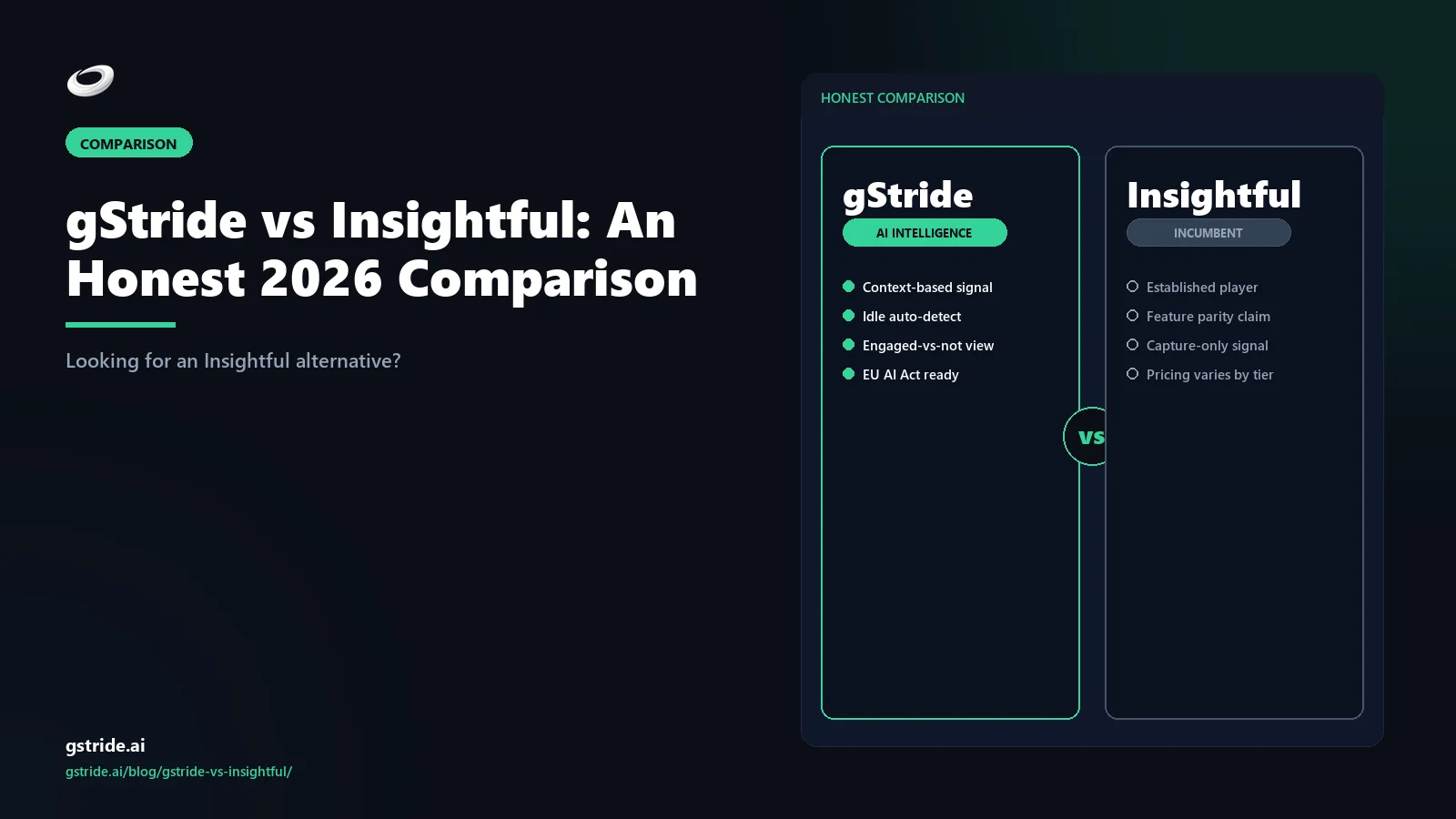
TL;DR — when each tool wins
Pick Insightful if productivity analytics is the core requirement: app and website usage scoring, screenshot review at scale, automatic time mapping, productivity benchmarks across teams, and behavioural insight for managers. Insightful's heritage as Workpuls (founded 2018) and its focus on the 50–2,000-employee segment have made it a credible productivity-monitoring SaaS for analytics-led HR and ops leaders.
Pick gStride if the real problem is workforce operations rather than analytics — automated time tracking, configurable productivity monitoring, AI-assisted timesheets, native payroll, and shift, leave, and attendance in one product. Insightful is a productivity-monitoring SaaS and does not include payroll or shift management, so teams that need those have to buy and integrate separate tools. gStride bundles them.
The wedge is the bundle. Insightful is monitoring-only. gStride is monitoring plus ops. Below is the long version — including how the EU AI Act changes the trade-off for default-on screenshot configurations in 2026.
Short answer: who fits which tool
If you are searching "Insightful alternative" or "gStride vs Insightful" in 2026, you are usually one of three buyers, and the right answer depends on which one you are. The first is the analytics-first buyer who wants productivity scores, screenshot review, and behavioural insight as the primary management surface — for that buyer, Insightful is a credible choice and we will say so plainly. Insightful has been in this category since 2018 (originally as Workpuls), targets the 50–2,000-employee segment, and has built a real product around productivity scoring and workforce intelligence.
The second buyer is the operations-first buyer who started looking at Insightful because someone said "we need productivity visibility," then realised they also need native payroll, shift coverage, and leave/attendance workflows. That buyer ends up shopping for two or three more tools to sit alongside Insightful. gStride is built for that buyer — one bundle, one bill, one access-control surface, with monitoring deliberately configured to be proportionate rather than total. The third buyer is the EU/UK-jurisdiction buyer worried about default-on screenshots and AI Act exposure. For that buyer, gStride's per-feature opt-in posture is usually the safer starting point, though either tool can be configured proportionately with the right policy.
That is the short answer. The rest of this article walks through the table, the pricing math, the monitoring philosophy difference, the AI nuance, and the EU AI Act readiness gap.
gStride vs Insightful — at-a-glance feature table
The table below is the honest version. Where Insightful has the deeper answer — specifically on productivity scoring depth, screenshot-driven analytics, and process-management tiers — we say so. Where gStride is the better fit — bundled payroll, shift/leave, per-feature opt-in monitoring — we say that too. All Insightful capability references are tagged with a check date so anything that has shifted since publication can be flagged.
| Capability | gStride | Insightful |
|---|---|---|
| Automated time tracking | Yes — desktop, web, mobile with AI-assisted categorisation | Yes — automatic and manual time tracking; automatic time mapping in higher tiers |
| Screenshots / screen capture | Configurable — per-feature toggle; off by default; randomised, blurred, opt-in capture when enabled | Yes — default-on — screenshots are a core capability with randomised intervals and on-demand capture |
| Productivity scoring | Lightweight — activity signals and idle classification; not a behavioural-score management surface | Core feature — productive vs unproductive app/website categorisation and team benchmarks |
| AI assistance | Operations-focused — AI-assisted timesheets, idle classification with calendar context, anomaly review | Analytics-focused — AI for productivity pattern detection, automatic time mapping, workload prediction |
| Native payroll | Yes — built-in, multi-currency payroll and payments | No — not in the Insightful product surface; teams pair with a separate payroll platform |
| Shift / leave / attendance | Yes — shift scheduling, leave requests, approvals, and attendance built in | No — not in the Insightful product surface; not positioned as workforce management |
| Process / workflow analytics | Light — project and task-level rollups | Yes — process management tier with workflow analytics |
| EU AI Act deployment posture | Configurable — per-feature opt-in, visible monitoring; better fit for proportionality-first buyers | Configuration-dependent — default-on screenshots and productivity scoring; deeper monitoring surface to keep proportionate |
| Pricing floor | $6 / user / mo — starts at $6, no seat-count minimum; see gStride pricing | ~$8 / user / mo — Productivity Management entry tier; higher tiers for time tracking and process management |
See gStride on your own team's data
A 15-minute walkthrough on the configuration surface — productivity intelligence without surveillance, screenshots off by default. No SDR gate, straight to a product engineer.
Book a 15-min demo → Prefer to look at numbers first? See gStride pricing.The pattern is clear: Insightful is the deeper analytics product, gStride is the deeper bundle. Insightful is more capable on productivity scoring, screenshot-driven behavioural insight, automatic time mapping, and process analytics — that is what the product is built around. gStride is more capable as a single workforce operations system, with payroll, shift, and leave bundled and monitoring deliberately configured as opt-in per feature. Neither is a weak product; they are optimised for different buyers.
Pricing comparison
Insightful's published list pricing as of the check date opens at roughly $8 per user per month on the Productivity Management plan, scaling up through Time Tracking, Automatic Time Mapping, and Process Management tiers. The exact list price varies by billing term and region, and Insightful runs promotions periodically — we are not reprinting tier-by-tier numbers because they shift, but the entry floor of around $8 per user per month is the figure most buyers see when they hit the public pricing page.
gStride starts at $6 per user per month on its published pricing page, with higher tiers at $8 and $12 per user per month, and no fixed seat-count minimum. The starting tier already includes automated time tracking and the configurable monitoring surface. Native payroll and shift/leave/attendance are part of the bundle in higher tiers, not separate add-on subscriptions, which changes the comparison if your real requirement spans more than just productivity analytics.
The straight per-seat math says gStride starts $2 per user per month lower. The bundle math — where an Insightful deployment that needs payroll plus shift/leave needs two or three more vendors to fill the gap — widens the gap considerably. For a 50-person operations team, paying for Insightful plus a payroll platform plus a shift/leave tool routinely lands above $25 per user per month all-in; gStride's top-tier $12 per user per month bundle covers the same surface. That is the wedge.
Monitoring philosophy difference
This is the one section worth reading even if you skip the rest. Insightful and gStride have different defaults, and defaults are what most teams actually deploy.
Insightful's default posture is monitoring-on. Screenshots run by default in the standard productivity-monitoring configuration, app and website activity is captured at the productivity-scoring level, and the manager surface is built around productivity scores and behavioural patterns visible across the team. That is a legitimate design choice — analytics-first buyers want dense behavioural telemetry, and Insightful gives them that without the forensic overhead of a Teramind-style platform.
gStride's default posture is monitoring-off, opt-in per feature. Every monitoring capability is a separate toggle. Screenshots are off by default; when an admin enables them, the configuration surface forces a decision on randomised vs scheduled, blurred vs full, retention period, and which roles see them. Productivity scoring exists, but it is not the headline metric — the product orients managers toward time and project rollups rather than per-employee behavioural scores.
The difference is not which tool can be configured to be more or less invasive. Both can be configured either way. The difference is what ships out of the box, which is what most teams actually deploy. For a buyer who came from a surveillance-pushback environment, the gStride default is usually less work to position internally. For a buyer who genuinely wants a productivity-score management surface, Insightful's default is the right starting point. We unpack this dynamic in Productivity Monitoring Without Surveillance and the broader legal context in Is Employee Monitoring Legal?.
Privacy posture at a glance: gStride vs Insightful
| Privacy dimension | gStride | Insightful |
|---|---|---|
| Default screenshot capture | Off by default; screenshots are a separate per-feature toggle | On by default in the standard productivity-monitoring configuration, with randomised-interval, blur, and on-demand options |
| Per-feature opt-in toggles | Yes — every monitoring capability is its own toggle; the conservative configuration ships out of the box | Configurable, but the shipped default is monitoring-on |
| Enable-time controls | Enabling screenshots forces decisions on randomised vs scheduled, blurred vs full, retention period, and which roles can view | Blur, randomised intervals, and on-demand capture available as configuration options |
| Headline manager metric | Time and project rollups; productivity scoring is deliberately lightweight | Productivity scores and behavioural patterns across the team |
| Employee visibility | Monitoring configured with visibility to employees in standard deployments | Manager-facing analytics surface; employee visibility depends on configuration |
| GDPR proportionality starting point | Smaller default surface area; usually lighter documentation for standard deployments | Deeper default surface; more configuration and policy work to keep proportionate to a stated purpose |
| EU AI Act deployer documentation | Lighter for deployments using time tracking and rollups without screenshots or behavioural scoring | More retention, worker-notice, and oversight documentation for the default-on configuration |
Both tools can be configured to either posture — the table describes shipped defaults, which are what most teams actually deploy. EU AI Act and GDPR rows are general information, not legal advice; verify your specific configuration with counsel.
AI capability comparison
Both vendors have AI features, and both vendors talk about them in marketing. The honest read is that the AI is pointed at different problems.
Insightful's AI is pointed at the analytics layer. Automatic time mapping uses AI to allocate captured activity to projects without manual entry. Productivity-pattern detection surfaces focus and distraction trends. Workload prediction extrapolates capacity from historical activity. The AI's job is to make the analytics tier more useful for managers who already think in productivity-score language.
gStride's AI is pointed at the operations layer. AI-assisted timesheets draft entries the user reviews and approves, idle classification uses calendar context to avoid flagging meetings as idle (covered in how AI detects idle time), and anomaly review highlights timesheet entries worth a manager's attention rather than building a behavioural score. The AI's job is to remove timesheet friction and improve payroll-ready data quality, not to surface productivity patterns at scale.
Both products are real on AI. Both are credible in 2026 conversations. The right question is which AI is solving the problem you actually have. If you already use productivity scores as a primary management input, Insightful's AI compounds that workflow. If you want timesheets that are accurate without micromanagement, gStride's AI compounds that workflow.
The bundle wedge: payroll and shift/leave
This is the section where the comparison stops being symmetric. Insightful is a productivity-monitoring SaaS — its product surface is screenshots, activity, productivity scores, time mapping, and process management. It does not include native payroll. It does not include shift, leave, or attendance management. That is not a criticism — Insightful chose to be deep on analytics rather than wide on workforce operations, and that is a defensible product decision.
But the consequence shows up in deployment. A mid-market team that genuinely needs all of (a) time tracking, (b) productivity visibility, (c) payroll, and (d) shift/leave/attendance has to buy at least two products if they pick Insightful: Insightful for monitoring, plus a payroll platform, plus probably a separate workforce-management tool for shift coverage. Those tools have to be integrated, the time data has to flow between them, and someone has to own the contract renewal and access-control surface for each one.
gStride is the bundle answer to that buyer. Native multi-currency payroll reads from the same time-tracking signal. Shift, leave, and attendance share the same identity and project context. Screenshots and activity — when configured — live in the same audit-log and access-control system as everything else. One vendor relationship, one bill, one access surface. The trade-off is depth on any single dimension — Insightful is deeper on productivity analytics than gStride, just as Teramind is deeper on forensic monitoring than either. The right question is whether you need depth on one dimension or coverage across the four.
EU AI Act readiness
This section needs a caveat: this is general information, not legal advice. Talk to counsel before deploying either tool in EU or UK jurisdictions.
The EU AI Act classifies AI systems used in employment and worker management as high-risk. Deployer obligations — human oversight, log retention, workplace notification, information to affected workers — phase in across August 2026 and August 2027 depending on the system. The European Commission's regulatory framework page and AI Act FAQ are the canonical references. The act does not ban employee-monitoring AI; it requires that deployers document, oversee, and inform.
The relevant question for an Insightful vs gStride decision is: how much surface area are you switching on, and how proportionate is it to the stated purpose? Insightful's default configuration captures screenshots, app and website activity, and productivity scores. That is a deeper monitoring surface, and it is more configuration work to keep proportionate to a stated purpose — more documentation, more retention policy work, more worker-notice content, more legal review per use case. Activity-level capture combined with productivity-score outputs is exactly the kind of automated worker-management decision-making the act expects deployers to oversee.
gStride's per-feature opt-in default starts from less surface area. If a deployer turns on screenshots, the act's obligations apply — that is the same for any vendor. But the documentation overhead for a deployment that uses time tracking and project rollups but not screenshots, productivity scores, or behavioural pattern detection is meaningfully lighter. For an EU-headquartered or UK-deploying buyer, that delta is part of the purchase price, not a side concern. Our monitoring policy guide covers what a deployer notice typically needs.
Decision tree: which buyer fits which tool
Insightful fits best when…
- Productivity scoring is a primary management input and you want it to be the headline manager metric.
- You have a 50–2,000-employee analytics-led team and behavioural insight is the value the executive sponsor is paying for.
- Screenshots, app/website usage, and time mapping at scale are the core management surface, not an optional add-on.
- You already have payroll and workforce-management tools you are happy with, and Insightful's job is to be the productivity-analytics layer that sits next to them.
- You are prepared to do the documentation and policy work to keep a default-on monitoring surface proportionate, especially in EU/UK jurisdictions.
gStride fits best when…
- You need automated time tracking, configurable productivity visibility, payroll, and shift/leave/attendance in one product.
- You want monitoring as a per-feature opt-in rather than a default-on analytics layer.
- You have fewer than 50 seats, or you do not want a seat-count floor on your spend.
- You are operating in EU or UK jurisdictions where proportionality and worker notification are central to the monitoring policy.
- You want one vendor relationship, one bill, and one access-control surface across time, monitoring, payroll, and shift/leave.
- You want a tool HR can explain to employees as workforce operations rather than productivity surveillance.
Migration path: switching from Insightful to gStride
If gStride is the better fit and you already use Insightful, the migration is mostly operational rather than technical. The path most teams follow:
- Decide what not to migrate. Historical screenshots and productivity-score history should usually stay in the Insightful retention system until they expire. Importing them into gStride is rarely worth the privacy or configuration burden — they were captured under a different policy.
- Export the operational records. Pull users, departments, projects, schedules, and time entries. Those are the records gStride needs for continuity.
- Rewrite the monitoring policy. Do not carry an Insightful-era policy into gStride unchanged. Document what gStride will track, what it will not, and what changed. The policy guide covers the structure most teams need.
- Cut over at a payroll boundary. The cleanest move is the first day of a new pay period. Close the final Insightful reporting period and start gStride tracking with clean approval rules.
- Tell employees what changed. Position the switch as a change in scope (and in many cases, a reduction), not just a vendor swap. The internal narrative is the difference between a smooth rollout and an internal communications problem.
The verdict
Verdict: Insightful (formerly Workpuls) and gStride are both credible 2026 products, and the right choice turns on what you are actually buying. Insightful is the stronger pick when productivity analytics is the core requirement — productivity scoring, screenshot review at scale, automatic time mapping, and behavioural insight for analytics-led teams in the 50–2,000-employee segment. gStride is the stronger Insightful alternative when the real problem is workforce operations: automated time tracking, per-feature opt-in monitoring with screenshots off by default, AI-assisted timesheets, native multi-currency payroll, and shift, leave, and attendance in one bundle from $6 per user per month against Insightful's roughly $8 entry tier. For EU and UK buyers, gStride's smaller default monitoring surface usually means lighter GDPR-proportionality and EU AI Act documentation work, though either tool can be deployed compliantly — verify specifics with counsel. Pick the analytics product for analytics depth; pick the bundle for operations coverage.
Insightful is a credible productivity-monitoring SaaS. It has been in this category since 2018 (originally as Workpuls), it targets the 50–2,000-employee segment with focus, and its productivity-scoring and time-mapping capabilities are real. If your problem is "we need a productivity-analytics layer," Insightful is on the shortlist for a reason.
If you typed "Insightful alternative" into a search engine, though, you are usually one of two buyers. Either you need monitoring plus payroll plus shift/leave and you do not want three vendors, or you operate in an EU/UK jurisdiction and you want an Insightful alternative without invasive monitoring — a per-feature opt-in default rather than a default-on screenshot surface. gStride is built for those two buyers. The bundle is the wedge, and the proportionate-by-default monitoring posture is the second wedge.
Both tools have shipped real product. The right answer is the one that matches your actual problem. If the problem is productivity analytics depth, choose the analytics product. If the problem is workforce operations across time, payroll, shift/leave, and configurable monitoring, choose the bundle. If you are still triangulating, the adjacent comparisons help: gStride vs ActivTrak for the activity-analytics buyer, gStride vs Teramind for the security-grade monitoring buyer, gStride vs Hubstaff for the field-services buyer, and gStride vs Time Doctor for the productivity-monitoring buyer.
Related reading on gStride
- gStride pricing — current tiers and what is bundled
- Automated time tracking — desktop, web, mobile
- Productivity monitoring — configurable per feature
- Screenshots & activity — sampled, blurred, opt-in
- AI assistance — what the AI actually does
- Payroll & payments — native, multi-currency
- Shift, leave & attendance — built-in approvals
- Is employee monitoring legal in 2026?
- Productivity monitoring without surveillance
- How to write an employee monitoring policy
- gStride vs ActivTrak — activity analytics comparison
- gStride vs Teramind — security monitoring comparison
- AI Workforce Analytics — capture, signal, recommendation, action
- gStride vs Monitask — screenshot proof-of-work comparison
- How to switch from Insightful to gStride — 2026 migration guide
- Compare gStride against 13 productivity & monitoring tools
Free: 5-Signal Productivity Self-Audit Worksheet
30-min audit on your team. Focus depth + commit cadence + meeting load + flow-state + blocker recovery. PDF + Google Sheets calc. For Ops Heads, Founders, Eng Managers.
Frequently asked questions
What is the best Insightful (Workpuls) alternative for privacy-first teams in 2026?
The best Insightful (formerly Workpuls) alternative for privacy-first teams in 2026 is gStride — an AI productivity intelligence platform that replaces Insightful's screenshot-and-activity capture with artefact-derived signals (calendar, ticket flow, focus mosaic), bundles native payroll and shift/leave, and defaults every monitoring feature to opt-in for works-council and GDPR proportionality.
Is gStride a good Insightful alternative?
For most mid-market buyers searching "Insightful alternative" in 2026, yes. Insightful (formerly Workpuls) is a productivity-monitoring SaaS focused on workforce analytics, screenshots, and productivity scores. gStride is a workforce operations bundle — automated time tracking, configurable productivity monitoring, AI-assisted timesheets, native payroll, and shift/leave/attendance — sold per user with no seat-count minimum. If you only need productivity analytics, Insightful is a focused tool. If you need monitoring plus payroll plus shift/leave in one product, gStride is the closer fit.
Is Insightful cheaper than gStride?
Insightful's published entry tier starts at around $8 per user per month for the Productivity Management plan, scaling up for time tracking, automatic time mapping, and process management tiers. gStride's published tiers start at $6 per user per month and include time tracking, configurable monitoring, AI-assisted timesheets, payroll, and shift/leave/attendance in the bundle. On per-seat list price, gStride starts lower; on bundle math (where Insightful would need to be paired with separate payroll and shift management tools), the gap widens. Verify both vendors' live pricing before quoting a budget.
Does Insightful include payroll?
No. Insightful is a productivity-monitoring and workforce-analytics platform — its product surface focuses on activity tracking, screenshots, productivity scoring, time mapping, and process management. It does not include native payroll, payments, or shift/leave/attendance management. Teams using Insightful for monitoring typically pair it with a separate payroll system. gStride includes native multi-currency payroll and shift/leave/attendance in its bundle.
Does Insightful take screenshots by default?
Yes. Screenshots are a core Insightful capability and are enabled by default in the productivity-monitoring configuration that most buyers deploy, with options for randomised intervals, blurred screenshots, and on-demand captures. gStride takes a different default: every monitoring feature, including screenshots, is a separate per-feature toggle, and the conservative configuration is the one that ships out of the box. Both tools can be configured to match a privacy-first or analytics-first deployment, but the defaults are not the same.
Was Insightful previously called Workpuls?
Yes. Insightful was founded in 2018 as Workpuls and rebranded to Insightful as it scaled the productivity-analytics positioning. The company targets the 50–2,000-employee segment and has been a recognised player in the workforce-analytics category for several years. The rebrand reflects the shift from time-tracking origins toward productivity intelligence and workforce analytics.
Which is better for EU AI Act readiness — gStride or Insightful?
Under the EU AI Act, AI systems used in employment and worker management are high-risk, with deployer obligations around human oversight, logging, retention, and worker notification phasing in across August 2026 and August 2027. Insightful's default configuration captures screenshots, app and website activity, and productivity scores at scale, which is a deeper monitoring surface and therefore more configuration work to keep proportionate. gStride defaults toward configurable, per-feature monitoring with visibility to employees, which usually requires lighter documentation overhead for standard deployments. Either tool can be deployed compliantly — but the default surface area is different. Talk to legal counsel before deploying either in EU or UK jurisdictions.
Does Insightful have AI features?
Yes. Insightful has invested in AI for productivity insights, automatic time mapping, and behavioural pattern detection. Its AI is pointed at the productivity-analytics layer — categorising activity, surfacing focus and distraction patterns, and predicting workload trends. gStride's AI is pointed at workforce operations — AI-assisted timesheets, idle classification with calendar context, and timesheet anomaly review. Both vendors are real on AI; the difference is what the AI is optimised to do.
Should I switch from Insightful to gStride?
Switch if your real problem is workforce operations rather than productivity analytics — if you need payroll, shift coverage, leave management, and time tracking in one product, and you do not need Insightful's depth on productivity scoring or behavioural analytics. Stay with Insightful if your team uses productivity scores as a core management input, you have already integrated Insightful with a separate payroll and HR stack, and the analytics layer is the primary value. Most teams find that a switch makes sense when the second or third "add-on tool" question comes up.
What is the best Insightful alternative for Indian teams in 2026?
It depends on requirements. For India-based teams that want per-feature opt-in monitoring plus native payroll and shift/leave in one bundle, with a DPDP-conscious consent posture, gStride is the closest fit. Time Doctor and Hubstaff are also real Insightful alternatives for Indian teams if screenshot-based productivity monitoring is acceptable under your policy. Shortlist on default monitoring posture, payroll and shift needs, and data-protection documentation, then verify live pricing and compliance posture with each vendor before committing.
How do I compare Insightful alternatives on privacy posture?
Compare five things: what capture is on by default (screenshots, app and website activity); whether monitoring features are per-feature opt-in toggles; what enable-time controls exist (blur, retention period, role-based visibility); whether employees can see what is being monitored; and how much documentation the default configuration needs under GDPR proportionality and the EU AI Act's high-risk employment category. Insightful ships monitoring-on; gStride ships monitoring-off with per-feature toggles. Either can be deployed compliantly — verify your configuration with legal counsel.
Three honest ways to de-risk the move
No lock-in, no sales pressure. Pick the path that fits where you are. Pricing and trial terms are on our pricing page so there are no surprises.
Run gStride alongside Insightful on one team. No card to start; see whether the bundled payroll and shift/leave actually replace your add-on stack before you decide.
Start free 14-day trial →Score your current Insightful setup against EU AI Act Annex III and DPDP consent obligations — free, no email to run.
Run the free auditWe help with data export, parallel-run setup, and rollout comms — including mapping Insightful's productivity-score history to gStride's signal model. Estimate your migration cost first with the free Switch Cost Estimator.
Estimate switch costPrefer to talk it through? Book a 15-min switch review →
See the gStride bundle for yourself
Configurable monitoring, native payroll, shift/leave built in, AI-assisted timesheets, and a per-feature opt-in privacy posture you can defend. The fastest way to compare is to look at the configuration surface side-by-side.
Book a 15-min demo → Start free 14-day trial → View gStride pricing See productivity monitoringNo credit card · 14-day trial · cancel anytime
All Insightful feature, positioning, and pricing references in this article were last verified on April 28, 2026 from publicly available sources, including Insightful's product pages and pricing page. Insightful was founded in 2018 as Workpuls and rebranded as Insightful; references to the 50–2,000-employee segment reflect Insightful's stated market positioning. EU AI Act references are paraphrased from the European Commission's AI regulatory framework page and AI Act FAQ; this article is general information, not legal advice. Vendor capabilities and pricing change frequently — verify on the vendor's own site before making a decision.