
The short answer
Insightful users seek non-invasive alternatives for three concrete reasons: the screenshot-heavy default policy, the employee trust tax that compounds quietly after rollout, and the EU AI Act risk that becomes a procurement gate on 2 August 2026. Insightful's standard configuration captures screenshots every 10 minutes, logs app and web URL activity, and produces a productivity score with no documented dispute workflow — a posture that increasingly fails the GDPR proportionality test, post-Quebec Law 25 reasonableness, and US state notice laws (CT, DE, NY, IL).
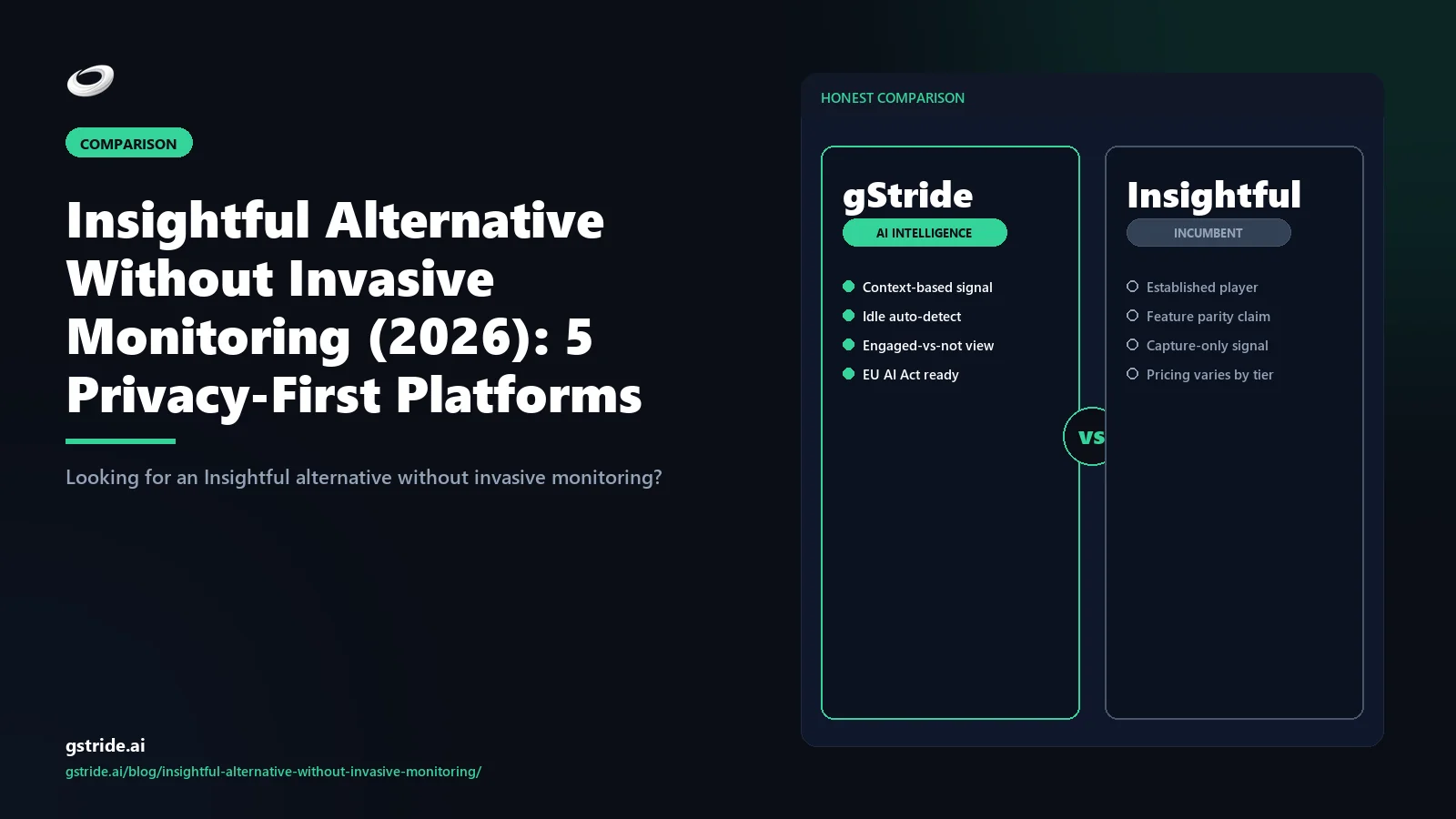
The five strongest privacy-first alternatives in 2026 are gStride (productivity intelligence, monitoring off by default, full WFM bundle, EU AI Act conformance posture), ActivTrak (analytics-led, screenshots off by default, opt-in capture), Microsoft Viva Insights (M365-native aggregated analytics, no individual capture), RescueTime (self-tracking, no manager surveillance layer), and Toggl Track (clean timer, no monitoring layer at all).
The right pick depends on whether you need a unified workforce platform, M365-native analytics, a self-tracking dashboard, or a clean timer. Read on for the matrix, the 5-point privacy checklist, and the migration path.
Why Insightful users seek non-invasive alternatives
Insightful (formerly Workpuls) has been a defensible mid-market pick for several years — broad activity capture, a clean dashboard, configurable per-team settings, and a price floor that fits the 50-to-300-seat band cleanly. In 2026, three forces are pulling buyers off the platform faster than the renewal cycle would naturally produce.
1. The screenshot-heavy default is no longer the safe default. Insightful's standard policy template captures screenshots at fixed intervals (most commonly every 10 minutes), logs visited application names and web URLs, and produces a productivity score per employee — all enabled out of the box on the Time Tracking and Productivity Management plans. Administrators can disable these features per team, but the configuration starts surveillance-forward and the buyer is expected to dial it down. Under the GDPR proportionality test, the post-Quebec Law 25 reasonableness standard, and the wave of US state notice laws (Connecticut, Delaware, New York, Illinois), that default produces ongoing compliance overhead even after the team configures it correctly.
2. The employee trust tax compounds quietly. Surveys of teams running surveillance-forward monitoring tools consistently show a measurable drag on engagement, retention, and discretionary effort within the first two quarters after rollout. The drag is rarely loud — people do not quit on the first screenshot — but the compounding effect on retention and recruitment is real. Privacy-first alternatives invert the default precisely because the trust posture is the first-order cost, not the licence fee.
3. EU AI Act enforcement opens 2 August 2026. Workplace monitoring AI that classifies employee behaviour or feeds employment decisions is high-risk under Article 6 of the EU AI Act. Insightful's productivity-scoring layer plus the activity-categorisation engine sit inside that perimeter. EU and UK procurement teams are now requiring written conformance statements, FRIA templates, transparency notice templates, and documented data-subject-rights workflows before signing — and they want them in place before August, not after. Our EU AI Act time tracking compliance checklist walks through what that conformance package needs to contain.
The 4 invasive defaults Insightful enables out of the box
To understand the privacy-first alternatives, it helps to name precisely what the surveillance-forward default actually does. Insightful's standard policy template enables four capture behaviours that the alternatives in this comparison either disable by default or do not ship at all.
Default 1: Screenshots every 10 minutes. Fixed-interval screen capture is the most visible and most legally exposed of the four defaults. The interval is configurable but the default is on, and the captures land in a manager-visible gallery. Privacy-first alternatives either ship this off, ship blurred captures, or do not capture screens at all. Our piece on screenshot frequency best practices covers the configurable matrix in detail.
Default 2: Keystroke counts and activity intensity. Insightful counts keystrokes and mouse clicks per active window as an "activity level" signal that feeds the productivity score. The counts are aggregated rather than literal keystrokes, but the proxy is still inside the surveillance perimeter for jurisdictions that treat any keystroke-derived signal as monitoring data. Our alternative to keystroke tracking walks through five better signals.
Default 3: Web URL logging per session. Visited URLs are logged per active browser session and categorised as productive, neutral, or unproductive against a vendor-maintained taxonomy. Buyers can override the categorisation, but the URL log itself is the underlying capture and it is on by default. Several privacy-first alternatives log app names only, or log URL category time without logging individual URLs.
Default 4: Employee productivity score with no dispute path. The composite score derived from the three captures above is shown to managers per employee per period. The dispute workflow for an employee who disagrees with a screenshot, a category assignment, or a productivity rating is not a documented standard feature — disputes are handled via the manager and out of the platform. Under the GDPR Article 22 right not to be subject to solely automated decisions, the EU AI Act Article 86 right to an explanation, and the proposed federal AI bill of rights framework in the US, the absence of an employee-inspectable dispute path is increasingly a procurement gate.
The 5 privacy-first alternatives compared
Here are the five strongest Insightful alternatives for buyers who want operational productivity data without the surveillance-forward defaults. All capability claims carry a check date.
1. gStride — productivity intelligence, monitoring off by default
gStride is an AI productivity intelligence platform built around the inversion: every monitoring feature ships disabled, screenshots and keystroke counts are not in the standard capture path, employees can inspect their own captured data through a self-service view, retention defaults are under 30 days on raw artefacts, and any enable-by-role action produces an audit-trail event. The AI signal layer (focus blocks, output cadence, blocker time) sits on top of timer and project data — not on top of surveillance capture — which keeps the productivity intelligence layer outside the EU AI Act high-risk perimeter for the standard configuration. Time tracking, payroll, shift and leave, and AI-assisted timesheets are bundled in the standard plan. For most teams replacing Insightful's full footprint, gStride is the only one-tool answer in this list. The category-canonical framing — why a privacy-first stack still earns the "productivity intelligence platform" label rather than collapsing into time tracking — is unpacked in our AI productivity intelligence platform pillar guide; see configurable productivity monitoring, screenshots and activity, and our existing gStride vs Insightful comparison for the head-to-head detail.
2. ActivTrak — analytics-led, screenshots off by default
ActivTrak is the strongest analytics-only privacy-first pick. App and website categorisation is on by default, screen capture is off by default in the modern policy templates, and SAML SSO ships standard. The platform is narrower in scope than gStride — there is no native payroll, no shift management, no AI-assisted timesheet review — but for buyers who already run a separate WFM stack and just need the analytics slice without surveillance, ActivTrak is a clean drop-in. Retention is configurable; confirm the default in the DPA. EU AI Act readiness is partial as of the May 2026 check; the residency posture is documented but the FRIA-template procurement package is less mature than the dedicated productivity-intelligence vendors.
3. Microsoft Viva Insights — M365-native aggregated analytics, no individual capture
Viva Insights wins for teams standardised on Microsoft 365 E3/E5 that want productivity analytics without any individual-level capture. Viva derives signal from M365 telemetry (calendar density, meeting load, after-hours email, focus-time blocks) at the aggregated level — it deliberately does not show manager-visible individual scores, screenshots, or keystroke counts. The product inherits the existing M365 tenant DPA, residency clauses, and identity provisioning automatically. The trade-off is scope: Viva is analytics only — no time tracking, no payroll, no shift, no screenshot capability, no DLP. Most teams that need workforce operations end up pairing Viva with a separate WFM tool, which usually loses on TCO once the integration overhead is priced. Viva is the right call when the requirement is genuinely analytics-only and the WFM layer is already solved.
4. RescueTime — self-tracking, no manager surveillance layer
RescueTime is built around a fundamentally different model: the captured data belongs to the employee, not the manager. Individual users see their own focus time, distraction patterns, and category breakdown; managers do not see per-employee dashboards by default. For teams whose real requirement was self-coaching and individual productivity awareness rather than top-down oversight, RescueTime delivers exactly that and nothing else. There is no screenshot capability, no keystroke logging, no manager surveillance dashboard, and no productivity score visible to anyone other than the user. The trade-off is that RescueTime does not produce the project-level operational data a manager needs for billing, payroll, or capacity planning — it is a wellness and self-coaching tool, not a WFM tool. Pair it with a separate timer if you need both layers.
5. Toggl Track — clean timer, no monitoring layer at all
Toggl Track is the cleanest "I just need a timer" answer in this comparison. There are no screenshots, no keystroke counts, no web URL logging, no productivity score — just a timer with project, client, and tag dimensions, plus reporting on top. For teams that bought Insightful for the timer and tolerated the monitoring layer reluctantly, Toggl Track removes the surveillance entirely and delivers the timer cleanly. Native payroll exists only via integration; shift management is not in scope; AI signal is limited. Toggl Track wins for solo freelancers, small consultancies, and any team where the operational requirement is genuinely time tracking and the monitoring was incidental. Our gStride vs Toggl Track comparison covers the head-to-head when teams need to scale beyond the timer-only stage.
The configurability axis: full surveillance to off-by-default
Every platform in this comparison occupies a position on a single axis: how much individual capture happens by default, and how easily can the team turn it off? Reading from most to least surveillance-forward in 2026:
- Insightful (reference) — capture-on defaults: screenshots every 10 minutes, app and URL logging, productivity score, all enabled out of the box.
- ActivTrak — analytics-forward: app and website categorisation on, screen capture off by default, opt-in for additional capture.
- gStride — off by default, opt-in per role: every monitoring feature ships disabled with documented enable-by-role workflow, employee inspectability, and audit trail.
- Microsoft Viva Insights — aggregated only: no individual screenshots, no individual scores, no keystroke layer, derived signal from M365 telemetry.
- RescueTime — self-tracking: data belongs to the user, no manager surveillance dashboard, no individual capture visible to anyone other than the user.
- Toggl Track — no capture at all: clean timer with project and client dimensions, zero monitoring layer.
The right position on this axis depends on your jurisdiction mix, your client contracts, and your team's tolerance for monitoring overhead. The mistake we see most often is buyers picking a platform one or two steps to the surveillance-forward side of where their compliance posture actually lands — usually because the surveillance-forward platform has the longer feature checklist. Pick to the compliance posture, not the brochure. Our piece on GDPR-compliant employee monitoring walks through the proportionality calculation in detail, and our pricing page at gStride pricing shows the bundled-platform cost math.
The 5-point privacy-first feature checklist
When you evaluate any Insightful alternative, run it against these five must-haves. Every privacy-first vendor in this comparison clears all five; surveillance-forward platforms typically clear two or three.
- Screenshots off by default. The standard policy template ships with screen capture disabled. Enabling capture requires an explicit per-role configuration with documented justification, and produces an audit-trail event. If the only way to disable screenshots is to dig through admin settings after rollout, the default fails the test.
- Employee inspectability. Every employee can log into a self-service view and see exactly what data has been captured about them, with what timestamps, retained for how long, and visible to which roles. The right is operational, not a written promise in the privacy policy.
- Retention under 30 days on raw artefacts. Raw captured artefacts (screenshots, individual URL logs, keystroke counts, individual app sessions) are deleted from the production database within 30 days of capture. Aggregated summaries can be retained longer. Retention is the single most effective privacy lever and the one buyers most often miss.
- Documented dispute path. Employees who disagree with a screenshot, category assignment, productivity rating, or activity log have a documented in-platform workflow to flag the disagreement, request review, and have it adjudicated by a named human reviewer with a written response. The path is part of the product, not a manager-discretion process.
- Configurable per role with audit trail. Monitoring settings are configurable at the role level (engineering, sales, ops, contractor) rather than tenant-wide only. Every change to monitoring configuration produces an audit-trail event with timestamp, actor, and justification field. The audit trail is the artefact regulators ask for first.
Comparison matrix: 5 platforms x 8 privacy gates
The eight columns are the gates that matter when the procurement team or the works council asks the privacy question. The pattern in the matrix is the wedge.
| Platform | Screenshot default | Keystroke counts | URL logging | Employee dispute path | Raw retention default | EU AI Act package | Bundled WFM | AI signal layer |
|---|---|---|---|---|---|---|---|---|
| gStride | Off | Not captured | Category-only | Documented workflow | Under 30 days | Published collateral | Time + payroll + shift | Productivity intelligence |
| ActivTrak | Off | Not captured | Categorised | Manager-routed | Configurable | Partial | Analytics only | Coach AI |
| Viva Insights | N/A (no capture) | Not captured | Not captured | M365 DSR workflow | Aggregated only | Microsoft AI posture | Analytics only | Insights AI |
| RescueTime | N/A (no capture) | Not captured | User-visible only | User owns data | User-controlled | Outside scope | Self-tracking only | Focus AI |
| Toggl Track | N/A (no capture) | Not captured | Not captured | No capture to dispute | Timer data only | Outside scope | Timer only | Limited |
| Insightful (reference) | On (10-min default) | Counted | Logged per session | Manager-discretion | Configurable, longer default | Not published | Time only, integrations | Productivity score |
See gStride on your own team's data
A 15-minute walkthrough on the configuration surface — productivity intelligence without surveillance, screenshots off by default. No SDR gate, straight to a product engineer.
Book a 15-min demo → Prefer to look at numbers first? See gStride pricing.Read the matrix vertically. The platforms that clear all five privacy gates cleanly — screenshots off, no keystroke counts, employee dispute path, retention under 30 days, configurable per role with audit trail — are the ones that compress the procurement and works-council timeline.
Migration path off Insightful: a 3-step playbook
The mechanics of migrating off Insightful are the same across the alternatives, with the gates sequenced in this order:
- IAM first — provision SSO and groups before touching policy. Stand up the new tenant with SAML SSO bound to the same identity provider, user provisioning syncing the same directory, and groups mapped to the same role taxonomy. Do this one-to-two weeks before cutover so any IAM bugs surface in a low-stakes window. Smaller teams under 50 seats can compress this to a couple of days.
- Refresh the monitoring policy — write the new policy first, then configure to match. The most common migration mistake is bringing the Insightful-era policy ("screenshots every 10 minutes, productivity score visible to managers") to the new tool. Use the cutover to rewrite: what you capture, why you capture it, who sees it, retention windows, employee notice, and the dispute path. Our monitoring policy template walks through the eight-point baseline. Configure the new platform to match the new policy, not the old one.
- Cutover at a payroll boundary, parallel-read for one cycle. The cleanest cutover is the start of a pay period — Insightful runs to its final close, the new tool starts on day one of the next period. Keep the Insightful tenant in read-only state for one full pay cycle for audit reconciliation, then cancel. Small-team migrations close in 1-to-2 weeks; mid-market in 3-to-5 weeks; enterprise in 6-to-10.
The verdict
If you are replacing Insightful in 2026, the binding constraint is rarely the feature list — it is the position on the configurability axis your compliance posture and team-trust posture actually require. Buyers who need a unified workforce platform with productivity intelligence and zero surveillance defaults converge on gStride. Buyers who need analytics-only with opt-in capture converge on ActivTrak. Microsoft 365 standardised teams converge on Viva Insights. Self-tracking buyers converge on RescueTime. Timer-only buyers converge on Toggl Track. Pick to the privacy-first checklist, not the brochure.
Related reading on gStride
- AI idle detection vs keystroke logging — what mid-market teams should pick
- gStride vs Insightful — full feature comparison
- Productivity monitoring without surveillance
- GDPR-compliant employee monitoring — 25-point checklist
- EU AI Act & employee time tracking — compliance checklist
- The alternative to keystroke tracking
- How often should you take employee screenshots
- How to write an employee monitoring policy
- Configurable productivity monitoring
- Screenshots & activity (configurable, off by default)
- gStride pricing
- The Anti-Surveillance Productivity Stack — 6 outcomes-focused primitives
Free: 5-Signal Productivity Self-Audit Worksheet
30-min audit on your team. Focus depth + commit cadence + meeting load + flow-state + blocker recovery. PDF + Google Sheets calc. For Ops Heads, Founders, Eng Managers.
Frequently asked questions
What is the best Insightful alternative without invasive monitoring in 2026?
For most teams, gStride is the strongest privacy-first Insightful alternative because every monitoring feature ships disabled by default, screenshots and keystroke counts are not in the standard capture path, employees can inspect their own captured data, retention defaults are under 30 days, and the platform layers AI productivity intelligence (focus blocks, output cadence, blocker time) on top of timer and payroll. Microsoft Viva Insights is the safest pick for Microsoft 365 standardised teams that want analytics-only with no individual capture. Toggl Track and RescueTime suit solo and small-team buyers who want timer or self-tracking with zero monitoring layer at all. ActivTrak fits buyers who want analytics with optional opt-in capture. The right answer depends on whether you need a unified workforce platform, M365-native analytics, a clean timer, a self-tracking dashboard, or analytics-only.
Why do Insightful users actively look for non-invasive alternatives?
Three reasons dominate the search behaviour. First, Insightful's default policy template ships screenshots every 10 minutes plus app and web URL logging plus a productivity score with no built-in dispute path — that combination produces an ongoing employee trust tax that most teams underestimate at purchase time. Second, the EU AI Act enforcement window opens 2 August 2026 and any productivity-scoring tool that feeds employment decisions sits inside the high-risk classification, so EU and UK buyers are de-risking now rather than during enforcement. Third, post-Quebec Law 25 in Canada, US state notice laws (Connecticut, Delaware, New York, Illinois), and the GDPR proportionality test have raised the legal-defensibility floor for surveillance-forward defaults. Privacy-first alternatives invert the default and clear those obligations cleanly.
Does Insightful take screenshots by default?
Yes. Insightful's standard policy template captures screenshots at fixed intervals (most commonly every 10 minutes), logs visited application names and web URLs, and produces a productivity score per employee — all enabled out of the box on the Time Tracking and Productivity Management plans. Administrators can disable these features per team or per role, but the configuration starts from a surveillance-forward baseline. Privacy-first alternatives ship screenshots off by default and require a documented enable-by-role workflow with audit trail before any capture begins.
Can employees see and dispute their own captured data on Insightful?
Insightful provides an employee-facing dashboard on the Stealth-disabled configuration where employees can see their own time and activity, but the dispute workflow for disagreements over a screenshot, a productivity-score classification, or a category assignment is not a documented standard feature — disputes are typically handled via the manager and out of the platform. Under the GDPR Article 22 right not to be subject to solely automated decisions, the EU AI Act Article 86 right to an explanation, and the proposed federal AI bill of rights framework in the US, an employee-inspectable dispute path is increasingly a procurement gate. Privacy-first alternatives in this comparison ship the dispute path as a documented workflow, not as a manager-discretion process.
What is the EU AI Act risk for Insightful and its alternatives?
Workplace monitoring AI that classifies employee behaviour or feeds employment decisions is high-risk under Article 6 of the EU AI Act. Insightful's productivity-scoring layer plus the activity categorisation engine sit inside that perimeter and trigger the conformance obligations (FRIA, transparency notice, accuracy testing, human oversight, data-subject-rights workflow) that begin enforcement on 2 August 2026. Insightful has not published a specific high-risk conformance package as standard procurement collateral as of the May 2026 check date. Alternatives in this comparison vary: gStride publishes the conformance package, Viva Insights inherits the Microsoft AI posture, Toggl Track and RescueTime largely sit outside the high-risk perimeter because they do not score employees individually. Verify with each vendor before signing.
What does retention under 30 days actually mean in practice?
It means raw captured artefacts (screenshots, keystroke counts, web URLs, individual app sessions) are deleted from the production database within 30 days of capture, while aggregated summaries (weekly hours, project totals, anonymised category time) can be retained longer for trend analysis. Short retention is the single most effective privacy lever — it converts the platform from a surveillance archive into an operational dashboard. Insightful supports configurable retention but the default is longer than 30 days on the standard plan. Privacy-first alternatives ship 14-to-30 day defaults on raw artefacts. Confirm the retention default in the DPA, not just the marketing page.
How long does a migration off Insightful usually take?
Small-team migrations (under 50 seats) close in 1 to 2 weeks of calendar time. Mid-market migrations (50 to 300 seats) close in 3 to 5 weeks, with the long pole being the rewrite of the monitoring policy and a 1-cycle parallel-run for payroll reconciliation if Insightful was integrated with payroll. Enterprise migrations close in 6 to 10 weeks. The cleanest cutover is at a payroll boundary or the start of a quarter. Keep the Insightful tenant in read-only state for one full pay cycle after cutover for audit reconciliation, then cancel. The 3-step migration path in this article walks through IAM first, then policy refresh, then cutover.
Is Toggl Track or RescueTime really an Insightful alternative if they have no monitoring?
Yes for the right buyer. Many teams that bought Insightful actually wanted operational time and productivity data, not surveillance — they bought the surveillance because it shipped attached to the timer. If your real requirement is timer-led project time tracking and you do not need screenshots or productivity scoring at all, Toggl Track delivers the timer cleanly with zero monitoring layer. If your real requirement is self-coaching and individual productivity awareness rather than manager oversight, RescueTime ships exactly that and nothing else. Both are valid Insightful replacements when the monitoring layer was incidental rather than central.
Can I keep some monitoring features and turn off others?
Yes. The configurability axis in this comparison runs from full surveillance defaults at one end to no individual capture at the other, with several alternatives in the middle that let you keep app and web categorisation while turning off screenshots, or keep aggregate productivity scores while turning off keystroke logging. The privacy-first principle is not no monitoring — it is monitoring that is justified per role, documented in the policy, opt-in by default, employee-inspectable, and short-retention. gStride and ActivTrak both support that configuration cleanly. The mistake to avoid is leaving the surveillance-forward default in place and assuming no one will notice.
Does Insightful work with payroll, or do I need a separate tool?
Insightful integrates with several payroll tools (QuickBooks, Gusto, ADP) but does not run payroll natively — most customers run a separate payroll platform alongside. gStride bundles native payroll, shift management, leave management, and AI-assisted timesheets in the standard plan, which usually wins on TCO once the integration overhead and separate licence are priced. Microsoft Viva Insights, Toggl Track, and RescueTime do not run payroll. ActivTrak does not run payroll. If your binding constraint is a unified workforce platform, only gStride covers the full footprint in this comparison.
People also ask
How much does Insightful cost?
Insightful (formerly Workpuls) is priced per user per month, with public 2026 tiers spanning roughly an Employee Monitoring plan near 6.40 USD, Time Tracking near 8 USD, Automatic Time Mapping near 12 USD, and an Enterprise tier near 14.40 USD. Confirm current pricing and screenshot limits on Insightful's own pricing page.
Is Insightful employee monitoring legal?
Employee monitoring with Insightful can be lawful where employees are clearly notified, monitoring is proportionate to a legitimate business purpose, and data handling meets local law (GDPR, India's DPDP Act, US state notice laws). Covert or excessive capture raises the legal risk. Verify your specific configuration with counsel before deploying.
What is Insightful (formerly Workpuls) used for?
Insightful, formerly Workpuls, is employee monitoring software used to track work time, app and website usage, and productivity, typically with interval screenshots and a per-employee productivity score. Teams use it for remote and hybrid visibility, though many now seek privacy-first alternatives that disable screenshots and keystroke-derived signals by default.
Does Insightful offer a free trial?
Yes. Insightful offers a free 7-day trial that does not require a credit card, letting teams test time tracking, screenshots, and productivity scoring before buying. Most privacy-first alternatives also offer free trials, so you can compare default capture settings and retention windows side by side before committing.
Does Insightful have a stealth (silent) monitoring mode?
Yes. Insightful supports a stealth (silent) monitoring mode that runs without a visible employee-facing indicator, alongside a visible mode with an employee dashboard. Stealth monitoring carries higher legal and trust risk; privacy-first alternatives favour transparent, employee-inspectable capture. Confirm disclosure obligations for your jurisdiction with counsel.
See productivity intelligence with monitoring off by default
Screenshots disabled, keystrokes not captured, employee-inspectable data, retention under 30 days, configurable per role with audit trail — and AI productivity intelligence on top of timer, payroll, shift, and leave. The fastest way to evaluate is to walk the 5-point privacy checklist against your current Insightful configuration.
Book a 15-min demo → See productivity monitoring See pricingAll competitor feature claims, default-policy descriptions, retention windows, EU AI Act readiness statements, and pricing references in this article were last verified on May 7, 2026 from the vendors' public product, pricing, and trust pages, plus third-party reviews on G2 and Capterra. Vendor capabilities, default policy templates, conformance posture, and pricing change frequently — verify on each vendor's own site, request the current DPA, and confirm in writing before making a procurement decision.