
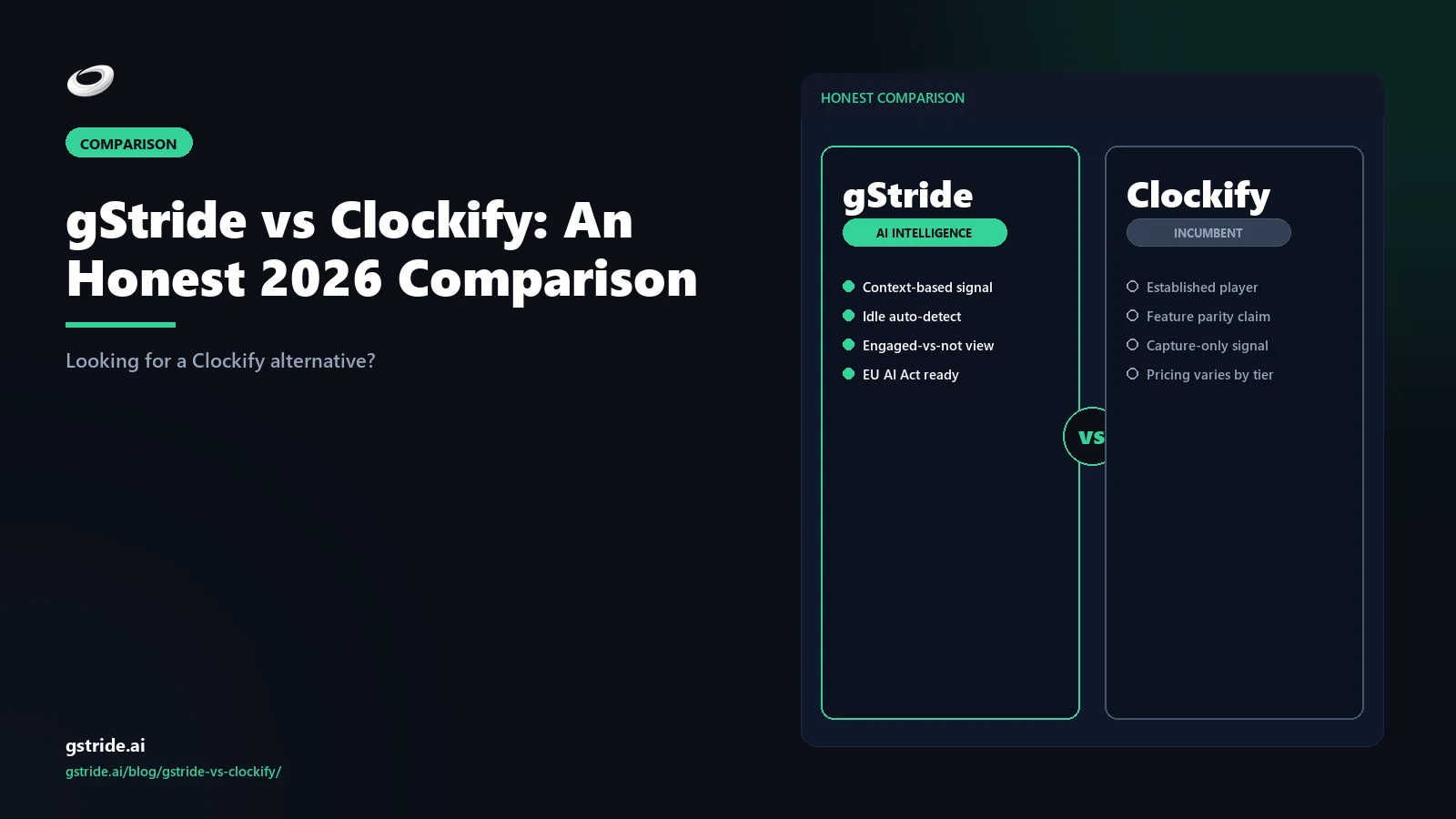
TL;DR — Clockify free or gStride paid?
Stay on Clockify Free if your only requirement is a timer, projects, and CSV reports for a small team or freelance practice. Clockify's forever-free plan with unlimited users is genuinely good for tracking-only use, and there is no need to over-engineer a stack you do not yet need. The free plan is also the largest distribution moat in the time-tracking category and a real reason teams default to Clockify before evaluating anything else.
Pick gStride if the real problem extends past the timer — automated time tracking, configurable productivity monitoring, AI-assisted timesheets, native payroll, and shift, leave, and attendance in one product. Clockify is a tracking-and-reporting tool; payroll, leave, and most monitoring features are either paid add-ons or separate subscriptions you have to buy elsewhere. The bundle math usually turns against the free-tier-plus-stack approach around ten employees and the first compliance audit.
This is the long version of that answer — including the concrete dollar math behind the "free isn't actually free" calculation.
- Clockify Free: unlimited users, unlimited projects, unlimited time tracking — the largest single distribution moat in the time-tracking category; the free tier covers tracking only; productivity screenshots (~$5.49/user/mo) and Plus features (~$4.99/user/mo) are paid add-ons [competitor-checked-2026-04-28; verify current pricing at clockify.me].
- 2 August 2026 — date EU AI Act high-risk obligations apply to any AI that scores or classifies workers; Clockify's AI-suggested entries and gStride's AI-assisted timesheets and idle-classification engine may each trigger Annex III scope analysis for EU employers (EU AI Act 2024/1689, OJ L 2024/1689; verify with counsel).
- GDPR Article 5(1)(c) data minimisation — continuous default-on screenshot or keystroke capture rarely passes the proportionality test for knowledge-worker teams; configurable per-feature monitoring (gStride's default posture) carries lower GDPR exposure than always-on capture (GDPR Regulation (EU) 2016/679; verify your deployment with counsel).
Short answer: who fits which tool
If you are searching "Clockify alternative" or "gStride vs Clockify" in 2026, you are usually one of three buyers, and the right answer depends on which one you are. The first is the small team or freelancer who genuinely just needs a timer, projects, and CSV reports. For that buyer, Clockify Free is the right answer and we will say so plainly. Clockify built the most popular free time tracker on the market — unlimited users on the free plan, unlimited projects, unlimited tracking, and a clean web/desktop/mobile experience — and it is the rational default for tracking-only requirements.
The second buyer is the operations-first team that adopted Clockify Free for tracking, then layered on a payroll system (Gusto, Rippling, ADP, Deel), a leave tool (Calamari, BambooHR), and possibly the Clockify Productivity and Plus add-ons for screenshots and scoring. That buyer ends up running three or four subscriptions, three or four invoices, three or four access-control surfaces, and a brittle CSV-export integration between time and payroll. gStride is built for that buyer — one bundle, one bill, one identity model. The third buyer is the team passing roughly ten employees with active leave requests, the first compliance audit, or the first payroll error traced to stale CSV exports. That trigger is when the free-tier savings stop adding up.
That is the short answer. The rest of this article walks through the at-a-glance table, where Clockify wins and where it breaks, the concrete bundle math, the pricing breakdown, AI capability, the migration path, and the FAQ.
gStride vs Clockify — at-a-glance feature table
The table below is the honest version. Where Clockify is the deeper answer — specifically on the forever-free plan, the breadth of integrations, and the simplicity of the timer UX — we say so. Where gStride is the better fit — bundled payroll, native leave/shift, configurable monitoring as part of the base plan, and AI pointed at timesheet quality — we say that too. All Clockify references are tagged with a check date so anything that has shifted since publication can be flagged.
| Capability | gStride | Clockify |
|---|---|---|
| Forever-free plan | No — paid bundle starts at $6/user/mo; trial available | Yes — unlimited users — Free plan with unlimited users, projects, and tracking |
| Automated time tracking | Yes — desktop, web, mobile with AI-assisted categorisation | Yes — timer, manual, and auto-tracker on desktop apps |
| Productivity monitoring / screenshots | Configurable — per-feature toggle in the bundle; off by default | Paid add-on — Productivity add-on (~$5.49/user/mo) and Plus add-on (~$4.99/user/mo) |
| AI assistance | Operations-focused — AI-assisted timesheets, idle classification with calendar context, anomaly review | Lighter footprint — AI-suggested entries and report queries on higher tiers |
| Native payroll | Yes — built-in, multi-currency payroll and payments | No — not in product surface; teams pair with Gusto/Rippling/ADP/Deel |
| Leave / shift / attendance | Yes — built-in leave requests, shift scheduling, approvals workflow | No native — scheduling is a paid feature; leave management is not core |
| Approvals workflow | Yes — multi-step approvals with audit log, included in bundle | Basic — timesheet approvals available on Standard tier and above |
| Integrations / API ecosystem | Growing — payroll, calendar, SSO, SCIM; smaller library than Clockify | Largest in category — 80+ direct integrations, mature public API |
| Bundled cost (1 vendor) | $6–$12/user/mo — single line item; see gStride pricing | Time only — payroll, leave, full monitoring require separate vendors |
| Pricing floor (paid) | $6/user/mo — no seat-count minimum | $0 then $4.99 — Free or Basic at $4.99/user/mo annual |
See gStride on your own team's data
A 15-minute walkthrough on the configuration surface — productivity intelligence without surveillance, screenshots off by default. No SDR gate, straight to a product engineer.
Book a 15-min demo → Prefer to look at numbers first? See gStride pricing.The pattern is clear: Clockify wins on free-tier generosity, integration breadth, and timer simplicity. gStride wins on bundle depth — payroll, leave, shift, and monitoring inside one subscription with one identity model. Neither product is weak; they are optimised for different problems.
Where Clockify wins
This is the section worth reading even if you have already decided. Clockify is not a weak product, and the reasons it has become the default free time tracker are real.
The forever-free plan is the moat. Clockify Free includes unlimited users, unlimited projects, unlimited tracking, the desktop and mobile timer, basic reports, and CSV export — for zero dollars, no expiry, no seat cap. That is not a marketing free trial; it is a genuine free product. For a freelancer, a five-person studio, or a side project where the only requirement is "track hours and export to a CSV," Clockify Free is the rational choice and we are not going to pretend otherwise.
The integration ecosystem is the largest in the category. Clockify ships native integrations with Jira, Asana, Trello, GitHub, GitLab, ClickUp, Notion, QuickBooks, Xero, Salesforce, HubSpot, Slack, Microsoft Teams, Outlook, Google Calendar, and dozens more. The browser extension surfaces a Clockify timer inside almost every project-management tool a buyer could be using. The public API is mature and well-documented, with a thriving Zapier and Make.com presence for the long tail. If your stack is heavy on third-party tools and you need timer-context-everywhere, Clockify's integration breadth is genuinely ahead of the field.
The UX is intentionally spartan in the right way. Clockify's timer screen is one of the cleanest in the category — one button, one description field, one project picker. The reports view is fast. The mobile app is lightweight. There is no feature creep on the core capture experience. For users who hate timesheet software, that minimalism is a feature.
The brand and the trust are real. Clockify has been around since 2017, ships consistent updates, has a public roadmap, and has a customer base in the hundreds of thousands of organisations. That track record matters when a team is committing to a tool they will use every day.
Where Clockify breaks
The tool also has consistent gaps that show up the moment a team's requirements expand past tracking. These are not bugs — they are deliberate product-scope decisions Clockify made when it stayed focused on the timer. But they are the gaps that turn most "Clockify alternative" searches into a real evaluation.
No native payroll. Clockify produces hours; it does not produce paychecks. There is no payment processing, no tax engine, no multi-currency salary disbursement, no contractor 1099 workflow. Teams that need payroll-ready data have to export CSVs, transform them, and import into Gusto, Rippling, ADP, Deel, Justworks, or whatever the team is using. That export-transform-import dance is exactly where payroll errors come from.
No leave or shift management. Clockify's product surface does not include native PTO requests, leave-balance accruals, holiday calendars by jurisdiction, or shift scheduling for hourly workforces. Teams that need leave management bolt on Calamari, BambooHR, Vacation Tracker, or build something in a spreadsheet. The data sits in a different system from the time data, which means leave-vs-timesheet reconciliation is manual.
Productivity monitoring is a paid add-on, not a base feature. Screenshots, app and website tracking, and activity-level capture sit in Clockify's "Productivity" add-on at roughly $5.49 per user per month. More detailed productivity scoring is in the "Plus" add-on at roughly $4.99 per user per month. Both stack on top of the base subscription. A 20-person team that wants what most monitoring buyers consider table-stakes (screenshots plus scoring) pays roughly $209 per month for those add-ons alone, on top of whichever Clockify base tier they are on.
Approval workflows are basic. Timesheet approvals appear on the Standard tier ($6.99 per user per month) and above, and the approval surface is functional rather than rich — single-step approve/reject without configurable multi-stage routing, role-based approval delegation, or full audit logs at the level mid-market teams typically expect. For a finance team that needs audit-grade approvals tied to payroll, the workflow is thinner than the equivalent in a workforce-operations bundle.
The AI footprint is light. Clockify has added AI-assisted entries and a few report-query helpers, but the centre of gravity is still the timer and CSV reports. The AI does not draft timesheets the way a dedicated AI time tracking platform does; it does not classify idle time using calendar context the way modern AI idle detection does; and it does not surface payroll anomalies. That is not a criticism — Clockify chose to be the simple timer rather than the AI assistant — but it is a gap if AI was part of why you started looking.
Clockify alternative with shift management
Clockify Pro at $9.99 per user per month includes "scheduling" as a feature, but the schedule is project-and-task allocation across the team, not true shift planning for a frontline workforce. There is no concept of named shifts (morning/swing/night, or 6 a.m.–2 p.m. / 2 p.m.–10 p.m. / 10 p.m.–6 a.m.), no shift-swap workflow, no break-time enforcement, no overtime accrual against a shift roster, no real-time attendance dashboard tied to a shift start, and no client-site shift assignment. For a freelance studio that just needs to know "who is on which project this week," Clockify scheduling is fine. For a BPO floor running 24x7 across 200 agents, a healthcare clinic with rotating clinical staff, or a retail operation with weekly published rosters, Clockify scheduling is missing the operational primitives a workforce-management tool provides.
The teams typing "Clockify alternative with shift management" usually share a profile: 50–500 frontline employees, an attendance compliance obligation (Shops & Establishments Act in India, EU Working Time Directive break enforcement, US state predictive-scheduling laws), payroll that depends on shift differentials and overtime calculations, and the recognition that a project-allocation calendar cannot answer "is the 6 a.m. shift fully staffed and clocked in right now?" The standard workaround is Clockify-plus-Deputy or Clockify-plus-When I Work for the shift layer, plus a separate payroll vendor — three systems, three user directories, three sources of truth for who is supposed to be where.
gStride bundles the shift layer into the same product. Shift, leave and attendance covers named shift templates, shift-swap requests with manager approval, attendance enforcement against the published roster, leave balance accruals tied to the shift schedule, and a real-time attendance dashboard for ops managers — all in the same product as time tracking, productivity monitoring, and native payroll. Shift differentials and overtime feed payroll directly without a CSV bridge. For BPO floors specifically, the deeper teardown is in BPO workforce management software India; the bundle wedge against Clockify is the same one this article makes elsewhere — the four-vendor stack collapses to one product, one bill, one identity model.
The "free isn't actually free" math
This is the section the rest of the article exists for. Clockify Free is genuinely free for the timer. The question is what happens when a real operations stack accretes around it.
Take a 20-person services team in 2026. They started on Clockify Free a year ago. The team has scaled, and now they need: time tracking (got it), monthly payroll across two currencies, statutory leave management with approval workflow, productivity visibility for distributed workers, and timesheet approvals tied to invoicing. Here is what the realistic stack looks like once those requirements harden.
| Component | Tool | Approx monthly cost (20 users) |
|---|---|---|
| Time tracking + approvals | Clockify Pro ($9.99 × 20) | ~$200 |
| Productivity / screenshots | Clockify Productivity add-on (~$5.49 × 20) | ~$110 |
| Productivity scoring | Clockify Plus add-on (~$4.99 × 20) | ~$100 |
| Payroll | Gusto Plus ($80 base + $12 × 20) | ~$320 |
| Leave management | Calamari leave module | ~$30 |
| Total | 4 vendors, 4 invoices | ~$760/month |
Compare that to a single gStride subscription at the top tier: roughly $12 per user per month for the bundle, which puts a 20-person team at ~$240 per month, one vendor, one invoice, one access-control surface. The gStride bundle includes time tracking, configurable productivity monitoring, AI-assisted timesheets, native payroll, and shift/leave/attendance — not as a stack of subscriptions, but as one product with one identity model.
The headline number is the cost delta, but the operational difference is bigger. The four-vendor stack means four contracts, four security reviews, four onboarding flows for new hires, four offboarding flows when people leave, and a CSV-export-transform-import integration between Clockify and Gusto that breaks every time a column header changes. The bundle removes that surface. For a 20-person team, the all-in monthly bill drops from roughly $760 across four vendors to roughly $240 with one. The teams that hit this math typically move once they have spent a quarter chasing a payroll error that turned out to be a stale CSV.
Three caveats are honest. First, exact dollar figures depend on the exact mix — Gusto Plus, Gusto Premium, ADP, Deel, and Rippling all price differently, and Clockify add-ons sometimes go on promotion. Second, the math is closer for a five-person team where Clockify Free plus a contractor-friendly payroll tool can keep the all-in bill under $150 per month. Third, Clockify wins on the integration depth side — if your team genuinely needs the Jira-Trello-Asana-ClickUp constellation of native integrations, that is not a free trade. The point is not that Clockify is expensive; it is that "free" is doing a lot of work in the marketing copy once leave and payroll enter the room.
Pricing breakdown
Both vendors update tiers periodically. The check-date numbers below are accurate as of publication; verify on the live pricing pages before committing a budget.
Clockify pricing (annual billing, per user per month)
- Free — $0, unlimited users, unlimited projects, unlimited tracking, basic reports, CSV export
- Basic — $4.99, adds bulk edit, time audit, project templates, decimal-format reports
- Standard — $6.99, adds timesheet approvals, time off (basic), invoicing, lock time entries
- Pro — $9.99, adds scheduling, expenses, GPS tracking, custom fields, single sign-on, alerts
- Enterprise — $14.99, adds SSO with SAML, custom subdomain, audit log, advanced controls
- Productivity add-on — ~$5.49 per user per month, adds screenshots and activity tracking
- Plus add-on — ~$4.99 per user per month, adds productivity scoring and Pumble messaging integration
gStride pricing (per user per month)
- Starter — $6, automated time tracking, configurable monitoring base, project rollups
- Growth — $8, adds AI-assisted timesheets, approvals, leave management, shift scheduling
- Bundle — $12, adds native multi-currency payroll, advanced approvals, full monitoring suite, SSO
- Current tiers and what is bundled live on gStride pricing
gStride vs Clockify pricing, side by side
| Price point | gStride | Clockify (annual billing) |
|---|---|---|
| Free tier | None — 14-day trial instead | $0 — unlimited users, tracking and basic reports only |
| Entry paid tier | Starter — $6/user/mo | Basic — $4.99/user/mo |
| Mid tier (approvals + leave) | Growth — $8/user/mo (approvals, leave, shift scheduling included) | Standard — $6.99/user/mo (approvals, basic time off) |
| Top tier | Bundle — $12/user/mo (native payroll, full monitoring, SSO) | Pro $9.99 / Enterprise $14.99/user/mo (no payroll at any tier) |
| Monitoring / screenshots | Included — configurable, off by default | Add-ons — Productivity ~$5.49 + Plus ~$4.99/user/mo on top of base |
| 20-person all-in (time + monitoring + payroll + leave) | ~$240/mo — one vendor, one invoice | ~$760/mo — Clockify Pro + add-ons + Gusto + Calamari, ~4 vendors |
On per-seat list price for time-tracking only, Clockify Basic at $4.99 starts $1 lower than gStride Starter at $6. The math reverses fast once approvals (Standard $6.99) and the productivity add-on (~$5.49) and a separate payroll subscription enter the picture. All figures are annual-billing list rates at the April 28, 2026 check date — verify on each vendor's live pricing page before budgeting.
AI capability comparison
Both vendors talk about AI in marketing. The honest read is the AI is pointed at different problems.
Clockify's AI is pointed at incremental timer convenience. AI-suggested entries draw on past behaviour to pre-fill the description and project picker. Some report queries can be expressed in natural language. The AI improves the timer experience around its edges; it does not change the shape of the workflow.
gStride's AI is pointed at the operations layer. AI-assisted timesheets draft entries the user reviews and approves before submission. Idle classification uses calendar context to avoid flagging meetings as idle (covered in how AI detects idle time). Anomaly review highlights timesheet entries worth a manager's attention before they hit payroll. The AI's job is to remove timesheet friction and improve payroll-ready data quality, not to assist the timer.
If you want the deep dive on what AI in time tracking actually means in 2026 — the eight capabilities that define the category, the privacy trade-offs, and the four-week rollout — the pillar piece is AI Time Tracking Software: A Complete 2026 Buyer's Guide.
Migration path: switching from Clockify to gStride
If gStride is the better fit and you already use Clockify, the migration is mostly mechanical. Clockify's CSV export covers the records that need to move. The path most teams follow:
- Decide the cutover date. The cleanest move is the first day of a new pay period. Close the final Clockify reporting period, run final approvals, then start gStride tracking with clean rules.
- Export operational records from Clockify. Pull users, projects, clients, tasks, and historical time entries via the standard CSV exports or the Clockify API. Map Clockify "workspaces" to gStride departments, "projects" to gStride projects, and "tags" to gStride labels.
- Invite users into gStride. Recreate user accounts at the same email addresses; SSO setup makes the cutover a one-step user experience. The desktop and mobile apps install in minutes.
- Decide what to migrate vs archive. Most teams migrate the last 90 days of time data for continuity, then keep older history in Clockify export form for compliance retention. Importing five years of historical timer data into a new system is rarely worth the effort.
- Wire up payroll and leave in the same week. The whole point of the switch is the bundle — do not leave payroll on the legacy tool for "phase two." Set up the gStride payroll workflow against the time data the moment the cutover is live, and migrate leave balances at the same time.
- Rewrite the timesheet policy. Carry over what worked, document what changed. Timeline approvals are configurable per team in gStride, so the approval rules from Clockify Standard or Pro tier translate directly.
Which buyer fits which tool
Clockify fits best when…
- Your only requirement is a timer, projects, clients, tasks, and CSV reports.
- You are a freelancer, a small studio, or a side project where the headcount and the requirements stay small.
- You need the broadest integration ecosystem in the time-tracking category — Jira, Asana, Trello, ClickUp, GitHub, QuickBooks, Salesforce, and dozens more — and the timer-everywhere browser extension matters.
- Payroll, leave management, and shift scheduling are explicitly out of scope, or already handled by a separate stack you are happy with.
- The free plan with unlimited users meaningfully matters to your budget — this is a real moat for tracking-only use.
gStride fits best when…
- Your team has scaled past the point where free-tier-plus-three-vendors is a comfortable stack.
- You need native payroll, shift, leave, and attendance, configurable monitoring, and AI-assisted timesheets in one product.
- You are tired of CSV-export-transform-import integrations between time and payroll, especially after the first payroll error traced to stale data.
- Your finance team needs audit-grade timeline approvals tied to payroll output, not the basic single-step approve/reject.
- Your jurisdiction makes leave-balance accruals, holiday calendars, and statutory time-off a non-negotiable requirement.
- You want one vendor, one bill, one identity surface across time, monitoring, payroll, and shift/leave.
The verdict
Verdict: Clockify is the best free time tracker for freelancers and tracking-only micro-teams — the unlimited-user free plan and 80+ integrations are unmatched at $0. gStride is the better Clockify alternative for teams of roughly ten or more that need payroll, leave, shift scheduling, and configurable monitoring in one subscription: at 20 people the gStride bundle runs about $240/month against about $760/month for the equivalent Clockify-plus-stack (Pro + add-ons + Gusto + Calamari). Verify current vendor pricing before deciding.
Clockify is genuinely the best free time tracker in the category, and we are not going to pretend otherwise. If your problem is "I need a timer with unlimited users and a clean reports page for free," stop reading and use Clockify Free. The product is real, the free plan is real, the integration ecosystem is the broadest in the category, and the team has earned the trust they have.
If you typed "Clockify alternative" into a search engine, though, you are usually one of two buyers. Either you are running the four-vendor stack we mapped out and the integration glue is consuming time, or you are about ten employees in and you have just been asked for compliant leave management plus payroll-ready timesheets in one audit. gStride is built for those two buyers. The wedge is the bundle: time tracking, productivity monitoring, AI-assisted timesheets, native payroll, and shift/leave/attendance in one product, one bill, one identity model. The math turns once leave and payroll enter the room.
Both tools have shipped real product. The right answer is the one that matches your actual problem. If you are still triangulating, the adjacent comparisons help: gStride vs Toggl Track for the simpler-paid-tracker buyer, gStride vs Hubstaff for the field-services buyer, gStride vs Time Doctor for the productivity-monitoring buyer, and the AI time tracking buyer's guide for the broader category view.
Related reading on gStride
- gStride pricing — current tiers and what is bundled
- Automated time tracking — desktop, web, mobile
- Payroll & payments — native, multi-currency
- Shift, leave & attendance — built-in approvals
- Timelines & approvals — multi-step audit-grade
- AI time tracking software — the 2026 buyer's guide
- How AI detects idle time — and why most tools get it wrong
- gStride vs Toggl Track — the simpler-paid-tracker comparison
- gStride vs Hubstaff — field-services comparison
- gStride vs Time Doctor — productivity-monitoring comparison
- How to switch from Clockify to gStride — 2026 migration guide
- Compare gStride against 13 productivity & monitoring tools
Free: 5-Signal Productivity Self-Audit Worksheet
30-min audit on your team. Focus depth + commit cadence + meeting load + flow-state + blocker recovery. PDF + Google Sheets calc. For Ops Heads, Founders, Eng Managers.
Frequently asked questions
Is Clockify really free forever?
Yes. Clockify's free plan is genuinely free with unlimited users, unlimited projects, and unlimited time tracking on the core timer and reports. That is the reason Clockify is widely deployed as the default time tracker for tens of thousands of teams. The asterisk is what is not in the free plan: approvals, invoicing, billable rates, scheduling, time-off, productivity monitoring, screenshots, and AI features are paid tiers or paid add-ons. For tracking-only use, the free plan is the real deal. For approval workflows, leave management, payroll, or monitoring, you are on a paid tier or a separate tool.
Is gStride a Clockify alternative?
For most buyers searching "Clockify alternative" in 2026, yes — if your problem extends past the timer. Clockify is a focused time-tracking and reporting tool with a generous free tier. gStride is a workforce operations bundle that includes automated time tracking, configurable productivity monitoring, AI-assisted timesheets, native payroll, and shift/leave/attendance in one product. If your team only needs a timer and CSV reports, Clockify Free is hard to beat. If your team needs timesheet to payroll to leave in one system, gStride is the closer fit and the bundle math usually wins past about ten employees.
Does Clockify include payroll?
No. Clockify is a time-tracking and reporting platform — it does not include native payroll, payment processing, or tax filing. Teams using Clockify for hours capture typically pair it with a separate payroll system such as Gusto, Rippling, ADP, or Deel, and a separate leave or HR tool. gStride includes native multi-currency payroll in the bundle, reading from the same time-tracking signal that drives the timesheet and approval workflow.
Does Clockify offer screenshots and productivity monitoring?
Yes, but as paid add-ons rather than a default capability. Clockify's screenshots and activity tracking sit in the Productivity add-on, and detailed productivity scoring sits in the Plus add-on. Both add-ons are separately priced per user per month and stack on top of the base subscription. gStride includes configurable productivity monitoring as part of the bundle, with every monitoring feature as a per-feature opt-in toggle and the conservative configuration shipping by default.
How much does Clockify actually cost for a 20-person team?
On Clockify Pro at $9.99 per user per month annual billing, a 20-person team pays roughly $200 per month for time tracking and reports. If the team also needs payroll, leave management, and productivity visibility, the realistic stack adds Gusto Plus around $80 plus $12 per user (about $320), Calamari leave at around $30 per month, and the Clockify Productivity and Plus add-ons at around $209 combined. The all-in monthly bill is in the $750 range across three to four invoices. The exact mix varies by team and region, but the pattern is consistent: the free or low-cost time tracker stops being the cheap choice once payroll and leave enter the room. Verify all vendor pricing on the live pages.
What is Clockify's pricing in 2026?
As of the check date, Clockify's published list pricing on annual billing is Free with unlimited users, Basic at $4.99 per user per month, Standard at $6.99 per user per month, Pro at $9.99 per user per month, and Enterprise at $14.99 per user per month. The Productivity add-on is around $5.49 per user per month and the Plus add-on is around $4.99 per user per month, billed separately on top of the base plan. Monthly billing is higher than the annual rate. Verify on the Clockify pricing page before quoting a budget — both vendors update tiers and promotions periodically.
Does Clockify have AI features?
Clockify has added some AI-assisted features over time, including AI-suggested time entries and natural-language report queries on higher tiers. The AI footprint is lighter than a dedicated AI-time-tracking platform — the product's centre of gravity remains the timer and reports. gStride's AI is more deeply integrated into the operations workflow: AI-assisted timesheets, idle classification with calendar context to avoid flagging meetings, anomaly review for managers, and payroll-ready data quality. Both vendors are real on AI; the difference is what the AI is optimised to do.
Should I switch from Clockify to gStride?
Switch if your real problem now spans timesheet plus payroll plus leave — if you started on Clockify Free for tracking and have since added a separate payroll subscription, a separate leave tool, and Clockify Productivity or Plus add-ons, and the integration glue is consuming time. Stay on Clockify if your only requirement is time tracking and CSV reports for a small team or freelance practice; the free tier is genuinely good. The trigger most teams cite is the first compliance audit, the first payroll error caused by stale CSV exports, or the team passing roughly ten employees with active leave requests.
What's the best Clockify alternative with shift management?
Clockify Pro includes "scheduling" but it's project-and-task allocation, not true shift planning. There are no named shift templates (morning/swing/night), no shift-swap workflow, no break-time enforcement, no overtime accrual against a roster, and no real-time attendance dashboard tied to shift start. For frontline operations like BPO floors, healthcare clinics, or retail with rotating staff, those are operational primitives Clockify doesn't provide — the standard workaround is Clockify plus Deputy or When I Work for the shift layer, which means three systems and three user directories. gStride bundles shift, leave, and attendance into the same product as time tracking, monitoring, and native payroll, so shift differentials feed payroll directly without a CSV bridge. For BPO-specific deployment patterns see our BPO workforce management software India guide.
What is the best Clockify alternative for Indian teams in 2026?
It depends on requirements. For Indian teams that need time tracking plus payroll, leave, and shift management in one product, gStride is a strong fit — it bundles native multi-currency payroll and shift/leave/attendance and is built with DPDP Act consent and configurable-monitoring posture in mind. Teams whose problem is HR-first (leave, payroll, onboarding) often shortlist Keka or Zoho People alongside it; teams that just want a better paid timer typically look at Toggl Track. For tracking-only use, Clockify Free remains hard to beat at $0. Match the shortlist to whether your real problem is the timer or the operations stack around it.
What is the cheapest Clockify alternative that includes payroll?
Among tools that bundle time tracking and native payroll in one subscription, gStride's Bundle tier at roughly $12 per user per month is one of the lower-cost single-vendor options — about $240 per month for a 20-person team versus roughly $760 for a Clockify-plus-Gusto-plus-Calamari stack with monitoring add-ons. Hubstaff and Time Doctor pair monitoring with payments integrations rather than full native payroll, so the answer depends on what "payroll" must include for you: disbursement, multi-currency, or statutory filings. Verify current pricing on each vendor's live site — tiers and promotions change.
Three honest ways to de-risk the move
No lock-in, no sales pressure. Pick the path that fits where you are. Pricing and trial terms are on our pricing page so there are no surprises.
Run gStride alongside Clockify on one team and do the bundle math on your own numbers. If Clockify Free still wins, keep it — no card to start either way.
Start free 14-day trial →Adding monitoring add-ons to a free tracker changes your compliance posture. Score the stack against EU AI Act Annex III and DPDP — free, no email to run.
Run the free auditWe help with project/time-entry export, parallel-run setup, and team onboarding off the free tier. Estimate your migration cost first with the free Switch Cost Estimator.
Estimate switch costPrefer to talk it through? Book a 15-min switch review →
See the gStride bundle for yourself
Native payroll, leave and shift built in, AI-assisted timesheets, configurable monitoring, and one bill instead of four. The fastest way to compare is to look at the bundle math against your current stack.
Book a 15-min demo → Start free 14-day trial → View gStride pricing See native payrollNo credit card · 14-day trial · cancel anytime
All Clockify feature, plan, and pricing references in this article were last verified on April 28, 2026 from publicly available sources, including Clockify's product and pricing pages. Pricing reflects annual-billing list rates and is subject to change — the Productivity (~$5.49/user/mo) and Plus (~$4.99/user/mo) add-ons are billed separately on top of the base plan. Third-party tool pricing references (Gusto Plus, Calamari) reflect publicly listed rates at the check date and are illustrative for the bundle-math calculation. Vendor capabilities and pricing change frequently — verify on the vendor's own site before making a purchase decision.