
The short answer
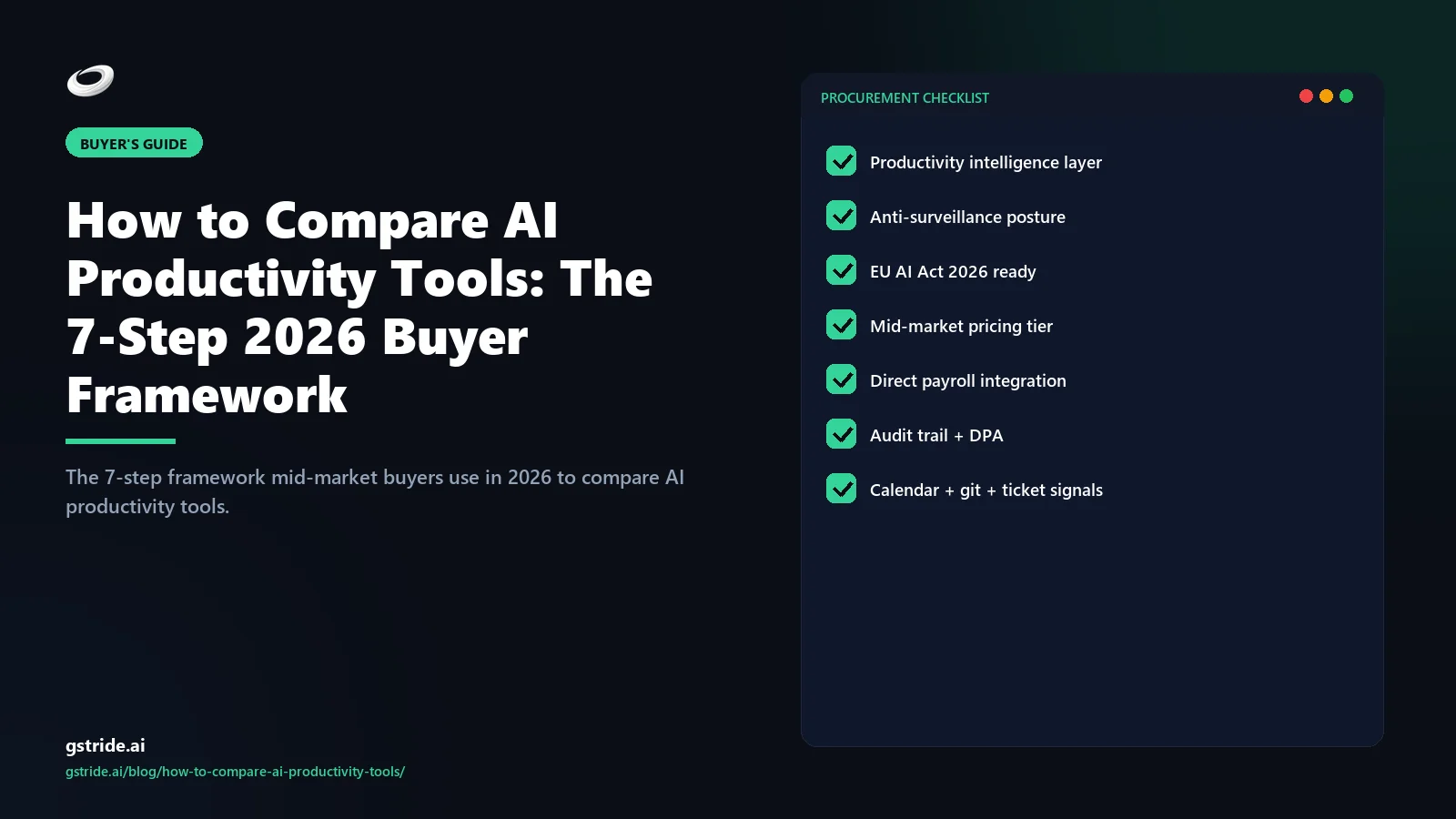
To compare AI productivity tools in 2026, mid-market buyers run a 7-step framework: align the buying centre, map the category, score 8 capabilities, run a 5-question demo audit, clear procurement gates, run ROI math, and complete reference checks. The framework is vendor-neutral, takes six weeks, and rejects any tool that fails any single step.
- Define the buying centre — operations, HR, IT and what each prioritises.
- Map your category — productivity intelligence vs time tracking vs employee monitoring.
- Score 8 capabilities — capture, signal, recommendation, action, transparency, inspection, configurability, integrations.
- Run the 5-question demo audit — end-to-end signal, employee view, toggles, audit trail, all-in price.
- Clear procurement gates — SAML SSO, SCIM, DPA residency, BAA, audit trail, SOC 2.
- Run the ROI math — manual-hours saved minus all-in cost, payback period.
- Complete reference checks — three questions to existing customers.
| Category | Captures | Produces |
|---|---|---|
| Time tracking | Hours per project | A timesheet |
| Employee monitoring | Continuous behavioural feed | Surveillance dashboard |
| Productivity intelligence | Outcome + context signals | Patterns + recommended actions |
The framework is built on the four-layer architecture that defines the productivity intelligence category — capture, signal, recommendation, action — rather than on feature-by-feature marketing comparison. We unpack the architecture in the AI productivity intelligence platform pillar guide; this guide turns it into a buyer-side checklist. Adjacent reading: what productivity intelligence actually is, the AI time tracking software 2026 buyer's guide, and how to choose employee productivity software.
Step 1: Define the buying centre
The most common comparison failure has nothing to do with tools. It has to do with the buying committee. A productivity tool is bought by one role, configured by another, audited by a third, and renewed by whichever of the three is least unhappy 18 months later. If the comparison framework does not surface all three priority lists in step one, the tool that wins the demo loses the renewal.
The mid-market buying centre in 2026 is almost always three roles:
The operations buyer
Operations leaders own delivery, headcount, and utilisation across multiple teams. They are paid to ship projects on time, on margin, and without burning out the people who do the work. Their priority order is signal accuracy, recommendation specificity, action integration, configurability, then price. The operations buyer is the archetype most likely to demand the four-layer architecture in a single tool because they pay the cost of integration debt directly when the layers live in three different products.
The HR / people operations buyer
HR owns the policy, retention, and burnout side of the same data. Their priority order is employee inspection view, configurability per role, burnout signal quality, EU AI Act and GDPR posture, then integration depth. HR is the archetype most likely to veto a tool that lacks employee inspection — they handle the trust collapse if monitoring goes wrong. The framing reference is how to write an employee monitoring policy.
The IT / security buyer
IT owns SAML SSO, SCIM provisioning, data residency, audit trail, and the security review that gates procurement. Their priority order is identity integration, data residency, vendor SOC 2 posture, audit-trail completeness, then incident-response commitments. IT is the archetype most likely to fail a tool late in the cycle on a procurement gate the operations buyer assumed was table stakes.
Step 2: Map your category
The 2026 productivity software market is a three-category map masquerading as a single shelf. Most vendor websites are written to obscure which column the product sits in; the comparison framework's job is to put each tool back into its correct column before scoring.
The three categories and their architectural signatures:
| Design choice | Time tracking | Employee monitoring | Productivity intelligence |
|---|---|---|---|
| Primary capture | Hours per project | Continuous behavioural feed (screenshots, keystrokes) | Outcome + context signals (project, calendar, artifacts) |
| Unit of output | A timesheet | A per-employee activity dashboard | A team/project pattern with a recommended action |
| Default visibility | Manager-only summary | Manager-only feed; employee usually cannot inspect | Symmetric — employee sees same view as manager |
| AI role | Optional classifier | Scoring engine producing 1–100 ranks | Pattern detection + explainable recommendations |
| Configurability | Coarse | All-or-nothing | Per-feature, per-role, per-project independent toggles |
Run every tool on the longlist through this table before scoring. Vendors that fail two or more rows of the productivity intelligence column — for example, all-or-nothing configurability and asymmetric employee visibility — are monitoring tools using productivity intelligence in the marketing copy. They get re-categorised, not eliminated. If the buying centre has decided the problem is "we need a defensible billable timesheet," a time tracker is the right answer. If the problem is "we need to manage delivery, retention, and margin without burning out the team we have," the answer is in the productivity intelligence column and only there.
For the deeper read on the brand-pivot reasoning — why we treat productivity intelligence and time tracking as separate categories rather than feature levels of the same product — see does AI productivity software replace timesheets.
Step 3: Score each tool 1-5 across the 8 capabilities
For tools that landed in the productivity intelligence column in step two, the 8-capability scorecard turns architectural fit into something committee-comparable. Each capability is scored 1 (absent), 2 (marketed but not in product), 3 (present but shallow), 4 (present and usable), or 5 (best-in-class with audit trail). Scores below 3 are functional failures, not just gaps.
The eight capabilities, in priority order:
- Multi-stream capture surfaces. Native capture from desktop (Mac, Windows, Linux), mobile (iOS, Android), browser, project management tools (Jira, Asana, Linear, ClickUp, Trello), and version control (GitHub, GitLab, Bitbucket). Single-stream capture is a tracker.
- Five named signal types. Focus blocks, blocker time, scope creep, overrun risk, burnout signal — each with a published definition, configurable threshold, and inspection view. Anonymous score outputs fail this capability.
- Recommendation interfaces. A manager-facing surface that turns each detected signal into a specific proposed action with the underlying evidence attached. Inbox, weekly digest, or in-context callout — recommendations must carry evidence, not just confidence scores.
- Action interfaces. Workflow surfaces in the same tool that let the manager act on each recommendation — approval workflows for re-estimates, calendar integration for 1:1 scheduling, ticket creation for finance escalation, payroll-period flagging for utilisation conversations.
- Evaluation transparency. Every recommendation exposes the model version, the signals that contributed, and the audit trail of the human action that followed. This is the EU AI Act high-risk-system gate.
- Employee inspection view. The employee being measured can see, in the same UI a manager uses, every capture data point, every signal, and every recommendation involving them. Asymmetric visibility is the design signature of monitoring.
- Configurability per signal and per role. Every monitoring feature an independent toggle scoped per-user, per-role, or per-project. Reference: productivity monitoring without surveillance.
- Integration depth. Native or one-click integrations across payroll (multi-entity, multi-currency), project management, accounting, HRMS, identity (SAML SSO + SCIM), and BI. Productivity intelligence is a hub, not an island.
Step 4: Run the 5-question demo audit
Demo audits are where vendors that look identical on paper start to look very different. A standard 60-minute demo is optimised for vendor narrative; a 60-minute demo audit is optimised for buyer evidence. The five questions below replace the open-ended discovery questions most committees ask. Every shortlisted vendor gets the same five, in the same order, with the same time budget.
Walk one signal end-to-end
Pick one signal — focus block detection works well — and trace it from capture to action. Which application events, calendar entries, and project file activities went in. Which model produced the pattern, and what version. Which recommendation appeared in the manager view. Which action surface let the manager respond. If the demo trails off after capture and signal, the vendor has a productivity analytics product, not a productivity intelligence platform.
Open the employee view
Ask the vendor to log in as an employee account and show every signal, recommendation, and capture data point that employee can see about themselves. Confirm it matches the manager view exactly. If the answer is the employee sees a different UI or a subset of the data, the platform fails the symmetric-visibility test.
List every monitoring feature and prove independent toggles
Ask for the full list of capture and monitoring features in the product. For each, confirm it can be turned on or off independently and scoped per-user, per-role, or per-project. All-or-nothing settings are an architectural defect that pulls the rollout toward an over-monitoring default policy cannot defend.
Surface one recommendation from last week with full audit trail
Ask the vendor to pick one real recommendation made in the last seven days for an existing customer (anonymised) and trace it back: capture inputs, model version, signal threshold, evidence shown, and the audit log of the human action that followed. Black-box recommendations fail enterprise procurement at the security review and fail mid-market procurement at the trust review.
Quote the all-in price across all four layers
Ask for a written quote that prices capture, signal, recommendation, action, SAML SSO, SCIM, payroll integration, and BI export in one number per user per month. The cost trap is signal or recommendation features priced as separate add-ons. A tool whose AI capabilities live in a premium tier is selling time tracking with a productivity-intelligence label.
Vendors that fail two or more demo audit questions drop from the shortlist. Vendors that fail one require a written remediation timeline before contract. Pass the demo audit and you have shortlisted a real productivity intelligence platform; fail it and you have caught the gap before purchase rather than after.
Step 5: Assemble the procurement gate set
The procurement gate set is where the IT buyer earns their seat. These six items are non-negotiable for any mid-market 2026 deal — not because every buyer needs all six, but because tools that cannot answer all six in writing are still in product-led-growth mode and will fail enterprise procurement the moment the company crosses 200 seats.
- SAML 2.0 SSO with SCIM 2.0 user lifecycle. Table stakes for IT procurement. Confirm both protocols, not just SAML, and confirm SCIM auto-deprovisioning fires on identity-provider termination events.
- Data processing agreement with named data centres. EU and US residency at minimum (GDPR Article 28 + Schrems II); India, UK, or Australia residency named where the buyer operates. Vague "global data centre network" answers are a red flag.
- Business associate agreement (BAA). Required if any healthcare data is in scope under HIPAA. Even if not strictly required today, vendors unwilling to sign a BAA constrain the buyer's ability to expand into healthcare adjacencies.
- Exportable model-version + signal-trace audit trail per recommendation. Required for EU AI Act high-risk-system compliance (effective August 2026). The export must be machine-readable and retainable for the same period as the underlying employment record.
- SOC 2 Type II report under twelve months old. Type I or expired Type II reports are a soft-fail; production access without current Type II is a hard-fail at most security reviews.
- Documented incident-response and breach-notification commitment. Written commitment to 72-hour notification under GDPR and to a documented incident-response runbook. Vendors without published runbooks are improvising in the worst possible moment.
Two or more failures eliminate the vendor. One failure requires a written remediation timeline before contract. The procurement gate set is the most common reason mid-market deals stall in the back half of the cycle — running it in step five rather than step seven saves four weeks of false-positive shortlist progression.
Step 6: Run the ROI math
The 2026 ROI calculation for productivity tools uses four inputs and produces two outputs. The framework is simple by design — comparison committees that build twelve-input ROI models almost always over-fit to whichever assumption favours the incumbent. Keep it small and defensible.
Inputs:
- Manual hours per week lost to timesheet entry, approval, and reconciliation across the affected headcount.
- Fully-loaded cost per hour for that headcount (salary + benefits + overhead, not base salary).
- Tool cost per seat per month, all-in across all four architecture layers (capture, signal, recommendation, action) and procurement add-ons (SSO, SCIM, payroll integration).
- Target payback period in months — typically 3 to 9 for mid-market.
Outputs:
- Monthly savings: (manual hours saved per week × 4.33 weeks × fully-loaded cost per hour × headcount) − (tool cost per seat × headcount).
- Payback period: total tool cost ÷ monthly savings.
The cost trap to watch for is signal or recommendation features priced as separate add-ons — calculate cost per problem solved, not cost per seat. A tool quoted at $8 per seat with the AI behind a $4 premium tier is a $12 productivity intelligence platform, not an $8 time tracker. Mid-market deployments commonly clear payback in three to nine months when the tool replaces both manual time entry and at least one productivity-analytics product the buyer is already paying for separately.
For the worked-example ROI calculator with four sliders and two outputs, see the employee productivity software ROI calculator. For the sizing-decision angle on whether the math even pencils for your team, see the best productivity tool for a 50-employee company.
Step 7: Reference checks
Reference checks are the step buyers compress when the cycle is running over. They are also the step where the demo-polish premium gets priced out of the comparison. Three questions, asked of three reference customers each, surface what 60-minute demos cannot.
Question 1: Name one decision your team made in the last 30 days because of a recommendation the platform produced
The first question separates intelligence from analytics. Reference customers who can name a specific decision — moved a standup, re-estimated a milestone, raised a scope-creep flag with finance, paused a hiring requisition — are running the platform as productivity intelligence. Reference customers who cannot name a decision are running it as analytics; the recommendations live in the dashboard, not in the workflow. The dashboard cost is the same; the value is half.
Question 2: What would you turn off if you could redo the rollout?
The second question surfaces the over-monitoring tax. Reference customers who say "nothing" have not run the Week 4 right-sizing exercise the four-layer architecture demands and are accumulating surveillance debt — capture data sitting in a store waiting to be misused. Reference customers who can name two or three signals they would turn off are operating the platform deliberately and have done the policy work. Both answers are useful; the first is a yellow flag, the second is the green flag.
Question 3: Which integration has caused the most pain — and how did the vendor respond?
The third question prices in year-two reality. Every productivity intelligence platform breaks at one or two integration boundaries; what differs is how the vendor responds. Reference customers who say "the integration just works" are usually too early in deployment. Reference customers who can name the painful boundary and describe how the vendor responded — a turnaround time, a workaround, a roadmap commitment — are giving you the only data point the demo cannot. If the vendor cannot point you to a published coverage matrix showing shipped-vs-roadmap status by capability, the roadmap commitment is a sales-cycle promise, not a procurement asset — and references will reflect the gap.
Six-week comparison timeline
The comparison framework is designed for a six-week cycle. Compressing it below four weeks systematically over-weights demo polish and under-weights post-rollout durability; stretching it past eight weeks lets the buying-centre alignment from step one decay before procurement.
| Week | Step | Output |
|---|---|---|
| 1 | Step 1 | Buying centre aligned, three priority lists written |
| 2 | Steps 2–3 | Longlist of 8–12 vendors mapped to category, scored on 8 capabilities |
| 3–4 | Step 4 | 5-question demo audit on top 4–6 vendors; shortlist of 2–3 |
| 5 | Steps 5–6 | Procurement gates and ROI math on final 2–3 |
| 6 | Step 7 | Reference checks completed; decision and contract |
Common pitfalls
A demo runs for 60 minutes on staged data with the vendor's best sales engineer; the platform runs for 18 months on real data with your team. The fix is the 5-question demo audit — every demo must end with one real recommendation surfaced from last week and the employee inspection view opened.
The incumbent gets the same 8-capability scorecard, the same demo audit, and the same procurement gates. Two outcomes: either the incumbent fails three or more capabilities and the comparison validates the switch, or the incumbent passes the gates and the comparison validates renegotiating the contract from a position of evidence.
A platform that ships capture and signal layers but no recommendation or action is an analytics product. The dashboards are pretty, the signal layer often genuinely insightful, but every recommendation lives in the manager's head and every action lives in another tool. The fix: insist on all four layers in the demo, in one product, with the action layer wired into real workflows.
Procurement is the most common reason late-cycle deals stall. Running the gate set at week five rather than week seven saves four weeks of false-positive shortlist progression and gives the IT buyer real input into the comparison rather than veto power at the end.
Case studies are written by the vendor; reference calls are not. The three reference questions exist precisely because the case studies will not answer them. A vendor unwilling to provide three reference customers in week six is a vendor whose case studies are aspirational, not representative.
Frequently asked questions
Free: 5-Signal Productivity Self-Audit Worksheet
30-min audit on your team. Focus depth + commit cadence + meeting load + flow-state + blocker recovery. PDF + Google Sheets calc. For Ops Heads, Founders, Eng Managers.
Frequently asked questions
What is the best framework to compare AI productivity tools in 2026?
The 7-step framework used by mid-market buyers in 2026 is: 1) define the buying centre (operations, HR, IT and what each prioritises), 2) map your category (productivity intelligence vs time tracking vs employee monitoring), 3) score each tool 1-5 across the 8 productivity intelligence capabilities, 4) run the 5-question demo audit, 5) assemble the procurement gate set (SAML SSO, SCIM, DPA residency, BAA, audit trail), 6) run the ROI math, and 7) complete reference checks with three specific questions. Vendors that fail any one step drop from the shortlist.
What is the buying centre for productivity software?
The buying centre is the cross-functional group that decides on a productivity tool. In mid-market deals it is almost always three roles: operations (delivery, headcount, utilisation), HR or people operations (policy, retention, burnout), and IT or security (SSO, SCIM, residency, audit). Each role has a different priority list. The cross-check question for any vendor is: which of these three roles will sign the renewal in 18 months?
How do I tell productivity intelligence apart from time tracking and employee monitoring?
Time tracking captures hours and produces a timesheet. Employee monitoring captures continuous behavioural signal and produces a per-employee surveillance dashboard. Productivity intelligence captures outcome and context signal and produces team-level patterns with recommended manager actions. The architectural test is symmetric visibility: in productivity intelligence the employee sees everything the manager sees; in monitoring the manager sees data the employee cannot inspect. Deeper read in what is productivity intelligence.
What are the 8 capabilities to score AI productivity tools on?
The 8 capabilities are: multi-stream capture surfaces, five named signal types, recommendation interfaces tied to evidence, in-tool action interfaces, evaluation transparency (model version + audit trail), employee inspection view, configurability per signal and per role, and integration depth across payroll, project, accounting, HRMS, identity, and BI. Tools that score below 3 of 5 on any capability are not yet in the productivity intelligence category.
What 5 questions should I ask in a productivity tool demo?
Walk one signal end-to-end with model version. Log in as an employee and prove the inspection view matches the manager view. List every monitoring feature and confirm each is an independent toggle. Surface one recommendation from last week with full audit trail. Quote the all-in price across all four architecture layers (capture, signal, recommendation, action) plus SSO, SCIM, and payroll integration. Vendors that cannot answer all five in 60 minutes are not yet in the category.
What procurement gates should every productivity tool clear?
Six gates: SAML 2.0 SSO with SCIM 2.0, data processing agreement with named EU and US data centres, business associate agreement if healthcare data is in scope, exportable model-version + signal-trace audit trail per recommendation, SOC 2 Type II under twelve months old, and a documented incident-response commitment. Two or more failures eliminate the vendor; one failure requires a written remediation timeline before contract.
How do I calculate ROI on an AI productivity tool?
Four inputs (manual hours per week lost, fully-loaded cost per hour, tool cost per seat all-in, target payback in months) produce two outputs (monthly savings and payback period). Calculate cost per problem solved, not cost per seat. The interactive calculator lives at the employee productivity software ROI calculator. Mid-market deployments commonly clear payback in three to nine months when the tool replaces both manual time entry and a separate productivity-analytics product.
What 3 questions should I ask reference customers?
Name one decision your team made in the last 30 days because of a platform recommendation. What would you turn off if you could redo the rollout. Which integration has caused the most pain and how did the vendor respond. The first separates intelligence from analytics; the second prices in over-monitoring tax; the third prices in year-two integration reality.
How long should it take to compare and shortlist AI productivity tools?
Six weeks for mid-market buyers. Week 1 align the buying centre. Week 2 longlist (8–12 vendors), category map, 8-capability scorecard. Weeks 3–4 demo audit on top 4–6. Week 5 procurement gates and ROI math on final 2–3. Week 6 reference checks and decision. Compressing below four weeks over-weights demo polish; stretching past eight weeks lets buying-centre alignment decay.
Do I need a separate buying framework for AI productivity tools versus traditional time trackers?
Yes. Traditional time-tracker frameworks evaluate three things — capture accuracy, payroll integration, price per seat. AI productivity tool buying must evaluate seven additional dimensions because the category adds three architectural layers above capture (signal, recommendation, action) and is treated as a high-risk system under the EU AI Act effective August 2026. Using a time-tracker framework on a productivity intelligence purchase under-weights AI explainability, employee inspection, and audit-trail completeness — the dimensions that determine 18-month durability.
What is the single most common mistake mid-market buyers make when comparing productivity tools?
Letting demo polish dominate the shortlist decision. A demo runs for 60 minutes on staged data and is optimised by the vendor's best sales engineer; the platform runs for 18 months on real data and is operated by your team. The fix is the 5-question demo audit — every demo must end with one real recommendation surfaced and the employee view opened. Vendors that pass this test are the ones whose product matches their pitch.
Should I include the incumbent time tracker in the comparison?
Yes, always. The incumbent gets the same 8-capability scorecard, the same demo audit, and the same procurement gates. Two outcomes are common: either the incumbent fails three or more capabilities and the comparison validates the switch, or the incumbent passes the gates and the comparison validates renegotiating the contract from a position of evidence. Comparisons that exclude the incumbent skip the only baseline that quantifies switching cost honestly.
Free: CISO Procurement Checklist for AI Productivity Vendors
10 questions every CISO should ask before signing — data residency, DPIA, AI auditability, breach SLA, retention, SCIM/SSO, sub-processors, right to audit. Includes scoring rubric and pass / hold / walk thresholds.
Related reading on gStride
- AI Productivity Intelligence Platform: The Complete 2026 Guide
- AI Time Tracking Software: A Complete 2026 Buyer's Guide
- How to Choose Employee Productivity Software (2026 Buyer's Guide)
- Employee Productivity Software ROI Calculator (2026)
- The Best Productivity Tool for a 50-Employee Company
- Does AI Productivity Software Replace Timesheets?
- What Is Productivity Intelligence? The Category Replacing Time Tracking in 2026
- gStride pricing — every layer in the bundle
See a productivity intelligence platform that earns the comparison
gStride is built around the four-layer architecture this framework tests for — capture, signal, recommendation, and action — in a single platform with configurable monitoring, employee inspection, and explainable AI on every recommendation. Run the 5-question demo audit on us; we'll bring the audit trail.
Explore AI assistance See pricing