
The short answer
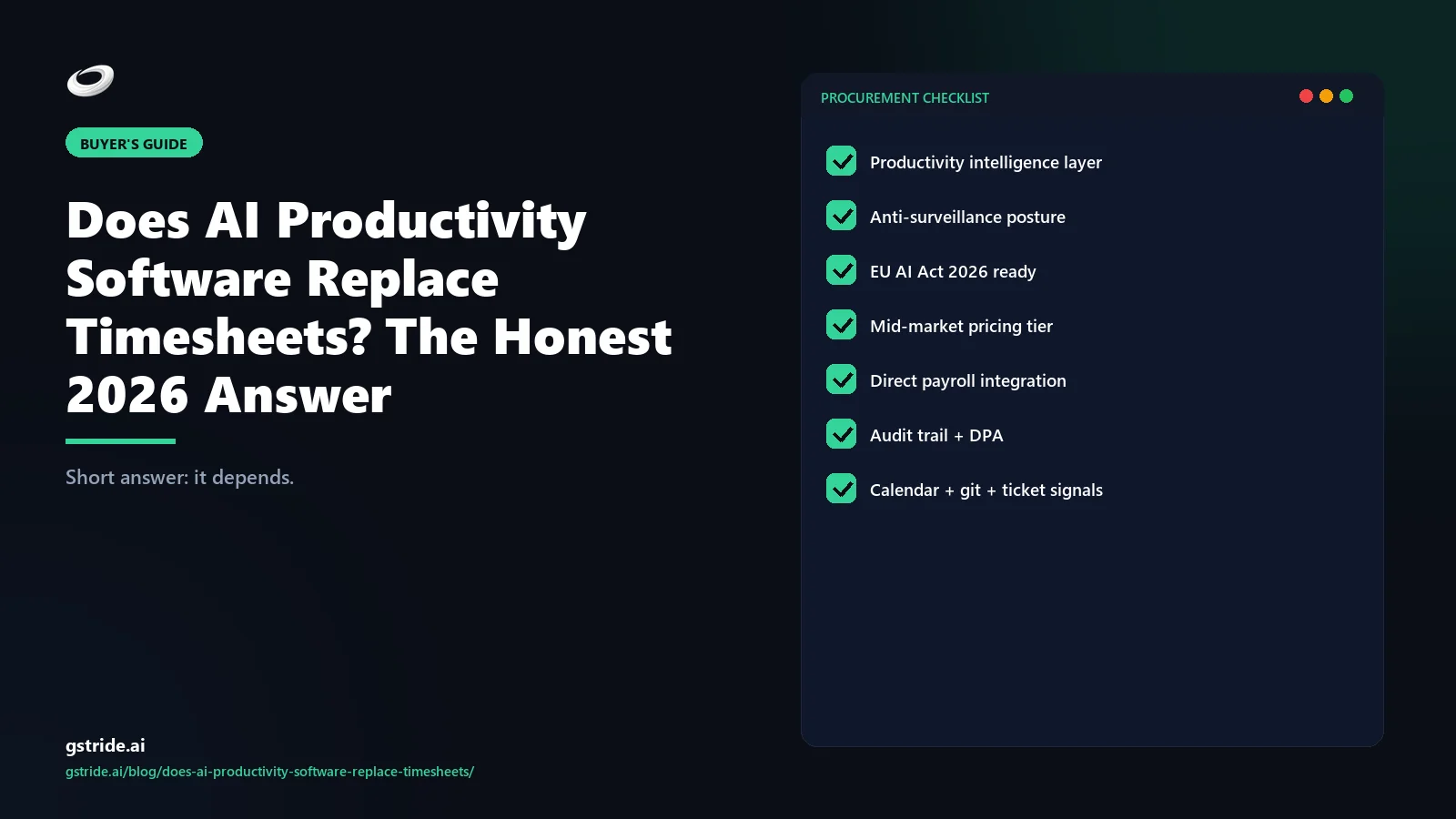
It depends. AI productivity software replaces timesheets for management use cases — focus tracking, meeting overhead analysis, burnout signal, workload rebalancing — but it does not replace timesheets for the three jobs timesheets actually exist to do: client billing, hourly-payroll wage-and-hour records, and regulated audits (SOC 2, government contracts, IOLTA trust accounting). The honest answer in 2026 is that AI productivity replaces 4 use cases and timesheets still own 3 use cases, and most teams need both — running through one platform that produces both the signal and the defensible attestation trail.
The category confusion is what makes this question hard. “Timesheet” gets used for two different documents that look the same and are legally not. Internal-management timesheets — fill in your hours so the manager can see what the team is doing — are dead, replaced by automatic activity capture plus AI signal. Attestation timesheets — worker signs, supervisor approves, document goes to client invoice or payroll or auditor — are alive, and wage-and-hour law in the US, EU, UK, and India says they will stay alive at least to 2030. Most buyers are asking the wrong question: not “does AI replace timesheets” but “which kind of timesheet does AI replace.” This piece answers both.
- 7 years — minimum wage-and-hour record retention under the Indian Companies Act 2013; 4 years under US IRS regulations (26 CFR §31.6001-1); up to 7 years under EU member-state Working Time Directive implementations (Directive 2003/88/EC) — the legal floor that prevents attestation timesheets from being replaced by AI capture alone regardless of software capability (verify your jurisdiction with counsel).
- 12–18% — inaccuracy rate in manually entered timesheets versus 3–5% for AI pre-filled and worker-confirmed entries (gStride platform benchmark, 2026 deployments; individual results vary) — the accuracy gap that justifies the hybrid model even where legal attestation remains required.
- 30–50% — typical gap between estimated capacity (calendar slots) and actual focus-block-adjusted capacity in knowledge-work teams, surfaced by AI productivity platforms (gStride internal analysis, 2026; individual results vary) — the management signal timesheets cannot produce and AI capture uniquely delivers.
What AI productivity software actually does (vs timesheets)
An AI productivity platform — see what is productivity intelligence for the short category definition and our AI productivity intelligence platform pillar guide for the full 4-layer architecture, capability map, and vendor landscape — captures work activity automatically and turns it into structured signal. A timesheet captures hours-against-projects manually and stops. The two are aimed at different jobs.
AI productivity software produces four things a timesheet cannot: focus-block detection (continuous deep-work periods on a single task, no timer click required), context-switching rate (apps switched per hour, derived from automatic capture), meeting overhead (% of work hours in meetings vs solo work, pulled from calendar plus activity), and trajectory signal (focus declining over weeks, evenings creeping later, a workload rebalance recommendation). A timesheet produces hours, against projects, signed by a worker — and that is all it produces. The signal a manager actually uses for management decisions is not in a timesheet; the attestation a client invoice or wage-and-hour audit needs is not in an AI productivity dashboard. Each tool is good at exactly one thing the other cannot do.
The 3 use cases that still REQUIRE timesheets
These three use cases need a worker-signed, supervisor-approved attestation document — not just AI capture. AI productivity software can pre-fill the form, but the form itself stays.
1. Client billing (especially professional services)
Law firms, agencies, consulting firms, government contractors — anyone who bills hours against retainers or matters — needs a defensible record: “I, the worker, confirm I spent N hours on matter X on date Y.” AI productivity captures the activity; the timesheet is the worker-attested document the client and the auditor accept. Law firms in particular have IOLTA trust-accounting rules that require attorney attestation per matter — see law firm time tracking and billing software for the sector-specific detail. Agencies with retainer audits face the same constraint. AI does not replace this attestation; it makes filling it out 10x faster.
2. Hourly / non-exempt payroll
The US Fair Labor Standards Act (FLSA), EU Working Time Directive, UK Working Time Regulations, and India Wages Act all require an employer to maintain wage-and-hour records that the employee has acknowledged. AI captured time is admissible evidence — it can pre-fill the timesheet — but the legal record must be a worker-attested timesheet, even if it is auto-pre-filled and one-click confirmed. For exempt/salaried roles where pay is fixed and not tied to hours, AI productivity can fully replace the timesheet for management purposes — but the moment a role is hourly, the attestation step stays.
3. Regulated audits (SOC 2, government, healthcare, finance)
SOC 2 audits, federal government contracts (DCAA-compliant timekeeping), healthcare clinical-time documentation, and financial-services compliance regimes all require a tamper-evident, worker-attested record of time spent on covered activities. Auditors want to see that the worker confirmed the hours, the supervisor approved them, and the timestamps cannot be retroactively edited without an audit log. AI productivity tools that meet these requirements (gStride, ActivTrak with audit add-on, Hubstaff with the audit pack) all produce a timesheet artifact at the end of the capture pipeline — they do not bypass it.
The 4 use cases where AI productivity REPLACES timesheets
These four use cases are pure management territory. The job is to surface signal a manager can act on. A timesheet is a poor instrument for any of them — the right tool is automatic capture plus AI signal.
1. Focus tracking
How much continuous deep work is the team actually getting? A timesheet says “Alex spent 8 hours on Project Falcon Tuesday.” That can mean 8 one-hour focus blocks (great), 16 thirty-minute fragments (terrible), or 90 minutes of real work plus 6.5 hours of meetings tagged to the project. AI productivity software distinguishes the three and surfaces “Alex had 2.3 hours of focus blocks Tuesday across 4 sessions.” That is the management signal. No timesheet produces it.
2. Meeting overhead analysis
Which meetings have the worst attendee-to-speaker ratio? Which standups consume the most engineer focus blocks? Where can a team reclaim 4-6 hours/week with no productivity loss? The signal lives in calendar plus activity capture, not timesheets. gStride AI assistance and similar tools surface this by default. A timesheet has no concept of “meeting overhead” — it just logs the hours against a generic admin code.
3. Burnout / overload signal
Evening-and-weekend activity climbing over 8 weeks, focus-block length declining, context-switching rate rising — all are leading indicators of overload that show up in AI capture before they show up in HR self-report or a missed deadline. Timesheets have a lagging-indicator problem: by the time someone is logging 60-hour weeks on a timesheet, they are already past the early-warning point. AI productivity catches the trajectory.
4. Workload rebalancing
Who has actual capacity vs estimated capacity? Estimated capacity is what a project manager guesses based on calendar slots. Actual capacity is the focus-block-adjusted figure derived from real activity — usually 30-50% lower than estimated. AI productivity surfaces “Sarah is at 92% actual capacity, Marcus is at 64%, the next sprint should rebalance.” A timesheet shows hours spent, not capacity available — different question, different answer.
Side-by-side: timesheet vs AI productivity layer
The cleanest way to see the split is to compare what each layer captures, what it produces, and where it stops.
| Dimension | Timesheet | AI productivity layer |
|---|---|---|
| Data input | Manual hours-against-projects, worker enters | Automatic activity capture (apps, calendar, idle, focus) |
| Output document | Worker-signed attestation, supervisor-approved | Manager dashboard + recommendations + actions |
| Granularity | 15-minute or hourly blocks, project-tagged | Per-app, per-second, per-meeting, per-task |
| Surfaces focus blocks? | No | Yes (continuous deep-work detection) |
| Surfaces meeting overhead? | No (one tag for “meetings”) | Yes (per-meeting attendee/speaker analysis) |
| Detects burnout signal? | No (lagging at best) | Yes (8-week trajectory analysis) |
| Defensible for client billing? | Yes (worker-attested) | Only if pipeline ends in worker-confirmed timesheet |
| Defensible for hourly payroll? | Yes (FLSA-compliant) | Only if pipeline ends in worker-confirmed timesheet |
| Audit-trail compliant (SOC 2, DCAA)? | Yes (with proper controls) | Yes (with audit add-on + worker confirmation) |
| Recommends changes? | No | Yes (cut this meeting, rebalance this team) |
| Data-entry burden | 15-30 min/week per worker | 0-2 min/week (confirmation only) |
The table makes the conclusion concrete: there is no row where a timesheet wins on management questions, and there is no row where AI capture alone (without a confirmation step) wins on legal-attestation questions. The two layers are complementary, not substitutes.
The hybrid model: capture + signal + attestation in one pipeline
The 2026 best practice is a single pipeline with three layers — and the AI productivity software does the first two while pre-filling the third for human confirmation.
Layer 1 — Capture (AI, automatic)
Activity capture runs in the background — apps used, browser tabs, calendar events, idle gaps, focus blocks. No timer clicks. Modern automated time tracking handles this layer end-to-end with no worker friction. This is the data foundation.
Layer 2 — Signal (AI, automatic)
The platform turns raw capture into management signal: focus blocks, meeting overhead, burnout trajectory, workload balance, friction patterns. This is the management dashboard. No timesheet involved. This is where AI productivity software fully replaces internal-management timesheets — and where most of the productivity value lives.
Layer 3 — Attestation (worker-confirmed, lightweight)
For billable hours, hourly payroll, and audit purposes, the platform pre-fills a timesheet from the captured activity — mapped to projects via calendar, tasks, or rules. The worker reviews it (typically 30-60 seconds per week, not 15-30 minutes), confirms or corrects, and the supervisor approves. This produces the legally-defensible attestation document while keeping the data-entry burden near zero.
The hybrid pipeline gets both jobs done with one tool. The signal that managers actually use comes out of layers 1+2; the attestation that lawyers and auditors require comes out of layer 3. Tools that ship only layers 1+2 (Microsoft Viva Insights, ActivTrak Coach) leave the attestation gap to a separate timesheet product. Tools that ship only the timesheet (Toggl Track, Harvest) leave the signal gap to a separate AI productivity product. Unified platforms ship all three — see AI time tracking software 2026 buyer's guide for the side-by-side of which vendors cover which layers — and that is where most teams of 50+ employees end up.
What this means for your buying decision
Three rules of thumb for the decision in 2026:
- If your team is fully exempt/salaried, no client billing, no regulated audit: a pure AI productivity platform replaces your timesheet entirely. The management signal is what you needed; the attestation was bureaucratic friction.
- If your team has any hourly roles, billable hours, or audit obligations: you need a unified platform that produces both signal and attestation. Two-tool stacks create reconciliation work and audit exposure.
- If a vendor tells you their AI productivity tool “eliminates timesheets” and you have any of the above: ask specifically how they handle worker attestation, supervisor approval, and audit-trail integrity. If the answer is hand-wave, the tool is incomplete for your use case.
The simplest test is to ask the vendor: “Show me the document that goes to my client invoice / my payroll system / my SOC 2 auditor.” If the answer is a screenshot of a dashboard, the tool stops at signal. If the answer is a worker-confirmed, supervisor-approved, timestamp-locked timesheet — produced inside the platform — the tool is doing the full job. gStride pricing and similar unified-platform pricing reflects the layer-3 attestation work; pure AI productivity tools price lower because they ship one fewer layer.
Free: 5-Signal Productivity Self-Audit Worksheet
30-min audit on your team. Focus depth + commit cadence + meeting load + flow-state + blocker recovery. PDF + Google Sheets calc. For Ops Heads, Founders, Eng Managers.
Frequently asked questions
Does AI productivity software replace timesheets?
Partially. AI productivity software replaces timesheets for management use cases — focus tracking, meeting overhead, burnout signal, workload rebalancing. It does NOT replace timesheets for client billing, payroll inputs that require legal attestation, or regulated audits (SOC 2, government contracts, IOLTA trust accounting). The honest 2026 answer is hybrid: AI productivity replaces 4 use cases, timesheets still own 3. Most teams need both — running through one platform that produces both signal and a defensible attestation trail.
What can AI productivity software do that timesheets cannot?
Four things. (1) Detect focus blocks vs context-switching automatically without a timer click. (2) Flag meeting overhead by role and recommend cuts. (3) Surface burnout signals (declining focus blocks, evening/weekend creep) before HR self-report. (4) Recommend workload rebalancing across the team based on actual capacity not estimated capacity. None of these come out of a timesheet, because a timesheet only captures hours-against-projects — it cannot see context, focus, friction, or trajectory.
Why do client-billable hours still require timesheets?
Client invoicing requires a defensible attestation: “I, the worker, confirm I spent N hours on matter X.” That attestation has to be human-signed for legal review (especially law firms with IOLTA, agencies with retainer audits, government contractors). AI captured time is evidence — it can pre-fill the timesheet — but the timesheet itself (worker signs, supervisor approves) is the document the client and the auditor accept. AI productivity does not replace this; it makes filling it out 10x faster.
Will AI productivity software replace payroll timesheets?
Not for hourly/non-exempt employees in the US, EU, UK, or India. Wage-and-hour law (FLSA in the US, Working Time Directive in EU, Wages Act in India) requires an employer to maintain time records that the employee has acknowledged. AI capture is admissible evidence, but the legal record must be a worker-attested timesheet — even if it is auto-pre-filled and one-click confirmed. For exempt/salaried roles where pay is fixed, AI productivity can fully replace the timesheet — and most management-side reporting moves there in 2026.
What is the hybrid model for AI productivity plus timesheets?
Three layers. (1) Capture layer: AI productivity software records activity automatically (apps, calendar, idle, focus). (2) Signal layer: AI generates focus, meeting, burnout, and workload signals for managers — no timesheet needed. (3) Attestation layer: for billable, payroll, or audit hours, the AI capture pre-fills a timesheet that the worker confirms in seconds, the supervisor approves, and the auditor accepts. One platform produces both: the signal a manager actually uses and the attestation the lawyer/auditor needs.
Are timesheets going away by 2030?
For exempt management roles — yes, mostly. AI productivity software replaces management timesheets faster than most vendors predicted. For client-billable, hourly-payroll, and regulated-audit use cases — no. Wage-and-hour law and audit standards lag technology by 10-20 years. The realistic 2030 picture: timesheets shrink from a daily worker chore into a 30-second weekly attestation pre-filled by AI. The form does not die; it becomes a confirmation step instead of a data-entry step.
Can AI productivity software produce a timesheet automatically?
Yes — most modern AI productivity platforms (gStride, Microsoft Viva, ActivTrak, Hubstaff with AI) can pre-fill a timesheet from captured activity, mapped to projects via calendar events, task assignments, or rule-based heuristics. The legal status of the auto-filled timesheet depends on whether the worker confirmed it. Auto-fill plus one-click confirmation satisfies wage-and-hour requirements in most jurisdictions; auto-fill without worker confirmation does not. The attestation step is what makes the document admissible.
Should I buy AI productivity software OR a timesheet tool?
Buy a platform that does both. The 2026 vendor market split — pure timer tools (Toggl, Harvest), pure AI productivity tools (Microsoft Viva, ActivTrak), and unified platforms (gStride, Hubstaff with AI add-on) — favors unified for any team that needs management signal AND billable/payroll attestation. Two-tool stacks create reconciliation work where AI capture and timesheet hours diverge by 5-15%. One platform with one source of truth is cheaper and more defensible.
Related reading on gStride
- What is productivity intelligence? — the category definition
- AI time tracking software 2026 — pillar buyer’s guide
- Automated time tracking — the capture layer
- gStride AI assistance — signal, recommendation, action layers
- gStride pricing — unified-platform pricing for capture + signal + attestation
- Law firm time tracking and billing software — IOLTA-compliant attestation
- Agency project tracking with payroll — billable + payroll attestation in one
See the hybrid model in action
The fastest way to understand the layer split is to see one platform produce both: the management signal a manager actually uses and the worker-confirmed timesheet a client invoice or payroll audit accepts.
See how gStride AI works See gStride pricingThis article describes the 2026 split between AI productivity software and timesheet attestation. Wage-and-hour law, audit standards, and trust-accounting rules vary by jurisdiction and industry; verify specific compliance requirements with legal counsel before changing your timekeeping process. Vendor capability claims (auto-fill, audit add-on, attestation pipelines) shift quickly; verify each platform’s current layer coverage before purchasing.