
The short answer
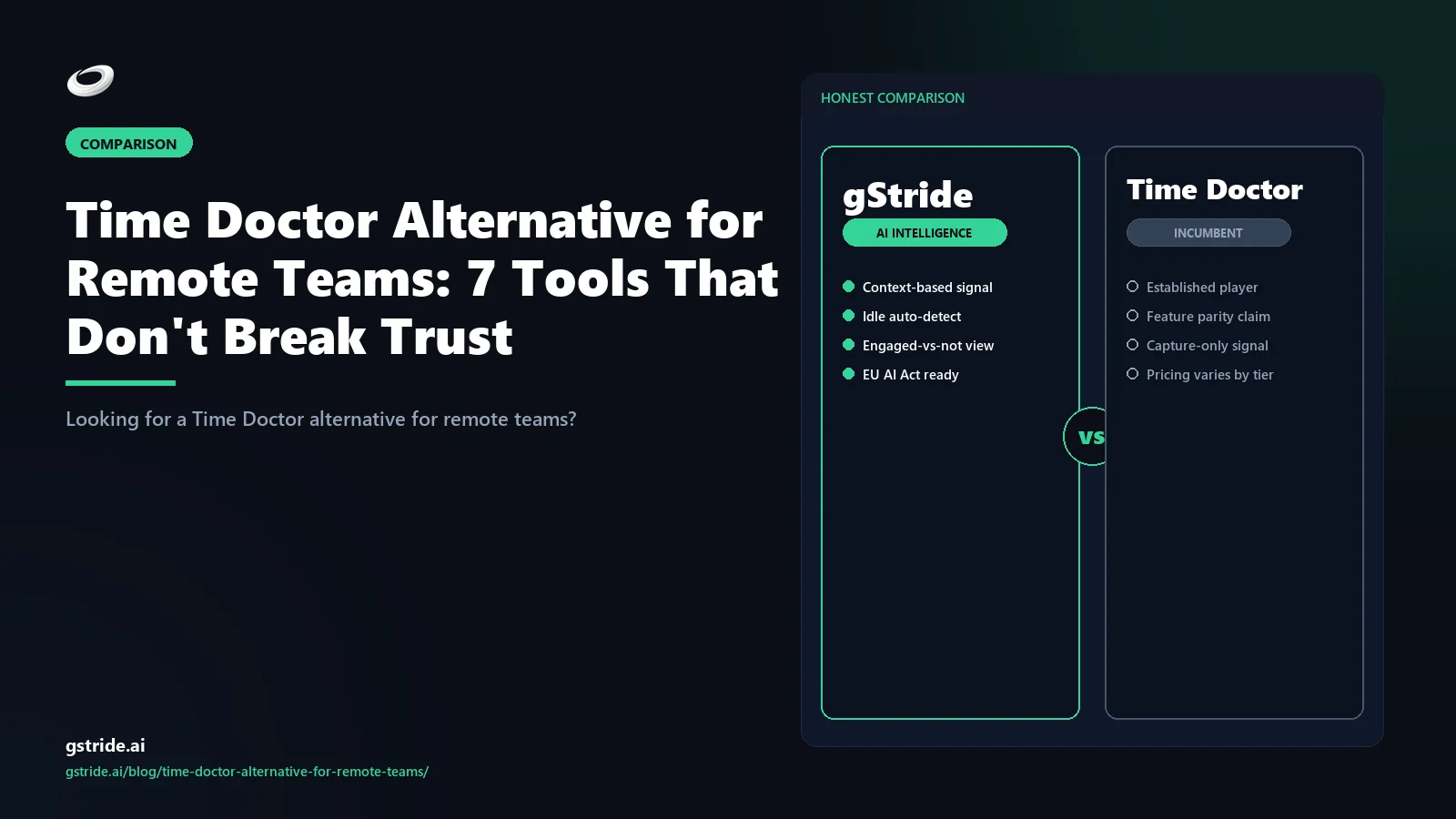
Seven Time Doctor alternatives ranked for remote teams in 2026: 1. gStride (productivity intelligence platform — every monitoring feature configurable per role, screenshots off by default, async-friendly signal layer, payroll bundled). 2. Toggl Track (manual timer, zero monitoring, the cleanest async posture). 3. RescueTime (passive self-tracking with focus-pattern AI, no screenshots ever). 4. Clockify (free or low-cost timer, monitoring as optional add-on). 5. Hubstaff (still feature-rich but with surveillance defaults — better than Time Doctor for remote, not by much). 6. ActivTrak (analytics-only — no screen video — better than Time Doctor on privacy posture but no payroll). 7. Insightful (deep monitoring, only fits if compliance contract requires it).
The pattern: tools 1-4 are async-friendly by design or by configuration. Tools 5-7 are step-downs in surveillance from Time Doctor but still carry monitoring defaults that break the remote-trust contract for most knowledge teams. The right answer for most remote teams is gStride, Toggl, or RescueTime. The rest of this article is the long version — comparison matrix, top-three deep-dive for distributed work, a migration path, the team announcement template managers will copy, and an FAQ.
Why Time Doctor fails for remote teams (specifically)
Time Doctor is a real tool with real users, and for in-office teams running shift-based work it remains a defensible pick. The friction is specific to remote and hybrid knowledge teams, where three of Time Doctor's defaults collide directly with how distributed work actually gets done.
1. Trust collapse from always-on screen capture. Remote workers hire on for autonomy — they took the role partly because their work happens at home, on their schedule, with their setup. Always-on screen capture treats the home office like a cubicle, and the policy contradiction registers fast. Industry surveys consistently identify intrusive monitoring as a top-three driver of attrition risk in distributed knowledge teams. The companies that quietly disable screen capture in their first year of remote work outperform on retention against companies that keep it on; the cost of one engineer leaving over monitoring policy is multiples of the annual contract value of any tracker. We covered the underlying trust math in our piece on productivity monitoring without surveillance.
2. Timezone confusion in the manager view. Time Doctor records time entries in each worker's local timezone, but the default manager dashboard view is the company timezone. A worker in Bangalore working 10:00-18:00 IST shows up to a New York manager as 04:30-12:30 UTC, which the manager consistently misreads as a half-day shift. The same gap appears in productivity score blends — the team-weighted average penalizes timezone-shifted workers whose deep-work blocks land outside the rest of the team's working window. None of these are catastrophic on their own, but together they push managers toward favoring overlapping-timezone workers, which silently undermines a distributed-by-design hiring policy.
3. Async-work mis-classification. Time Doctor's activity scoring rewards keystroke and mouse activity over time. Async-work patterns that are healthy in distributed teams produce the opposite signal: long uninterrupted focus blocks read as low keystroke activity, design and writing work read as idle, deep code work with no app-switching reads as inactive. The idle nag pop-up then interrupts focus to prove the worker is not idle — which is the part remote engineers post screenshots of on Reddit. The scoring model assumes a clerical activity profile and a synchronous availability window. Both assumptions break in remote knowledge work.
None of this means Time Doctor is a bad tool for the use case it was built for. It means it is the wrong default for distributed knowledge teams in 2026.
The 5 criteria remote teams should score any alternative against
Before the matrix, fix the scorecard. Every tool below is ranked against the same five remote-specific criteria — they are the difference between a tool that was built for distributed work and one that was retrofitted for it.
- Screenshot posture. Screenshots must be off by default — not merely optional. A capture-on default makes the manager opt out of surveillance, and defaults are what most teams actually run.
- Async scoring model. Focus-block scoring, no idle-nag pop-ups, no keystroke-rate penalties. Deep code work, design, and writing must read as productivity, not as gaps in coverage.
- Timezone-native dashboards. Manager views should show each worker's day on that worker's own clock by default, so a 10:00–18:00 IST day never reads as a half-shift in a New York dashboard.
- Per-role configurability. One product should run as a bare timer for engineers, an AI-assisted timesheet for designers, and an audited posture for a contractor pool — without running two trackers.
- Compliance footprint. GDPR proportionality, the EU AI Act's workplace-AI transparency obligations from August 2026, and India's DPDP Act where relevant — the lighter the capture, the smaller the footprint. Verify the specifics with counsel for your jurisdictions.
In the matrix below, the remote-trust score is a 1–5 composite of exactly these criteria. gStride, Toggl Track, and RescueTime clear all five for most distributed knowledge teams; Hubstaff, ActivTrak, and Insightful each fail at least one.
The 7 alternatives compared
Honest matrix below. Tools are ranked by remote-trust score — a 1-5 composite of monitoring depth, async-friendliness, and timezone handling — with the surveillance-heavier tools at the bottom. Where a tool wins on a specific axis we say so; where the gStride wedge is the better answer for distributed work, we say that too.
| Tool | Monitoring depth | Async-friendly | Native payroll | Pricing posture | Best for (remote) | Remote-trust |
|---|---|---|---|---|---|---|
| gStride | Configurable per role; screenshots off by default; AI-assisted timesheet review | Yes — focus-block scoring; no idle nag by default | Yes — bundled, multi-currency | Tiered, full bundle at one price | Distributed knowledge teams that want one platform for time + payroll + intelligence without surveillance defaults | 5/5 |
| Toggl Track | Manual timer; project tags; reporting; no screen capture | Yes — by design; no monitoring layer | No — integrates only | Tiered, generous free starter | Remote teams that want hours-against-projects with zero monitoring posture | 5/5 |
| RescueTime | Passive: app/website categorization; focus-pattern AI; no screenshots ever | Yes — focus blocks are the core unit | No | Per-user/month, narrow scope | Remote teams that want passive self-tracking with the strictest privacy posture | 5/5 |
| Clockify | Manual timer + reporting; monitoring sold as paid add-on | Yes — when add-ons stay off | No — integrates only | Free core, paid add-ons | Cost-sensitive remote teams that want a free timer with optional features | 4/5 |
| Hubstaff | Screenshots, app/URL tracking, GPS; monitoring on by default | No — surveillance defaults; idle nag | Partial — limited multi-currency | Tiered, monitoring tied to higher tiers | Remote teams that prioritize activity reports over async trust posture | 2/5 |
| ActivTrak | Analytics-only: app/URL categorization; no screen video by default | Partial — productivity scoring penalizes deep-work blocks | No | Tiered, mid-market priced | Remote teams that want activity analytics without screen video | 3/5 |
| Insightful | Deep: screenshots, app/URL, keystroke metadata; monitoring is the product | No — surveillance is core; idle classification heavy | No | Per-seat, monitoring-tier priced | Remote teams under contractual monitoring requirements (BPO/regulated) | 2/5 |
Three honest ways to de-risk the move
No lock-in, no sales pressure. Pick the path that fits where you are. Full pricing is on our pricing page — no surprises.
Run gStride alongside Time Doctor on one remote team. No card to start — see async-friendly signal on your own data before you commit.
Start free 14-day trial →No credit card · cancel anytime
Score your current Time Doctor setup against EU AI Act Annex III (enforcement Aug 2026) and DPDP Act 2023 consent obligations — free, no email to run the scorecard.
Run the free audit →Free to score · instant result
We help with data export, parallel-run setup, and the team announcement. Most 10–50 seat remote knowledge teams land under $800 total one-time cost.
Free to estimate — no email required to see your cost band.
Prefer to talk it through? Book a 15-min call with a gStride engineer →
The pattern in the matrix tells the same story as the search query. Remote teams that typed "Time Doctor alternative for remote teams" into a search bar already know they want less surveillance, more async tolerance, and a tool that does not penalize timezone-shifted work. The top three rows of the matrix all clear that bar. The bottom three rows are step-downs from Time Doctor on different axes — Hubstaff on UX, ActivTrak on screen video, Insightful on bundle — but they are still surveillance-default tools that recreate the original problem in different shapes. This matrix is filtered for remote-team fit; the full list of Time Doctor alternatives (2026) ranks the broader market if your constraint is something other than distributed work.
Top-3 deep-dive for remote teams
The seven-tool matrix tells you the shape. The deep-dive on the top three tells you which one to actually pick for your distributed team.
1. gStride — productivity intelligence, configurable per role
gStride is built around the idea that managers of distributed teams need signal, not surveillance — the operating definition of productivity intelligence. The product separates capture (time, activity, project context), signal (focus blocks, anomaly review, AI-assisted timesheets), and configuration (each monitoring feature is its own toggle, off by default). For remote teams the practical effect is that you can run gStride as a pure manual timer for engineers, as an AI-assisted timesheet for designers, and as a fuller monitoring posture for a contractor pool that needs hour audits — all in the same product, on the same payroll cycle, without policy contradictions across roles.
The features that matter for distributed work are: configurable productivity monitoring with per-feature toggles instead of all-or-nothing surveillance, automated time tracking that builds timesheets from app and project context rather than constant keystroke pings, focus-block scoring that rewards uninterrupted deep work instead of penalizing it, and timezone-aware manager dashboards that show each worker's day on their own clock by default. Native multi-currency payroll and shift/leave management ship in the same bundle so you are not stitching three tools together. We covered how this differs from a classic timer in gStride vs Time Doctor.
2. Toggl Track — manual timer, zero monitoring
Toggl Track is the cleanest async posture in this list. Twelve years old, focused on the manual-timer category, and explicit in its marketing that it does not do monitoring. There is no screen capture, no app monitoring beyond an inactivity prompt, no productivity scoring, and no surveillance layer. For remote teams whose only question is "how many hours did I spend on this project, billable to whom?", Toggl is often the right call.
The trade-offs are real. Toggl is a timer, not an analytics platform — you give up the activity insight that Time Doctor (and gStride) provides. Payroll is integration-only; you pair Toggl with Gusto, Deel, Rippling, or local payroll. Reporting is solid but not deep enough to answer "is this engineer in a healthy focus pattern this week?" — for that question, RescueTime or gStride fits better. For a 5-25 person remote agency or a freelance collective, Toggl + a separate payroll system is often a cleaner stack than a heavier all-in-one.
3. RescueTime — passive, no screenshots, focus-pattern AI
RescueTime is the narrowest-scope tool in the list and that is the feature. The product runs in the background, categorizes the applications and websites you use, generates personal and team focus scores, and surfaces focus-block patterns over time. There is no manual timer, no payroll, no shift management, no project task structure beyond simple goals, and no screen capture. The company has been explicit for over a decade that screenshots are not on the roadmap.
For distributed teams specifically, RescueTime is strong because focus-pattern AI is what remote knowledge work actually needs visibility on — when does deep work happen, what breaks it, what apps eat the day. The trade-off is scope: RescueTime answers the focus question but not "are payroll hours correct?" or "is this project on track?" Most RescueTime deployments pair it with a separate payroll system and project tracker. For a remote team that already has payroll handled and just needs a focus signal layer without surveillance defaults, RescueTime is often the right fit. Our piece on how to track remote employee productivity walks through the focus-pattern signal in more detail.
Migration path: from Time Doctor to a remote-friendly alternative
The mechanics of leaving Time Doctor are the same regardless of which alternative you pick. The order matters; the cutover should be at a payroll boundary, not mid-period.
- Export from Time Doctor. Pull time entries, project structures, team rosters, and categorization rules as CSV. Historical screenshots and screen video do not export cleanly, which you should not be migrating anyway.
- Choose the cutover date. Cleanest cutover is the start of a pay period — run Time Doctor to its final close, switch tracking on day one of the next period. Avoid mid-period reconciliation.
- Rewrite the monitoring policy first. Most common migration mistake is bringing the Time Doctor-era policy to a new tool. Use the cutover to rewrite it — what you capture, why, who can see it, retention. Our policy template walks through it.
- Communicate to the team before the cutover. Use the announcement template in the next section. Saying "we are changing the monitoring posture and here is why" produces measurable trust improvement — the policy change matters more than the tool change. The shipping-output frame matters more than the surveillance-removal frame.
- Run one pay period in parallel-read mode. Keep the Time Doctor account in read-only mode for 30 days post-cutover for reconciliation. Cancel after the first clean payroll close on the new tool.
- Re-baseline productivity scoring. Productivity scores from Time Doctor do not carry over because every vendor calculates them differently. Plan to start fresh on activity scoring — and use the re-baseline as the moment to communicate the new policy.
Most remote knowledge-team migrations close in two to three weeks of calendar time. BPO and regulated migrations take four to six weeks because of client communication. Plan accordingly, and keep our buyer's guide to AI time tracking software open for the broader rollout context.
Communication template: the team announcement
The hardest part of a tool migration on a remote team is not the data export — it is the announcement. Get the message wrong and the team reads it as "the manager has new surveillance and is hiding it under a rebrand." Get it right and you reset the trust contract along with the tool. Below is a paste-ready paragraph managers can copy directly into Slack, Notion, or a team email. Replace the bracketed bits with your specifics.
The structure of the template matters. Lead with what changes for the worker (not the manager), explain why in one paragraph, name what stays the same, and end with concrete actions and a deadline. Avoid corporate-speak. The trust signal is not the tool — it is the manager taking responsibility for the policy change in plain language.
The verdict
If you came here typing "Time Doctor alternative for remote teams," you have already done the hard thinking — the question is just which tool to pick and how to announce it. The cleanest test: write down what your team uses Time Doctor for today, cross out the screen capture line and the idle nag, and ask which of the seven tools above covers the rest. For remote teams using Time Doctor's full bundle (time + payroll + leave + activity), gStride is the only one-tool answer in this list. For teams using Time Doctor as a timer with light analytics, Toggl or RescueTime is usually enough. For teams under a contractual monitoring requirement, read the contract before deciding — sometimes the answer is to renegotiate the contract, not to swap the tool.
Pick the tool that matches the actual contract you have with your distributed team — not the one with the longest feature list. And announce it before the cutover, not after.
Related reading on gStride
- Best Remote Team Monitoring Software 2026 — the full top-9 category comparison
- Time Doctor alternative without screenshots — the privacy-first comparison
- gStride vs Time Doctor — full feature comparison
- Productivity monitoring without surveillance — what actually works
- How to track remote employee productivity without killing morale
- AI time tracking software — the 2026 buyer's guide
- Productivity monitoring — configurable per feature
- Automated time tracking — built from project context, not keystrokes
- AI assistance — focus blocks, blocker patterns, burnout signal with reasoning shown
- Payroll & payments — multi-currency, multi-entity, bundled with the timer
- Shift, leave & attendance — distributed-team-aware roster management
Free: 5-Signal Productivity Self-Audit Worksheet
30-min audit on your team. Focus depth + commit cadence + meeting load + flow-state + blocker recovery. PDF + Google Sheets calc. For Ops Heads, Founders, Eng Managers.
Frequently asked questions
What is the best Time Doctor alternative for remote teams in 2026?
For most distributed teams, gStride is the strongest Time Doctor alternative because it ships productivity intelligence with every monitoring feature configurable per role, screenshots off by default, and async-friendly outputs (focus blocks, deep-work signal, shipped-output review) instead of always-on screen capture. Toggl Track is the best fit for remote teams that want a pure manual timer with zero monitoring. RescueTime fits remote teams that want passive self-tracking only. The right answer depends on whether you need a full workforce platform or a narrower screenshot-free timer for distributed work.
Why does Time Doctor break trust on remote teams specifically?
Time Doctor was built for in-office attendance assumptions and ported to remote work. Three things break the remote-trust contract: the always-on screen capture treats home offices like in-office cubicles, the idle nag pop-up assumes synchronous availability across timezones, and the activity scoring penalizes async-work patterns that are healthy in distributed teams (long uninterrupted focus blocks read as low keystroke activity, design and writing work read as idle, and timezone-shifted work hours look like missed coverage). Remote teams hire for autonomy and then surveil that autonomy back out — the policy contradiction is the trust break.
Does Time Doctor handle timezones correctly for distributed teams?
Time Doctor supports per-user timezone settings, so individual time entries are recorded in the worker's local time. The friction shows up in two places. First, manager dashboards default to the company timezone, so a worker in IST who works from 10:00-18:00 IST shows up as 04:30-12:30 UTC in the manager view, which managers consistently misread as half-day shifts. Second, the idle nag and activity reports run on the worker's local clock, but the productivity scoring blends weighted activity averages across the team, which penalizes timezone-shifted workers whose deep-work blocks land outside the rest of the team's working window. None of these are catastrophic but together they nudge managers toward favoring overlapping-timezone workers.
What does "async-friendly" mean for a time tracker?
An async-friendly time tracker treats deep-work blocks, asynchronous communication, and shipped output as positive signals rather than as gaps in coverage. Concretely it means: no idle nag pop-ups that interrupt focus, productivity scoring that rewards uninterrupted blocks rather than constant keystroke or mouse activity, manager dashboards that show output and outcomes rather than minute-by-minute attendance, and timezone-aware reporting that compares each worker's day on its own clock. Toggl Track and RescueTime are async-friendly by design. gStride is async-friendly because each surveillance feature is a separate toggle that can be turned off without losing the time-tracking core. Time Doctor's defaults are not async-friendly.
Will the EU AI Act force my remote team off Time Doctor in August 2026?
Not directly, but it materially changes the legal calculus. The EU AI Act's August 2026 enforcement window classifies workplace monitoring AI that influences employment decisions (performance, promotion, termination) as high-risk, which means transparency, human oversight, conformity assessments, and worker-facing disclosure obligations. If your remote team has any EU-based workers, or any clients or partners that ask about AI Act readiness, you face a choice: rebuild Time Doctor's policy footprint to meet the new obligations, or move to a tool whose defaults already match. The screenshot-free, configurable-by-default alternatives in this article are a smaller compliance footprint by design.
How do I migrate a remote team off Time Doctor without losing trust?
The mechanics matter less than the communication. Five-step playbook: announce the decision before the cutover (not after), use the announcement template earlier in this article, run the cutover at a payroll boundary so no one reconciles partial-period data, keep Time Doctor in read-only mode for 30 days post-cutover for reconciliation, and rewrite the monitoring policy at the same time as the tool change so the policy update lands with the migration. The single biggest mistake is changing tools but keeping the Time Doctor-era policy — the team reads that as a tool swap, not a trust restoration.
Can I keep Time Doctor for some workers and a different tool for others on a hybrid team?
Technically yes, operationally no. Running two trackers across a single team produces three predictable failures: payroll reconciliation breaks because hour calculations differ between tools, productivity scoring becomes incomparable across the team, and the workers on the lighter tool become a visible signal that the heavier tool is the punishment. The hybrid approach also doubles your compliance surface — twice the policies, twice the DPIAs, twice the audit windows. Pick one tool for the whole team. If different roles need different monitoring postures, use a tool like gStride where the same product configures differently per role rather than running two separate trackers.
What about contractors and freelancers on the remote team?
Contractors typically should not be on the same monitoring tool as employees. Most jurisdictions treat detailed monitoring of contractors as evidence of employment misclassification — if you control how they work, they may be employees, not contractors, with the tax and benefit implications that follow. The cleaner pattern for distributed teams is: a manual timer or invoice-based system for contractors (Toggl, Harvest, or just hours-on-invoice), and a productivity intelligence platform for employees. gStride supports this split natively. Time Doctor does not have a strong contractor-versus-employee distinction in its default workflows, which is one reason teams outgrow it.
What is the best Time Doctor alternative for remote teams in India?
For India-based remote and hybrid teams, gStride is a strong first evaluation because it pairs screenshots-off-by-default monitoring with multi-currency payroll (including INR) and a DPDP Act-aware compliance posture — verify specifics with counsel, since DPDP rules are still being operationalized. Toggl Track and Clockify are good low-cost picks for Indian teams that only need a manual timer with zero monitoring. Hubstaff and Insightful remain common in Indian BPO contexts where client contracts require screenshot evidence, but they recreate Time Doctor's surveillance posture. The right choice depends on whether you need a full time-plus-payroll platform or just an hours tracker.
What criteria should remote teams use to evaluate a Time Doctor alternative?
Score every candidate against five criteria: (1) screenshot posture — off by default, not just optional; (2) async scoring model — focus-block based, no idle-nag pop-ups, no keystroke-rate penalties; (3) timezone handling — manager dashboards that show each worker's day on their own clock; (4) per-role configurability — different monitoring postures for employees versus contractors inside one product; and (5) compliance footprint — GDPR proportionality, EU AI Act workplace-AI transparency from August 2026, and India's DPDP Act where relevant (verify with counsel). In this comparison gStride, Toggl Track, and RescueTime clear all five for most distributed knowledge teams; Hubstaff, ActivTrak, and Insightful each fail at least one.
See productivity intelligence built for distributed teams
Configurable per-role monitoring, screenshots off by default, focus-block scoring that rewards async deep work, timezone-aware dashboards, and native payroll. The fastest way to compare is to see how gStride configures around your remote team rather than the other way around.
Start free 14-day trial → Book a 15-min demoNo credit card required · cancel anytime · no SDR gate
All competitor feature claims and pricing references in this article were last verified on June 26, 2026 from the vendors' public product and pricing pages, plus third-party reviews on G2 and Capterra. Vendor capabilities and pricing change frequently — verify on each vendor's own site before making a purchase decision.