
The short answer
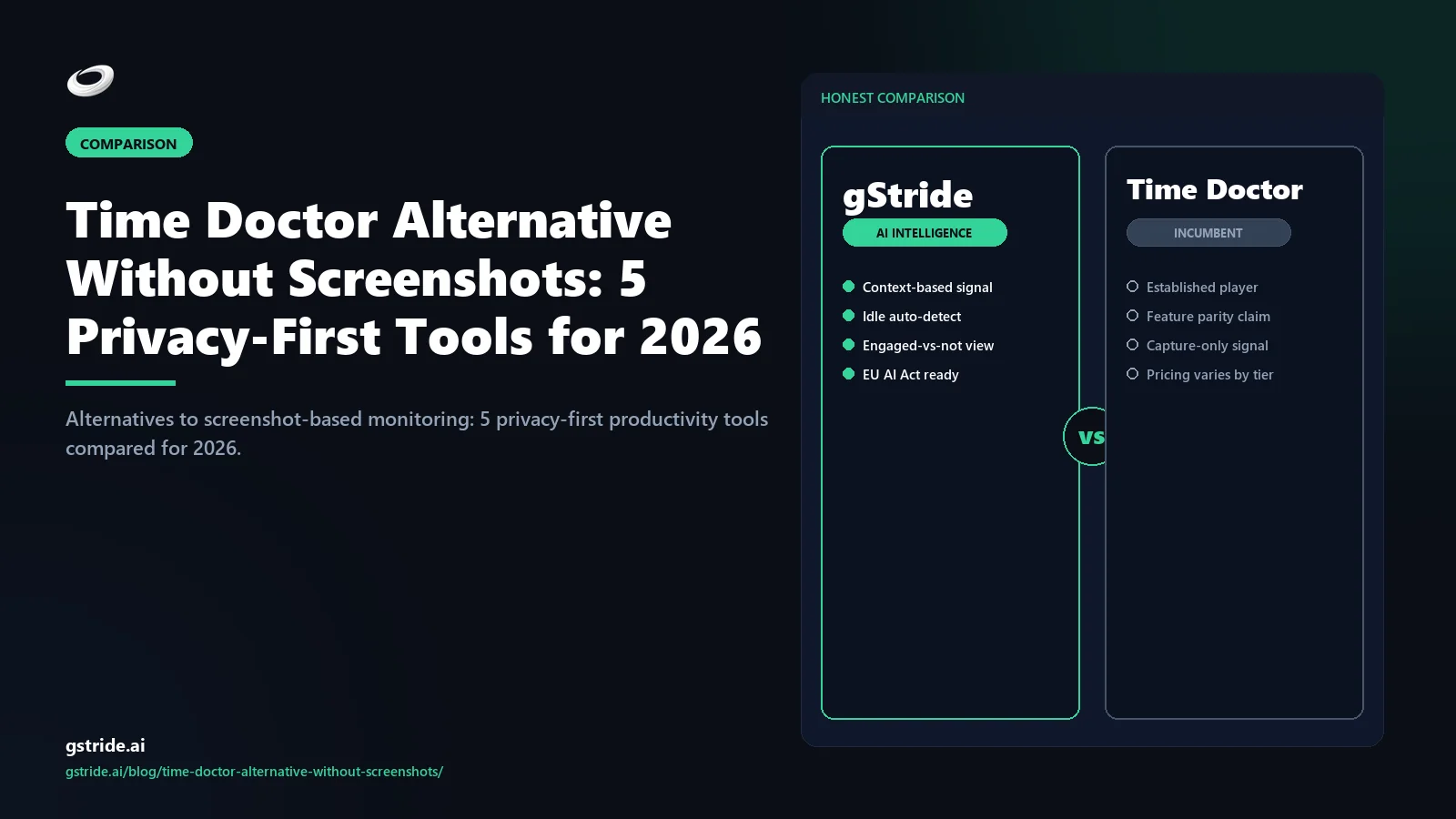
Yes, there are five strong Time Doctor alternatives without screenshots. The top picks: gStride (productivity intelligence platform with screenshots OFF by default and full payroll, shift/leave, and AI bundled in), RescueTime (passive self-tracking, no screenshots ever — narrowest scope and the safest privacy posture), Toggl Track (manual timer, no monitoring at all — ideal for solo billers and small agencies), Clockify (free or low-cost manual timer with reporting and optional add-ons), and Timing (Mac-only passive tracker).
gStride is the best fit if you need a full workforce platform — time, payroll, shift and leave, productivity intelligence — without surveillance defaults. The other four are narrower-scope tools that solve part of the problem with zero monitoring. The right pick depends on whether you are replacing Time Doctor's whole footprint or just its timer.
The rest of this article is the long version — comparison table, deep-dive on the top three, migration path from Time Doctor, the rare cases where Time Doctor still wins, and an FAQ.
If you are switching off Time Doctor because of screenshot fatigue, the alternative without screenshots reads operational signals — calendar density, foreground application focus, ticket flow, code commit cadence — instead of capturing screen content. Microsoft Work Trend Index research on productivity paranoia shows screenshot capture correlates with surveillance fatigue and attrition risk. gStride is engineered for this exact use case: no screen capture, no keystroke logging, no audio, no clipboard events. The detection threshold for idle time is role-configurable between 8 and 15 minutes. The data plane satisfies GDPR Article 6 legitimate-interest proportionality without the screenshot carve-outs Time Doctor deployments require — see EDPB Guidelines 4/2019 on proportionality. Same work-measurement signal, fewer data categories, less DPIA paperwork. For the broader wedge cluster see alternatives to keystroke tracking, the anti-surveillance productivity stack, and the pillar at AI productivity intelligence platform.
Why people are searching for a Time Doctor alternative without screenshots
This is one of those queries where the search term itself tells you everything about the searcher. People typing "Time Doctor alternative without screenshots" have already rejected the idea that always-on screen capture is acceptable — they are shopping for a replacement, not weighing the question. Three forces are driving that decision in 2026.
1. Legal compliance is shifting under employers. The EU AI Act enforcement window opens in August 2026, and workplace monitoring AI sits inside its high-risk classification when it makes decisions about employees. EU regulators have ruled that always-on screen capture fails the GDPR proportionality test outside narrow regulated-industry contexts. In the US, state laws in Connecticut, Delaware, New York, and Illinois now require explicit written notice before screen capture. Many employers are choosing the screenshot-free path purely to cut their compliance footprint.
2. Employee trust is the silent line item. Industry surveys consistently identify intrusive monitoring as a top-three driver of attrition in remote and hybrid knowledge teams. Replacing one engineer who quits because of monitoring policy easily exceeds the annual cost of any screen-capture tool. Our piece on productivity monitoring without surveillance walks through the trust-cost trade-off in detail.
3. The EU AI Act and GDPR are setting global norms. Even teams operating outside the EU are adopting EU-style monitoring postures because their customers, partners, or future acquirers expect it. The "what would survive a GDPR audit?" question is increasingly the bar for what is reasonable. Time Doctor's defaults predate this norm; the screenshot-free alternatives are built around it.
The 5 alternatives compared
Here is the honest version. Where a tool wins on a specific dimension, we say so; where gStride is the better answer, we say that too. All competitor capability and pricing claims carry a check date so you can flag anything that has shifted since publication.
| Tool | Screenshots default | Monitoring depth | Native payroll | Pricing posture | Best for |
|---|---|---|---|---|---|
| gStride | Off by default — configurable per role | Configurable: time, activity, focus signals, AI-assisted timesheets | Yes — bundled, multi-currency | Tiered, full bundle at one price | Hybrid knowledge teams that want one platform for time + payroll + productivity intelligence without surveillance defaults |
| RescueTime | Never offered | Passive: app + website categorization, focus scores | No | Per-user/month, narrow scope | Teams that want pure passive self-tracking with the strictest privacy posture |
| Toggl Track | Never offered | Manual timer, project tags, reporting | No — integrates only | Tiered, free starter tier | Solo billers, freelancers, small agencies that need accurate hours-against-projects |
| Clockify | Off by default — optional paid add-on | Manual timer + reporting; monitoring sold as add-on | No — integrates only | Free core, paid add-ons | Cost-sensitive teams that want a free timer plus optional features |
| Timing | Never offered | Passive: app-level activity, project rules | No | One-time or subscription, Mac-only | Mac-only individuals or small teams that want passive tracking with no monitoring layer |
See gStride on your own team's data
A 15-minute walkthrough on the configuration surface — productivity intelligence without surveillance, screenshots off by default. No SDR gate, straight to a product engineer.
Book a 15-min demo → Prefer to look at numbers first? See gStride pricing.The pattern in the table is the wedge. gStride is the only entry that replaces Time Doctor's whole footprint — time tracking, payroll, shift/leave, activity insight — without inheriting Time Doctor's surveillance defaults. The other four are narrower in scope, which is sometimes exactly what you want. If you only need a screenshot-free timer, Toggl or Clockify is enough. If you need passive self-tracking with zero monitoring layer, RescueTime or Timing is enough. If you need to run an entire workforce on one platform, gStride is the only option in this list.
Deep-dive on the top three
The five-tool table tells you the shape. The deep-dive on the top three tells you which one to actually choose.
1. gStride — productivity intelligence, screenshots OFF by default
gStride is an AI productivity intelligence platform built around the idea that managers need signal, not surveillance. The product has four layers: capture (time, activity, project context), signal (focus blocks, idle classification, anomaly review), action (AI-assisted timesheets, payroll, shift management), and configuration (every monitoring feature is a separate toggle). Screenshots are supported but they are off by default — that is the whole posture.
For a team migrating off Time Doctor, the relevant features are: configurable productivity monitoring with per-feature toggles, AI-assisted timesheet review that flags anomalies before payroll, native multi-currency payroll, and shift and leave management built into the same product. You are not stitching three tools together to replace Time Doctor; you are buying one.
The configurable posture is why "without screenshots" is a configuration in gStride, not a missing feature. If a future audit window requires capture, you can turn it on per role — under an employee-visible activity log, with blurred-by-default capture and event-driven triggers. The capability is there; it is just not the default. Our companion piece on how often to take employee screenshots walks through the per-role frequency matrix.
2. RescueTime — passive monitoring, no screenshots ever
RescueTime is the narrowest-scope tool on this list and it is intentionally so. The product runs in the background, categorizes the applications and websites you use, and produces personal and team productivity scores. There is no manual timer, no payroll, no shift management, no project task structure beyond simple goals, and no screen capture. The company has been explicit for over a decade that screenshots are not on the roadmap and never will be.
For a team migrating off Time Doctor specifically because of the screen-capture concern, RescueTime is the safest pick — there is zero ambiguity about what the tool does. The trade-off is scope: RescueTime answers "is this person spending time in the right tools?" but not "are payroll hours correct?" or "is this project on track?" Most RescueTime deployments pair it with a separate payroll system and project tracker. If you also need payroll, leave, or shift coverage, you will end up adding tools — at which point a bundle usually wins on TCO.
3. Toggl Track — manual timer, no monitoring at all
Toggl Track is twelve years old and the manual timer category is essentially what it built. The product is a timer with project and tag structure, a reporting layer, and integrations into project management and invoicing tools. There is no screen capture, no app monitoring beyond an inactivity prompt, no productivity scoring, and no surveillance layer. The company markets itself as "ethical time tracking" and that posture predates the current monitoring backlash by years.
Toggl wins for solo billers, freelancers, and small agencies where the only question is "how many hours did I spend on this project, billable to whom?" The reporting is solid, the export is clean, and the free tier is generous. The trade-off is that you give up the activity insight Time Doctor provides — Toggl is a timer, not an analytics platform. For teams replacing Time Doctor specifically to escape the monitoring layer entirely, Toggl is often the right call. For teams that still want category-level telemetry without screen capture, RescueTime or gStride fits better.
Migration path: switching from Time Doctor to a screenshot-free alternative
The mechanics of leaving Time Doctor are the same regardless of which alternative you pick. The order matters; the cutover should be at a payroll boundary, not mid-period.
- Export from Time Doctor. Pull time entries, project structures, team rosters, and categorization rules as CSV. Historical screenshots and screen video do not export cleanly, which you should not be migrating anyway.
- Choose the cutover date. The cleanest cutover is the start of a pay period — run Time Doctor to its final close, switch tracking to the new tool on day one of the next period. This avoids reconciling partial-period data across two systems.
- Refresh the monitoring policy first. The most common migration mistake is bringing the Time Doctor-era policy to a new tool. Use the cutover to rewrite it — what you capture, why, who can see it, retention. Our policy template walks through it.
- Communicate to the team. Make the screenshot-free posture explicit. Saying "we are switching off screenshots and here is why" produces measurable trust improvement — the policy change matters more than the tool change. Our AI time tracking buyer's guide covers the rollout playbook.
- Communicate to clients (BPO/outsourcing only). If client contracts reference Time Doctor's reporting format, you may need contract amendments. Read the contract before committing to a date.
- Run one pay period in parallel-read mode. Keep the Time Doctor account in read-only mode for one month after cutover for reconciliation. Cancel after the first clean payroll close on the new tool.
Most knowledge-team migrations close in two to three weeks of calendar time. BPO migrations take four to six weeks because of client communication. Plan accordingly. For the phase-by-phase 30-day operational version of this migration — with Time Doctor-specific gotchas like keystroke-data deletion and browser-extension uninstall — see our migration playbook.
Free offer · every pilot
Free Time Doctor → gStride Migration Assist
Every 30-day pilot includes a free guided import session: a gStride engineer imports your Time Doctor CSV, maps your project structure, and gets your first screenshot-free productivity report live on day one. No charge, no obligation to commit.
- ✓ Guided Time Doctor CSV import — timesheet history, projects, team roster
- ✓ Workspace configuration session (~30 min, product engineer, no SDR)
- ✓ Free switch-cost estimate — see your one-time migration cost before committing
- ✓ Pilot reversible at day 28 — continue on Time Doctor with no friction if signal doesn’t land
14-day free trial · no credit card · migration assist on every pilot · cancel anytime
When Time Doctor still wins (the honest version)
There is one scenario where Time Doctor remains the right tool: your client contract explicitly requires screenshot-based activity reports as the audit artifact for billable hours. This is most common in BPO operations, outsourcing bureaus, and certain regulated staffing models where the contractual deliverable is "we will show you a screenshot every N minutes for every billable hour." In that case, screenshots are not a monitoring choice — they are the product you are selling. Switching means renegotiating contracts, and that cost usually exceeds the migration benefit.
If you are not in that scenario — if screenshots are a tool default rather than a contractual requirement — a screenshot-free alternative is almost always the better answer. Lower legal exposure, lower trust cost, lower retention burden, comparable management visibility for most knowledge work. Read your contracts first. The same reasoning applies if you are leaving a different surveillance-default tool — our guide to picking an Insightful alternative without invasive monitoring walks the identical decision for that product.
The verdict
If you came here typing "Time Doctor alternative without screenshots," you have already done the hard thinking — the question is just which tool to pick. The cleanest test: write down the features your team uses in Time Doctor today, cross out the screen capture line, and ask which of the five tools above covers the rest. For teams using Time Doctor's full bundle (time + payroll + leave + activity), gStride is the only one-tool answer in this list. For teams using Time Doctor as a timer with light analytics, the narrower picks are usually enough. And if your shortlist runs wider than the screenshot question, you can see every Time Doctor alternative compared in our full 2026 ranking.
Pick the tool that matches the contract you have with your team and your clients — not the one with the longest feature list.
Related reading on gStride
- How AI idle detection beats keystroke logging on accuracy
- 30-day migration playbook: switching from Time Doctor (or Hubstaff/Keka) to gStride
- gStride vs Time Doctor — full feature comparison
- How often should you take employee screenshots? The per-role matrix
- Productivity monitoring without surveillance — what actually works
- AI time tracking software — the 2026 buyer's guide
- Screenshots & activity — sampled, blurred, opt-in
- Productivity monitoring — configurable per feature
- How to write an employee monitoring policy (with template)
- Is employee monitoring legal in 2026? A jurisdiction guide
- The Anti-Surveillance Productivity Stack — the consolidated framework
Free: 5-Signal Productivity Self-Audit Worksheet
30-min audit on your team. Focus depth + commit cadence + meeting load + flow-state + blocker recovery. PDF + Google Sheets calc. For Ops Heads, Founders, Eng Managers.
Frequently asked questions
What is the best Time Doctor alternative without screenshots?
For most teams, gStride is the best Time Doctor alternative without screenshots because screenshots are off by default and every monitoring feature is configurable per role. Time tracking, payroll, shift and leave, and AI-assisted timesheets ship in the same bundle, so you do not need to stitch a separate payroll or HR tool on top. RescueTime is the better pick if you want passive self-tracking with no monitoring layer at all. Toggl Track is the best fit for solo billers and small agencies who only need a manual timer. The right answer depends on whether you need a full workforce platform or just a screenshot-free timer.
Why are people searching for Time Doctor alternatives without screenshots in 2026?
Three reasons drive the search. First, EU GDPR proportionality rulings and the EU AI Act enforcement window in August 2026 are pushing employers off always-on screen capture. Second, employee trust surveys consistently show screenshot-based monitoring is the single largest driver of attrition risk in remote teams. Third, US state laws in Connecticut, Delaware, New York, and Illinois now require explicit notice for screen capture and are starting to be enforced. People searching this term are usually a manager or HR lead who has decided screenshots are no longer worth the legal and cultural cost.
Does gStride take screenshots at all?
gStride supports screenshot capture but it is off by default. Administrators can enable it per role, per project, or per audit window, with options for blurred capture, sampled intervals, and event-driven triggers (app switch, commit, ticket close). The product is built so that turning screenshots on is a deliberate decision tied to a specific need, not the default posture. Most gStride deployments run with screenshots off entirely and rely on activity categories, focus signals, and outcome metrics for productivity visibility.
Can I migrate from Time Doctor without losing my historical data?
Yes, with caveats. Time entries, project structures, and team rosters export cleanly from Time Doctor as CSV and import into all five alternatives in this article. Historical screenshots and screen video recordings do not migrate by default — most teams treat the cutover as a clean break, since old captures often sit outside the retention window of any updated monitoring policy. Productivity score history is rarely portable between tools because each vendor calculates it differently. Plan to start fresh on activity scoring.
Is RescueTime really screenshot-free?
Yes. RescueTime has never offered screenshot capture and the company has been explicit that it never will. The product is positioned as personal and team productivity analytics based on application and website categorization only. This makes it the narrowest-scope tool in this comparison — no payroll, no shift management, no project tracking — but it also means there is zero ambiguity about screen capture. If a screenshot-free posture is the single most important requirement, RescueTime is the safest pick.
Does Toggl Track have any monitoring features?
No. Toggl Track is a manual timer with project tagging and reporting on top. There is no screen capture, no app monitoring, no idle detection beyond a simple inactivity prompt, and no productivity scoring. This makes it a popular Time Doctor alternative for teams that have decided they do not want monitoring at all and just need accurate hours-against-projects. The trade-off is that you give up the activity insights Time Doctor provides — Toggl is a timer, not an analytics platform.
What about Clockify and Timing — when do those win?
Clockify wins on price for teams that want a free or low-cost manual timer with reporting and basic project management. Its monitoring features are optional add-ons, and the core timer experience is screenshot-free. Timing wins for Mac-only teams that want passive self-tracking with detailed application-level analytics — it is essentially a Mac-native RescueTime alternative with no screen capture. Both are narrower in scope than gStride but both meet the no-screenshots requirement out of the box.
When does Time Doctor still win over a screenshot-free alternative?
Time Doctor still wins in one specific scenario: a BPO or outsourcing operation where the client contract explicitly requires screenshot-based activity reports as the audit artifact for billable hours. In that case, the screenshots are not a monitoring choice — they are the deliverable. If you are not in that scenario, the screenshot-free alternatives produce equivalent or better management visibility without the legal and cultural cost. Read your client contract before deciding.
Why do teams switch from Time Doctor to a no-screenshot alternative?
Three reasons recur in switch conversations: employee morale (screenshot capture correlates with reported stress and surveillance fatigue per Microsoft Work Trend Index research on productivity paranoia), GDPR proportionality risk (the additional data category raises the legitimate-interest balancing-test bar), and operational drift (managers stop reviewing screenshots within 4-6 weeks of rollout, leaving the data category collected without supporting purpose). A no-screenshot alternative removes all three frictions while preserving the work-measurement signal.
How does productivity tracking work without screenshots?
Productivity tracking without screenshots reads operational metadata — calendar density, foreground application focus events, ticket and commit cadence, scheduled focus blocks — and assembles a role-specific work-signal profile. The system never sees the content of the screen, the keystrokes, or the audio. A 90-minute design review on Figma, a Loom recording, a strategy call all register as coherent work. For the broader cluster see the anti-surveillance productivity stack and the pillar at AI productivity intelligence platform.
Is a no-screenshot alternative as effective as Time Doctor for billing accuracy?
For agencies and consultancies billing by the hour, the answer is yes — operational-signal tracking (application focus + ticket cadence + commit timing) produces a defensible billable-hour ledger without screen capture. Where a client requires session-replay-grade evidence (rare; typically financial services compliance), screenshots remain the right tool. For 90% of billable-hour workflows, the no-screenshot ledger reduces dispute rates by removing the screen-content debate from the billing conversation. Sibling reading: alternative to keystroke tracking.
Three honest ways to de-risk the move
No lock-in, no sales pressure. Screenshots off by default. Pick the path that fits where you are — trial, compliance audit, or switch-cost estimate first.
Run gStride alongside Time Doctor on one team. Screenshots off by default. No card to start; see signal quality on your own data before you decide.
Start a 14-day trialScore your current Time Doctor setup against EU AI Act Annex III and GDPR proportionality obligations — free, no email to run the interactive scorecard.
Run the free auditModel your migration cost before you move: parallel-run overlap, data export, onboarding. Most teams land under $1,000 total. Email yourself the PDF.
Prefer to talk it through? Book a 15-min switch review →
Ready to switch off screenshots? Try gStride free.
Screenshots OFF by default. AI-assisted timesheets, native payroll, shift and leave — one platform. 14-day full-featured pilot, no credit card. Your Time Doctor export imports in under 30 minutes with a guided session.
Start 14-day free trial → Book a 15-min demo See my switch cost firstNo credit card · pilot reversible at day 28 · Time Doctor export imports in one guided session · cancel anytime
All competitor feature claims and pricing references in this article were last verified on May 1, 2026 from the vendors' public product and pricing pages, plus third-party reviews on G2 and Capterra. Vendor capabilities and pricing change frequently — verify on each vendor's own site before making a purchase decision.