
The pain — verbatim from the advisor call
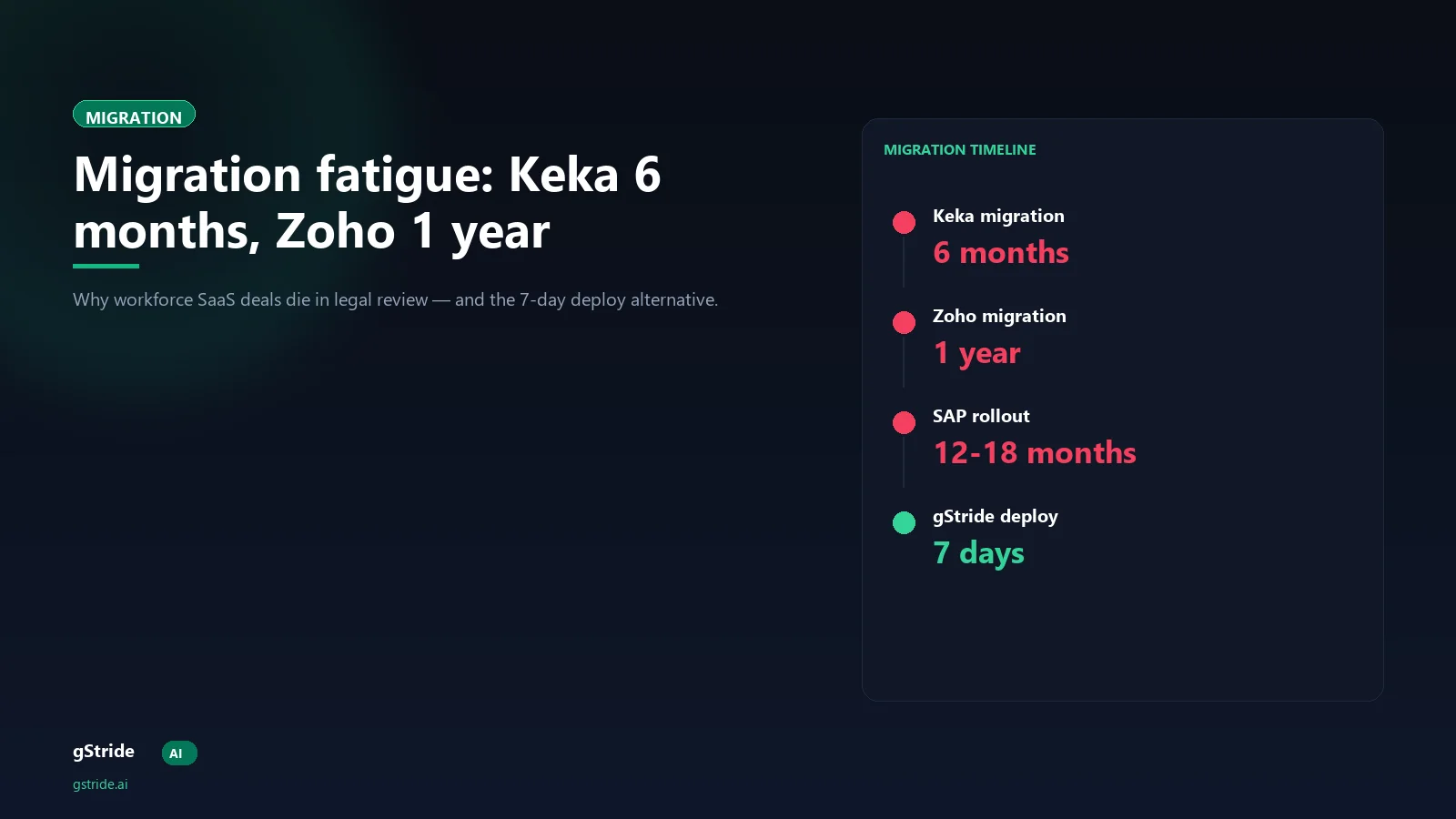
"Keka took 6 months to migrate. Zoho took 1 year. Data migration is a massive headache that kills deals."
— An Ahmedabad data services firm owner (200 employees, IT services + finance-data verticals), on an advisor call, April 2026
The founder who said this had run his organisation through two full migrations in three years — once onto Keka, once onto Zoho People — and was about to be asked to migrate again to a third vendor. The "kills deals" phrase was specifically about him as a buyer: vendors who could not credibly answer "what is your migration timeline?" lost his evaluation cycle at the first call. He was not unusual. Every workforce-SaaS buyer with two or more migrations under their belt has the same allergy.
The interesting question, then, is structural: why do traditional workforce migrations take 6 to 12 months, and what specifically has changed in the last 24 months to make a 7-day cycle possible? The four reasons below are the structural breakdown.
Why traditional migrations take 6-12 months — four reasons
1. Data export is the gating step
Traditional migrations begin with a request to the incumbent vendor for a full export of legacy timesheet, project, leave, payroll, and employee-record data. That export is rarely a one-day affair. Mid-tier workforce platforms like Keka and Zoho People take 1 to 3 weeks to produce a complete export, the export format varies by vendor (sometimes CSV, sometimes JSON, sometimes a proprietary structure), and the export is delivered in batches because no vendor wants their database read in a single transaction. The buyer waits, the migration team waits, and the deployment cannot start until the export lands.
2. Schema mapping is custom every time
The export, once received, is in the source vendor's schema. The destination vendor's schema is different. A timesheet row in Keka has a different field set, different enums, different nullability rules, and a different relationship to the project hierarchy than a timesheet row in Zoho People — and both differ from the target system. Some fields map one-to-one; some require lookups across multiple source tables; some need to be derived from source-system business rules that are themselves undocumented. This mapping is custom for every migration, the work is delegated to either the destination vendor's professional services team or to a third-party implementation partner, and the timeline is 4 to 8 weeks for a 100-300 employee org.
3. Manual employee re-enrolment
Traditional platforms ship with their own onboarding flow — biometric registration, employee-detail entry, manager-mapping form, leave-balance carry-over confirmation, payroll-detail re-confirmation. Even with schema-mapped imports, the platform's onboarding flow usually still demands a manual employee-facing step for each record. At 200 employees, that step alone is 200 emails, 200 form completions, 200 manager confirmations, and a 2-to-4 week chase. HR teams describe it as the single most morale-eroding part of the migration.
4. Parallel running across multiple payroll cycles
The longest stage. No CFO trusts a freshly migrated payroll system on the first cycle. Standard practice is to run the legacy system and the new system in parallel for 2 to 4 payroll cycles — generate payroll in both, reconcile every employee's net, fix discrepancies, run again. At a monthly cycle, that is 2 to 4 months of double-running. Some firms extend it to 6 months out of caution. The legacy SaaS subscription stays live the entire time. So does the HR-and-IT bandwidth tax of running two systems for two operational decisions.
Add those four stages: export wait (2-3 weeks) plus schema mapping (4-8 weeks) plus employee re-enrolment (2-4 weeks) plus parallel running (8-16+ weeks). The arithmetic produces 16 to 31 weeks — which is exactly the 6-month-to-1-year range the founder described.
What gets lost during the migration year
The cost is not just the bill from the implementation partner. It compounds across three dimensions every workforce-SaaS buyer underestimates at evaluation time:
- Revenue. The CFO cannot fully rely on the operational data during the parallel-run phase. Hiring decisions get conservative. Project-pricing reviews stall. The firm runs through 2-3 quarters of decision-making on incomplete data, and the deals that close in that window are typically priced on caution rather than on actual margin signal.
- Employee morale. Re-enrolment plus parallel-run plus "we are still configuring leave balance, hold on" plus the dual UI confusion adds up to 6+ months of friction every employee feels every day. The talent retention impact is non-trivial; multiple W4 customer rollouts came specifically because the prior migration had cost them senior people.
- IT bandwidth. The HR and IT teams that were supposed to be running the change-management programme around the new platform spend that bandwidth on data fixes, reconciliation cycles, and manager training that gets repeated each time the data shifts. The platform goes live; the change management does not. The result is a platform that is technically deployed but operationally unused.
The 7-day modern deployment playbook
The playbook below is the 7-day pattern. It is the working deployment shape on the gStride platform and on a small handful of peer modern platforms, all of which share the same three structural decisions: agent-based capture, API-driven legacy overlay, SCIM-driven directory sync. Each step is a half-day to a full day; nothing in the playbook waits for a 4-week schema mapping.
Day 1 — SSO and SCIM wire-up
SAML SSO with Azure AD, Okta, or Google Workspace; SCIM-based user provisioning syncs the directory in under 30 minutes. Every employee record (name, email, manager, department, location, employment type) lands automatically. The platform never asks for a manual employee list, never runs an "upload your team CSV" flow, and never demands an employee-by-employee enrolment form.
Day 2 — API import of legacy timesheet history
The 12-to-24 month legacy timesheet history is pulled from Keka, Zoho People, BambooHR, Hubstaff, Time Doctor, or any other incumbent system via their public API. The platform reads it into a parallel-overlay layer — queryable but not the system of record. The legacy data is browsable from inside the new UI on day 2 itself. Our migration playbook for Hubstaff, Time Doctor, and Keka walks through the specific endpoint mappings.
Day 3 — Agent rollout to engineering and IT
The desktop agent rolls out silently to the engineering and IT teams first. Capture begins within 24 hours. No employee-side dashboard surface is exposed yet; the platform is in learn-only mode through day 3.
Day 4 — Project, client, and policy template configuration
Project hierarchy, client codes, leave policies, shift templates, and approval workflows are configured. The platform ships with India-specific payroll defaults pre-configured — PF, ESI, gratuity, professional tax, Diwali bonus structure. Most small Indian IT shops accept the defaults and customise only on the project hierarchy.
Day 5 — Agent rollout to remaining departments
The agent rolls out to support, sales, finance, and HR. The full workforce is on the platform by end of day 5. Capture defaults are still off; only timesheet, project allocation, and calendar-load signal are enabled by default.
Day 6 — Self-view enablement and manager training
The employee self-view goes live across the full workforce. A 60-minute manager training session covers the dashboard, the signal layer, and the conversations the signal supports. Self-view ships day one of dashboards being live — not later. This is the architectural decision that separates a productivity-intelligence rollout from a monitoring rollout; the 7-point category split walks through why it matters.
Day 7 — Go-live and parallel-data sunset planning
The platform is the system of record from day 7. The legacy system stays online in read-only mode for 30 days as an audit-trail backstop; on day 37 it is decommissioned. There is no 2-to-4 payroll-cycle parallel run consuming a quarter of HR/IT bandwidth.
How modern platforms skip migration — the three structural decisions
Agent install replaces data import for go-forward signal
The agent-based capture model means the platform does not need the legacy data to start producing operational value. Fresh signal lands on day 3 and accumulates. By day 30 every active employee has a full month of focus density, calendar load, project allocation, and ticket-flow data — without a single row imported from the legacy system. The legacy data, when it arrives via the API import, is supplementary historical context, not the operational dataset.
API import replaces schema mapping
The legacy data is read by API from the incumbent vendor, not exported and re-imported. The schema mapping is built once, per source vendor, by the destination vendor's engineering team — and reused on every customer's migration. The buyer never sees the mapping. The buyer never authorises a custom 4-week mapping engagement. The buyer never pays an implementation partner for it. The API import for a 200-emp firm with 24 months of history completes in under 4 hours.
Parallel-data overlay replaces parallel running
The legacy data sits in a read-only overlay layer inside the new platform from day 2 onwards. Any question the CFO or HR director has about a legacy timesheet, a legacy leave balance, or a legacy payroll cycle is answerable from the new UI. There is no need to keep the legacy system running for 6 months in dual operation. The legacy SaaS stays live in read-only mode for the 30-day audit-trail buffer, then it is decommissioned.
Pre-migration checklist
If the firm wants the 7-day cycle, the following needs to be in hand at kickoff:
- IdP admin access — Azure AD, Okta, or Google Workspace admin who can authorise SCIM provisioning on day 1.
- API credentials for the incumbent system — Keka, Zoho People, BambooHR, Hubstaff, Time Doctor, or equivalent. Read-only API key with timesheet, project, leave, and employee-record scopes.
- Project hierarchy — the active project, sub-project, and client-code structure as the firm wants it on the new platform. Most decisions can be deferred to day 4; the kickoff decision is whether the existing hierarchy migrates or gets restructured.
- Payroll cycle alignment — date of the next month-end payroll run. The 7-day deployment should complete at least 5 days before the next payroll cycle for clean go-live.
- Manager training slot — 60-minute block on day 6 with the full manager bench. Pre-scheduled, not negotiated mid-deployment.
- Communication template — the announcement email to the workforce, ideally going out on day 1 with the SCIM sync. The platform vendor usually provides a template; the firm customises the CEO sign-off.
- Legacy SaaS read-only mode confirmation — the incumbent vendor confirms the legacy account can be flipped to read-only for the 30-day audit-trail buffer. No new transactions, all historical data accessible.
How this compares to traditional migrations on cost and time
| Dimension | Traditional Keka / Zoho migration | Modern 7-day deployment |
|---|---|---|
| Calendar time to go-live | 6-12 months | 7 days |
| Schema mapping work | 4-8 weeks, custom per migration | 0 weeks (vendor-side, reused) |
| Employee re-enrolment forms | One per employee | None (SCIM sync) |
| Parallel running | 2-4 payroll cycles | 30-day read-only buffer only |
| HR/IT bandwidth (200-emp firm) | INR 12-18L opportunity cost | INR 1-2L (kickoff + day 6 training) |
| Legacy subscription paid during migration | 6-12 months overlap | 1 month read-only buffer |
| CFO confidence at go-live | Cautious (post-parallel-run) | Cautious (read-only legacy still queryable) |
The right read of this table is not "modern is always better." Traditional migrations make sense when the buyer's binding constraint is to migrate legacy data into the new system's editable schema (for example, when an audit-process workflow requires legacy data to be re-validated and re-stated). For that case, the schema-mapping path is the correct one. For every other case — and that is the dominant case — the agent-plus-API-overlay shape is structurally faster.
What this means for the founder we opened with
The 200-emp data services firm owner who put the original quote has, in 2026, an option his 2023-self did not. He no longer has to budget a year of HR-and-IT bandwidth for a migration. He no longer has to choose between "stay on the platform we hate" and "burn a year migrating off it." The platform-evaluation conversation he was about to walk away from because "data migration kills deals" is now a conversation about whether the platform's IdP integration, API import, and policy defaults are clean enough to run in 7 days. Vendors that can answer that affirmatively get his time. Vendors that still talk in 6-month migration cycles lose his evaluation at the first call.
The pattern generalises beyond him. Every workforce-SaaS buyer who has been through two migrations is the same buyer. Vendors who do not retire the legacy migration cycle from their sales conversation are about to lose the segment that has been burnt twice — which, in the small-and-mid Indian IT market in 2026, is most of the segment.
Free: 5-Signal Productivity Self-Audit Worksheet
Before the migration. 30-min audit on your current team using five behaviour signals (focus depth, commit cadence, meeting load, flow-state minutes, blocker recovery). PDF + Google Sheets calc. For Ops Heads, Founders, Eng Managers.
Switch from Hubstaff in 7 days — the playbook
The Hubstaff-to-gStride switcher guide walks through every step: SSO setup, SCIM provisioning, Hubstaff API endpoint mapping, project hierarchy carry-over, agent rollout schedule, manager training session outline, and go-live checklist. Ready-to-execute, not theoretical.
Further reading on gStride
Frequently asked questions
Why did Keka and Zoho migrations take 6 months and 1 year respectively?
Both Keka and Zoho require the buyer to export legacy timesheet, project, leave, and payroll history from the previous system, map the source schema onto their data model, re-enroll every employee through a manual workflow, and run the legacy system and the new system in parallel until the buyer's CFO and HR director are satisfied with the data. That four-stage cycle structurally takes 6 to 12 months at any company over 100 employees. The stage that drags hardest is parallel running — every payroll cycle has to reconcile both systems before the legacy one is decommissioned.
How can a modern AI productivity platform skip migration entirely?
It does not skip data, it skips the schema-mapping bottleneck. Modern platforms install an agent on the employee endpoint that captures fresh work signal from day one, while a parallel API-driven import pulls legacy timesheet and project history from the prior system into a query-only overlay layer. The agent-side capture is the system of record going forward; the imported legacy layer is read-only history. There is no schema rewrite, no manual employee re-enrolment, and no parallel-run phase.
What does the buyer lose by skipping the traditional migration?
They lose the option to retroactively edit legacy data inside the new platform — the legacy layer is read-only by design. For most buyers this is exactly what they want; legacy timesheet data should not be editable after the fact for audit-trail reasons. They do not lose access to the legacy data, the historical reporting, or the audit trail.
Is a 7-day deployment realistic for a 200-employee data services firm?
Yes, with the agent-plus-API-overlay shape described in this article. The constraint is not capacity — the platform can roll out to 200 employees on day 5. The constraint is decision approvals: project hierarchy sign-off, leave policy confirmation, payroll cycle alignment, manager training scheduling. For an organisation where those approvals are in hand at kickoff, 7 days is realistic.
What about payroll? Doesn't payroll migration always take a quarter?
Payroll is the slowest sub-system to migrate on traditional platforms because the schema is jurisdiction-specific. Modern platforms ship with India-specific payroll defaults pre-configured. The buyer's payroll team validates one cycle (typically the next month-end) and the platform takes over the cycle after that. Two months total — not a quarter, not six months.
Can the legacy system stay live after go-live for safety?
Yes. The recommended pattern is: legacy system stays in read-only mode for 30 days after go-live as an audit-trail backstop. The CFO and HR director can pull any legacy report they need from the old UI during that window. On day 37 the legacy system is decommissioned. The 30-day buffer is enough for any payroll-cycle reconciliation question.
What about employee re-enrolment — won't every employee need to enter their details again?
No. SCIM provisioning syncs the entire employee directory from Azure AD, Okta, or Google Workspace in under 30 minutes. Every employee record lands in the platform automatically. There is no manual enrolment form, no employee-by-employee data entry, no signature-collection chase.
How does this compare to switching from Hubstaff or Time Doctor specifically?
Hubstaff and Time Doctor have public APIs that the modern platform reads directly. The legacy-overlay import for a Hubstaff-to-gStride or Time-Doctor-to-gStride migration completes in under 4 hours including a 12-month timesheet history.
What is the cost of the legacy-running-in-parallel year?
At a 200-employee data services firm, the parallel-running year typically costs INR 12-18 lakh in HR-and-IT bandwidth (reconciliation work, data-fix cycles, manager training cycles), INR 6-9 lakh in continued legacy SaaS subscription, and an unquantified-but-material cost in deal-cycle delay. Switching to the 7-day pattern saves 90%+ of the parallel-running line items.
What if the buyer wants to migrate legacy data INTO the new system, not just overlay it?
The platform supports a one-time legacy data import for buyers who want it inside the system of record. The trade-off is that the import takes 2-3 weeks instead of 4 hours (because the data has to be schema-mapped and validated), and the resulting records are editable inside the new UI. Most buyers, on reflection, prefer the read-only overlay because it preserves the legacy audit trail uncorrupted.
See the 7-day deployment cycle on a 30-minute live tour
SSO + SCIM + API import + agent rollout + self-view enablement — the full timeline on a sample 100-emp tenant. No 6-month migration story.
Book a 30-min walk-through Start a free trialQuotes from a real advisor call have been anonymised — the 200-employee Ahmedabad data services firm owner is not publicly named, and customer-call details are anonymised across multiple buyer conversations. Migration timelines (6 months / 1 year) reflect the founder's own deployment experience as relayed on the call; vendor-reported timelines may vary by org size and configuration scope.